5.17 Comment
5-78
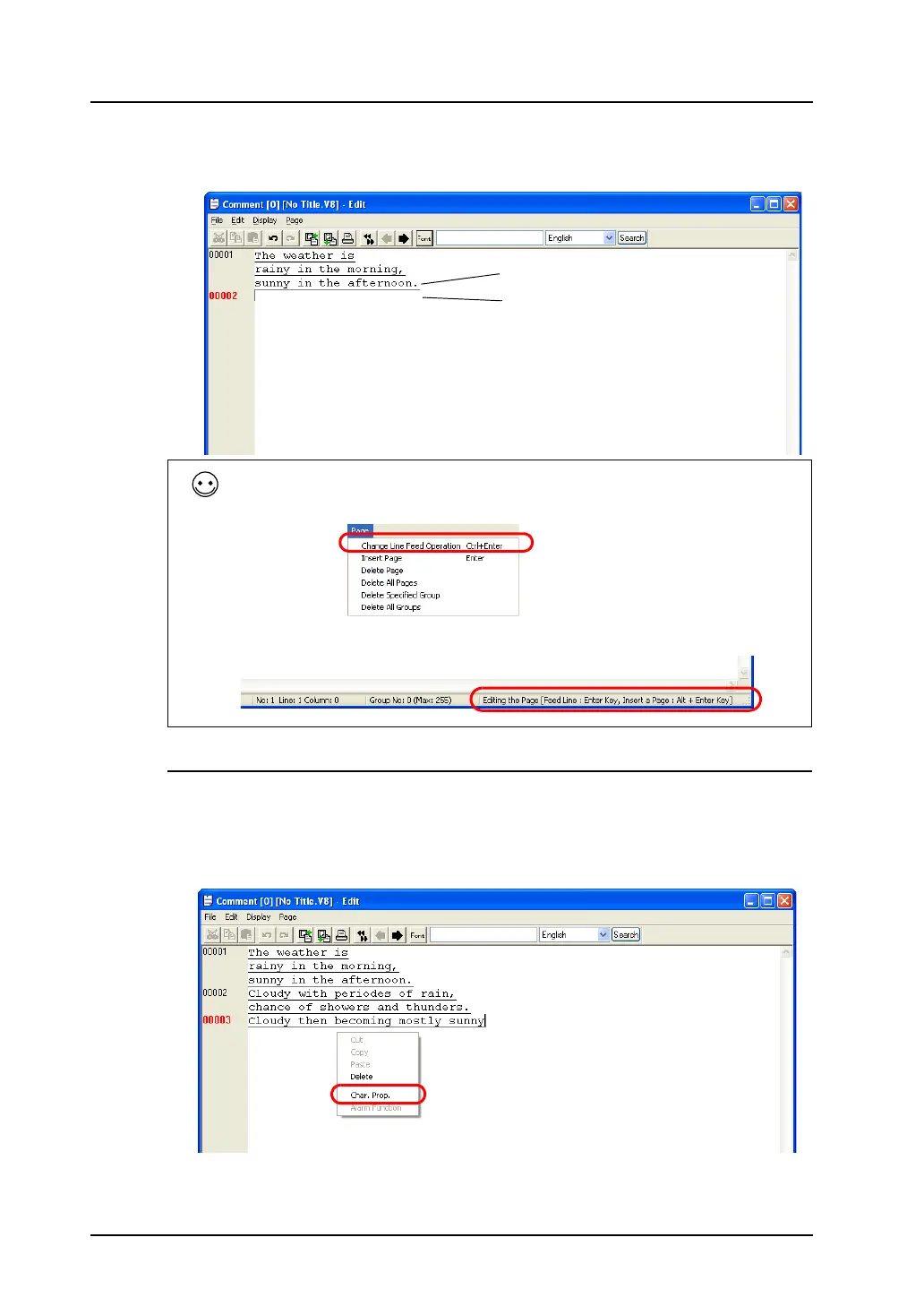
2. To go to comment No. 2, press the Enter key.
When entering two or more lines in comment No. 1, hold down the Alt key and press the Enter key.
Text Properties
Text properties can be changed on a comment-by-comment basis.
1. Move the cursor to the comment for property setting.
2. Right-click the mouse, and click [Char. Prop.].
The [Char. Prop.] dialog is displayed.
Contrary to the above, the Enter key can be used to go to the next line at the same comment number,
and the Alt and Enter keys can be used to go to the next comment number.
To achieve this, click [Page] → [Change Line Feed Operation].
You can see whether or not [Change Line Feed Operation] is checked also on the status bar.
Line feed by Alt and Enter keys
Line feed by Enter key
Right-click.



 To Next Page