5.10 Pattern
5-40
Pattern Editing
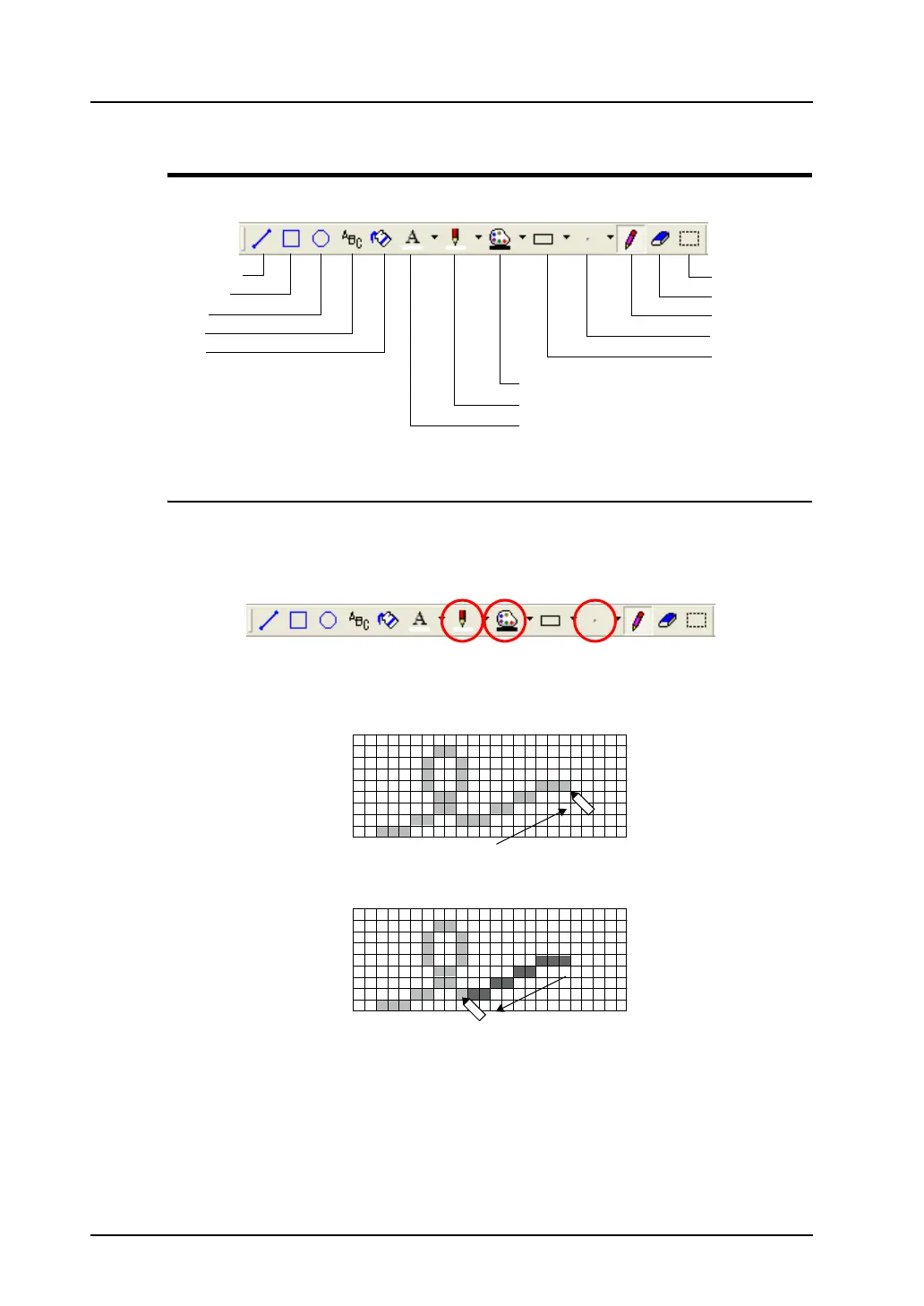
The following toolbar is provided for pattern drawing.
[Pen] Icon
The [Pen] icon enables you to draw freehand.
1. Select your desired pen color with the [Line Color/Frame Color] icon, right-click color with the
[Paint Color/Background] icon, and pen size with the [Pen Size] icon.
2. Click the [Pen] icon. In the [Pattern Edit] window, draw a graphic by clicking or dragging the
mouse.
The previously selected color and the pen size apply to the graphic you are drawing.
3. To draw in the color for [Paint Color/Background], right-click or right-drag the mouse.
Straight Line
Rectangle
Circle
Text
Paint
Select with Box
Eraser
Pen
Pen Size
Frame Type
Paint Color/Background Color
Line Color/Frame Color
Character Color
Drag.
Right-drag



 To Next Page