Windows Font
A1-29
A1
Font
Windows Font
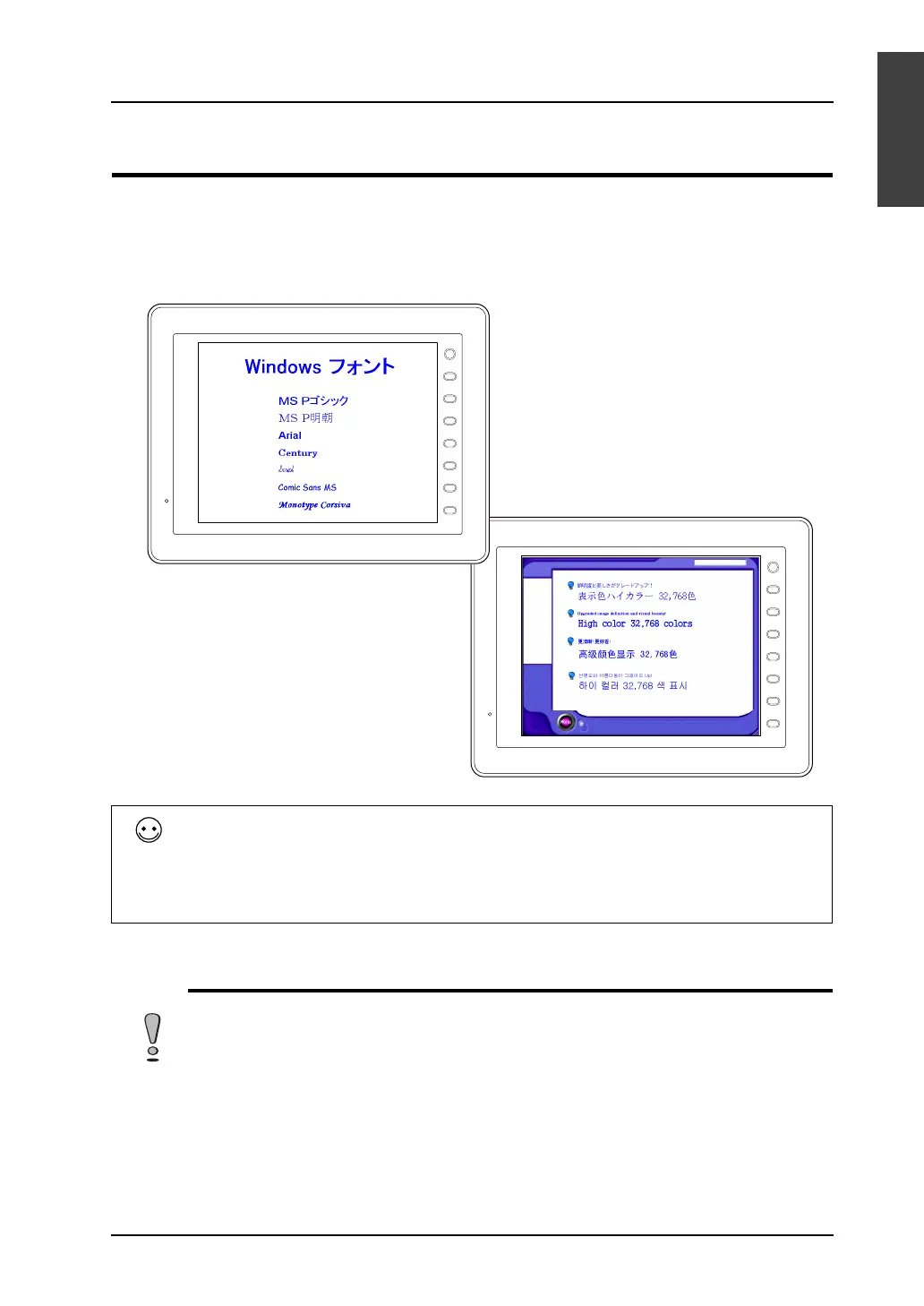
• Windows fonts can be displayed on MONITOUCH. Because Windows font settings can be
changed for individual parts and messages, a high degree of flexibility will be allowed for screen
creation.
• Windows fonts also allow for multi-language display on one screen.
Limitations
The limitations on the use of Windows fonts:
• Windows fonts occupy a large memory space in screen data.
• Available Windows fonts differ between text in drawing/text for messages and variable text.
• When multiple languages are used on the screen together with Windows fonts, the same text
properties apply to all these languages.
F 1
F 2
F 3
F 4
F 5
F 6
F 7
SYSTEM
F 1
F 2
F 3
F 4
F 5
F 6
F 7
SYSTEM
With Windows fonts, it becomes possible to display multiple languages on one screen and also to
switch the language (switch only the displayed characters while the screen layout remains the
same) without the necessity to use a CF card.
When creating this sort of multi-language screens, set the number of languages to “2” or more,
select the same font (ex.: Japanese 32) for the languages, and use necessary Windows fonts
respectively for the languages (page A1-38).
If your computer is not installed with the Windows fonts that are used in the screen data, the computer
cannot be used to edit text in those fonts.



 To Next Page