8.7 Other Functions in the [Tool] Menu
8-73
8
Useful Functions
DXF File Convert
A DXF file can be imported into a screen data file as graphic data.
Operating Procedure
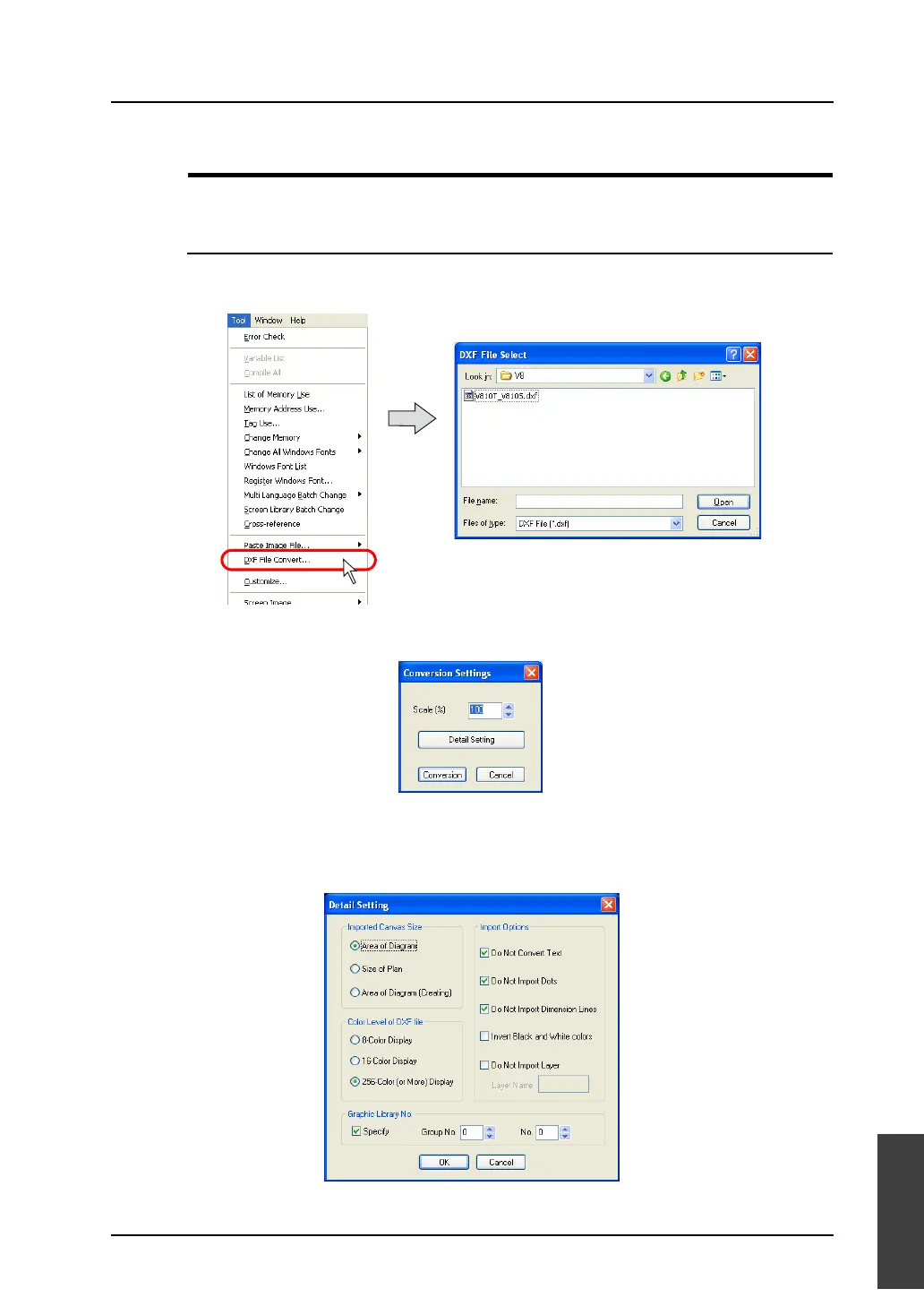
1. Select [DXF File Convert] from the [Tool] menu.
The [DXF File Select] dialog is displayed.
2. Choose the desired DXF file and click [Open].
The [Conversion Settings] dialog is displayed.
3. Specify zooming factor. Available range is from 10 to 250%.
4. Click [Detail Setting] and select conditions for importing.
For more information, refer to the next page.



 To Next Page