5.7 Overlap Library
5-30
Macro Setting
An OPEN macro and a CLOSE macro can be set for the overlap display parts registered in the overlap
library.
These macros can be executed when the registered overlap part is displayed (OPEN macro) on or
erased (CLOSE macro) from the screen.
Macro setting commands
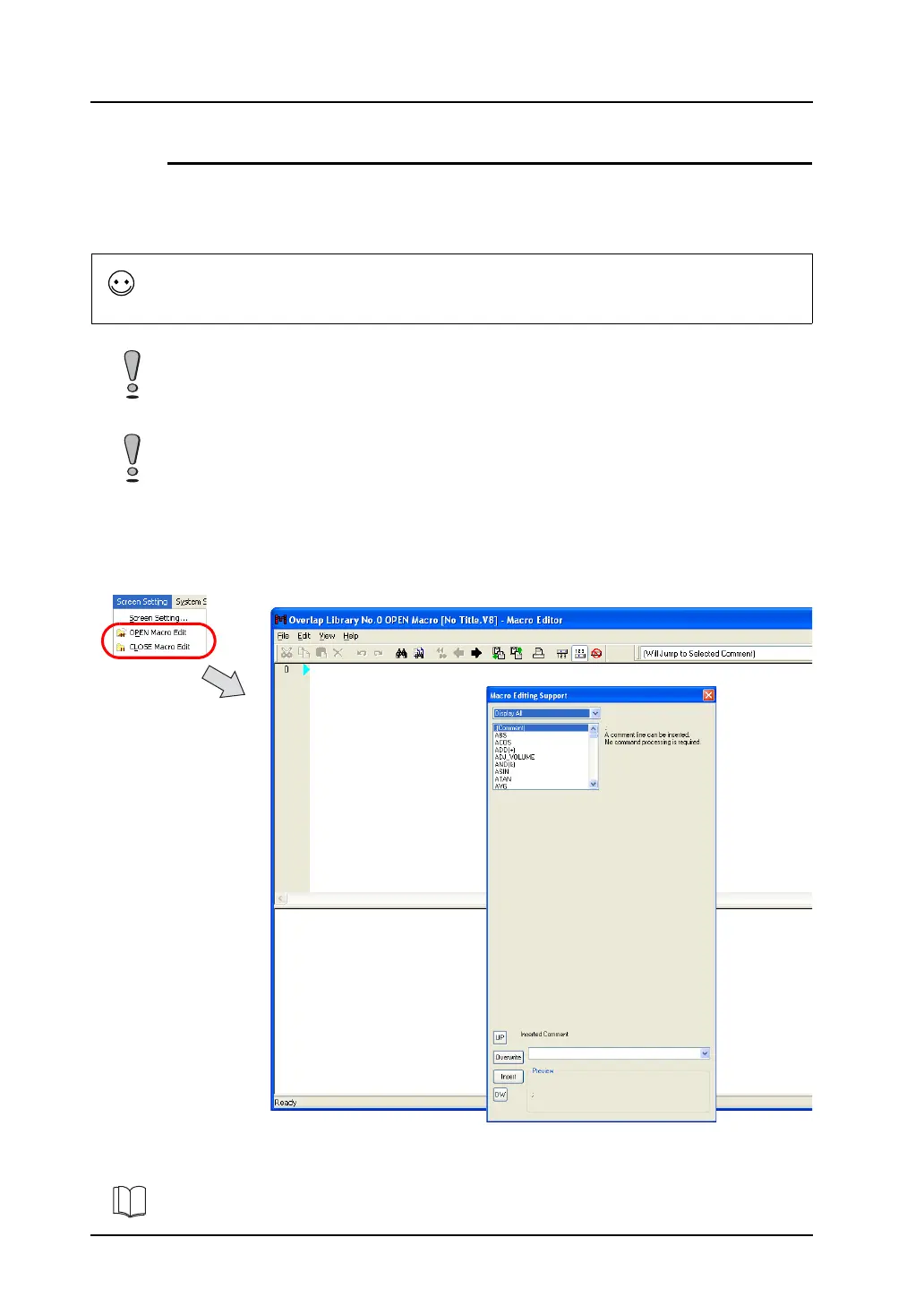
Select [OPEN Macro Edit] or [CLOSE Macro Edit] from the [Screen Setting] menu.
The corresponding macro editing window is displayed.
Macro editing and deleting
Macro is a function to execute computation processing for user programs using the V8-series
commands.
For more information on macro commands, refer to the V Series Macro Reference Manual.
If a registered overlap library is set as a call-overlap on the screen, these macro settings become
invalid.
Set the overlap as a multi-overlap on the screen when enabling the macro settings.
If you delete an overlap library that includes a macro setting, be sure to delete the macro as well.
Failure to delete the macro will cause an error during error check and the error will be detected also on
MONITOUCH.
For more information, refer to “Chapter 2 Edit” in the V Series Macro Reference Manual.



 To Next Page