8.1 Simulator
8-17
8
Useful Functions
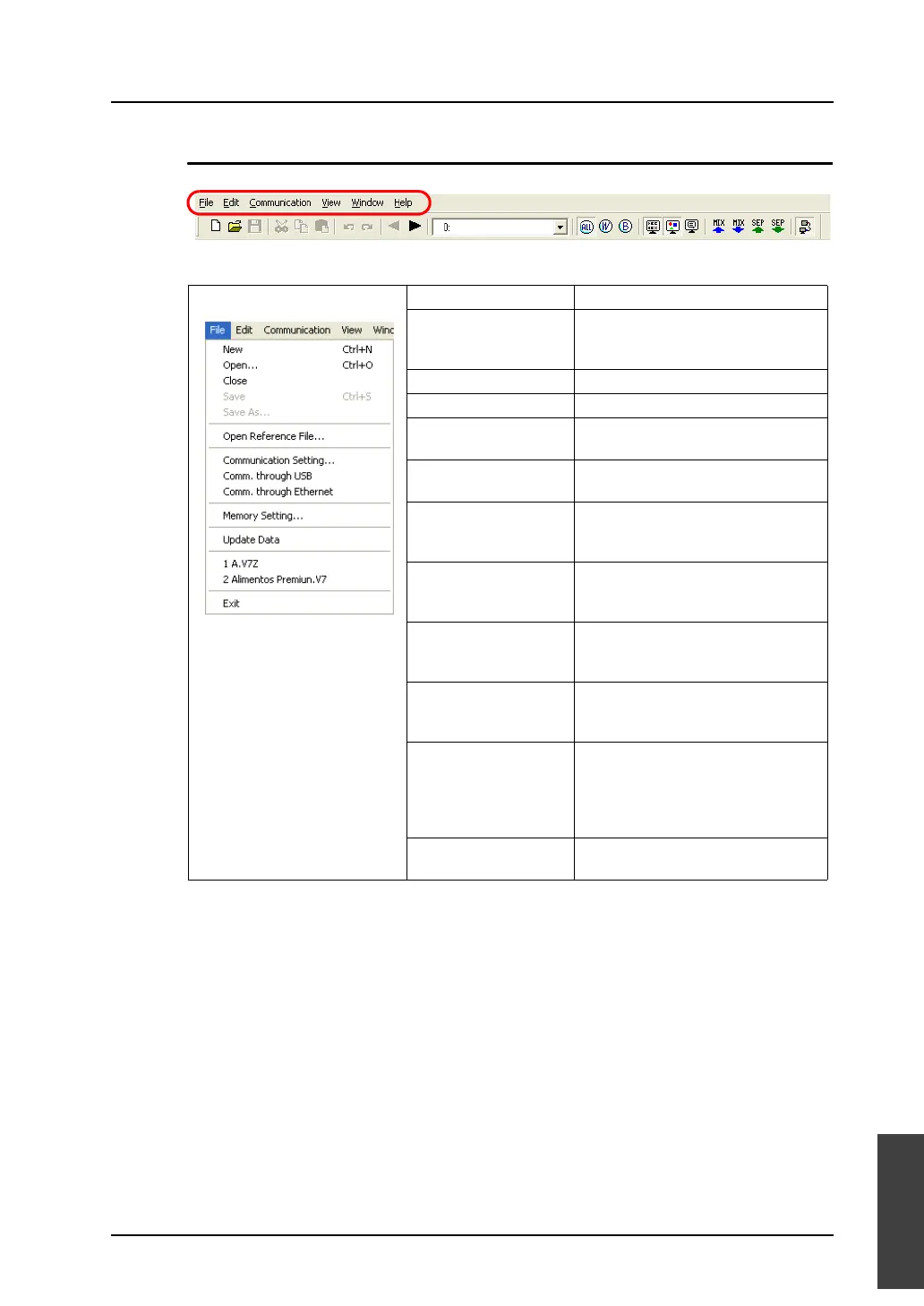
Menu Bar
[File] menu New Opens an [Untitled] sheet.
Open Opens an existing screen data file
(“*.V8”) or a memory table file
(“*.sim”).
Close Closes the sheet being open.
Save Saves the sheet being open.
Save As Saves the sheet being open under a
different name.
Open Reference File Opens a data file (“*.V8” for example)
for Simulator to refer to.
Communication Setting Allows you to proceed to serial or
Ethernet communication settings.
(Refer to page 8-14.)
Comm. through USB This menu item is automatically
checked when communication via
USB takes place.
Comm. through
Ethernet
This menu item is automatically
checked when communication via
Ethernet takes place.
Memory Setting Allows you to specify the range of
memory addresses to be used for
Simulator.
Update Data If changes have been made to the
source screen data for simulation,
clicking this menu item accordingly
updates the screen data displayed on
Simulator.
Exit Terminates Simulator. (Refer to page
8-12.)



 To Next Page