8.1 Simulator
8-28
Testing Word Access Device
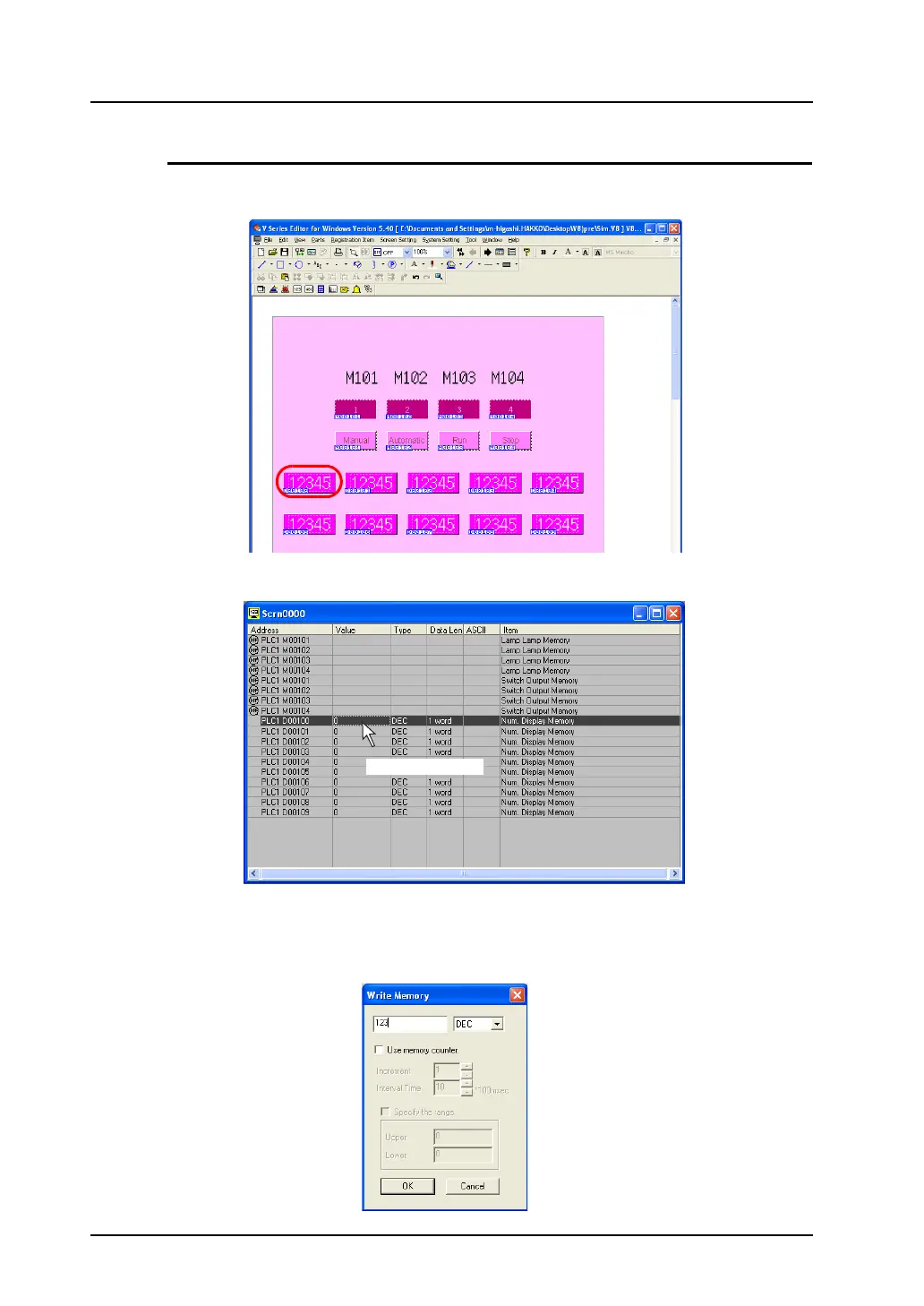
The procedure for changing the numerical value of the data display is described here. As an example,
the value D100 will be changed.
1. Double-click the field “D100” on Simulator.
2. The [Write into Memory] dialog is displayed.
3. Key-in a value as desired. (If necessary, change the format of the value to be entered.)
As an example, “123” is entered in decimal notation.
Double-click.



 To Next Page