3.8 Useful Functions for Screen Editing
3-106
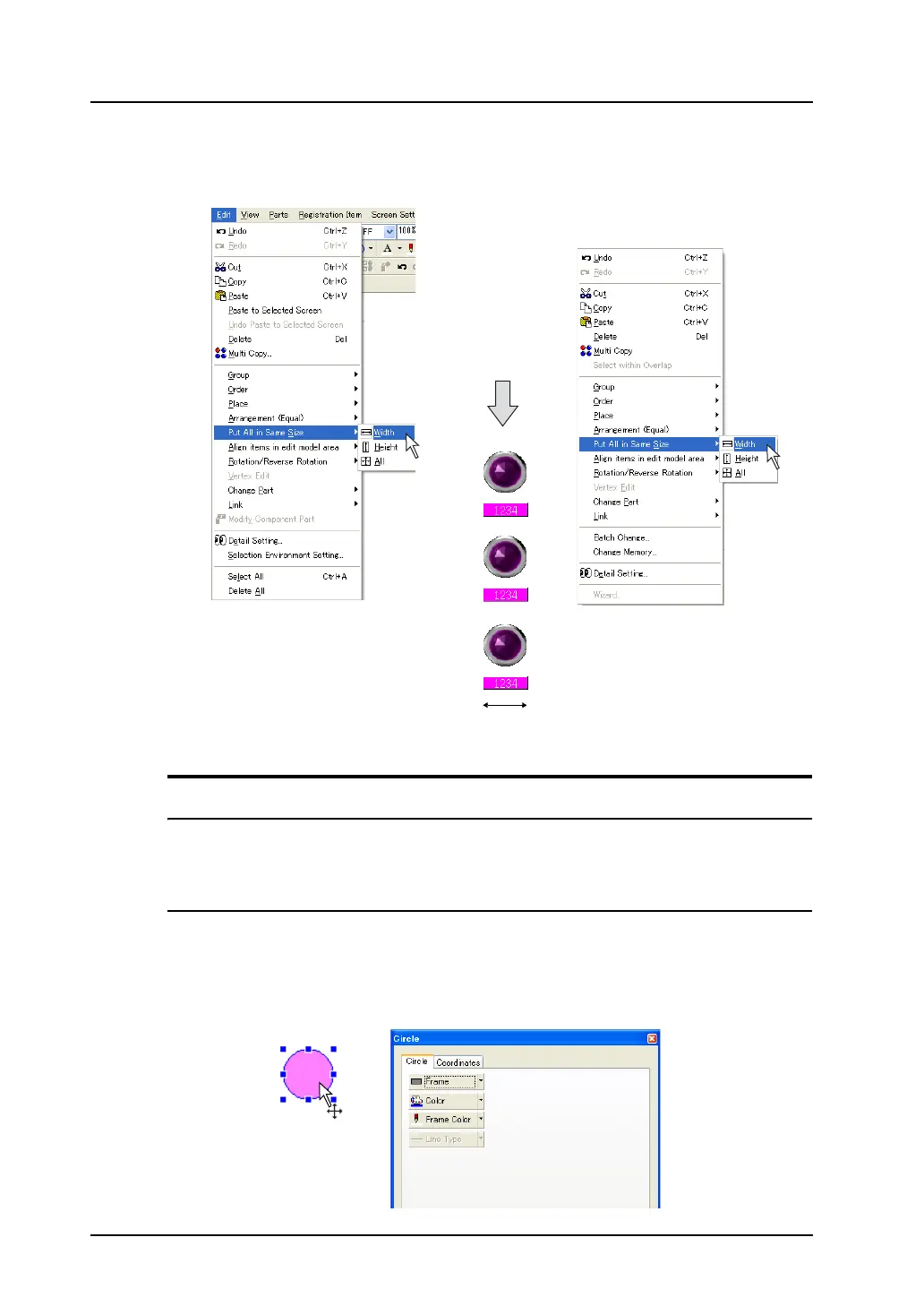
2. Click [Edit] → [Put All in Same Size] → [Width], or right-click the selected parts and click [Put All in
Same Size] → [Width]. All the other parts are formed to the width of the part enclosed with blue
handles.
Changing Part
Link / Link Cancel
When a linked part is selected, [Link] becomes active ([Edit] → [Link]).
For more information, refer to page 3-61.
Change to Switch / Change to Lamp
A graphic can be changed to a switch or lamp part easily. In addition, changing a switch part to a lamp
part or vice versa is possible.
For example, this section explains how to change a drawn circle to a lamp part.
1. Click the circle.
OR
Right-click.



 To Next Page