3.4 Setting Menu
3-29
3
Screen Editing
Memory Setting
This section explains how to allocate memory addresses to parts (e.g. lamp parts and numerical data
displays) and read area and write area in the [Device Connection Setting] dialog selected from the
[System Setting] menu.
Display Type for Memory Setting
Normal type
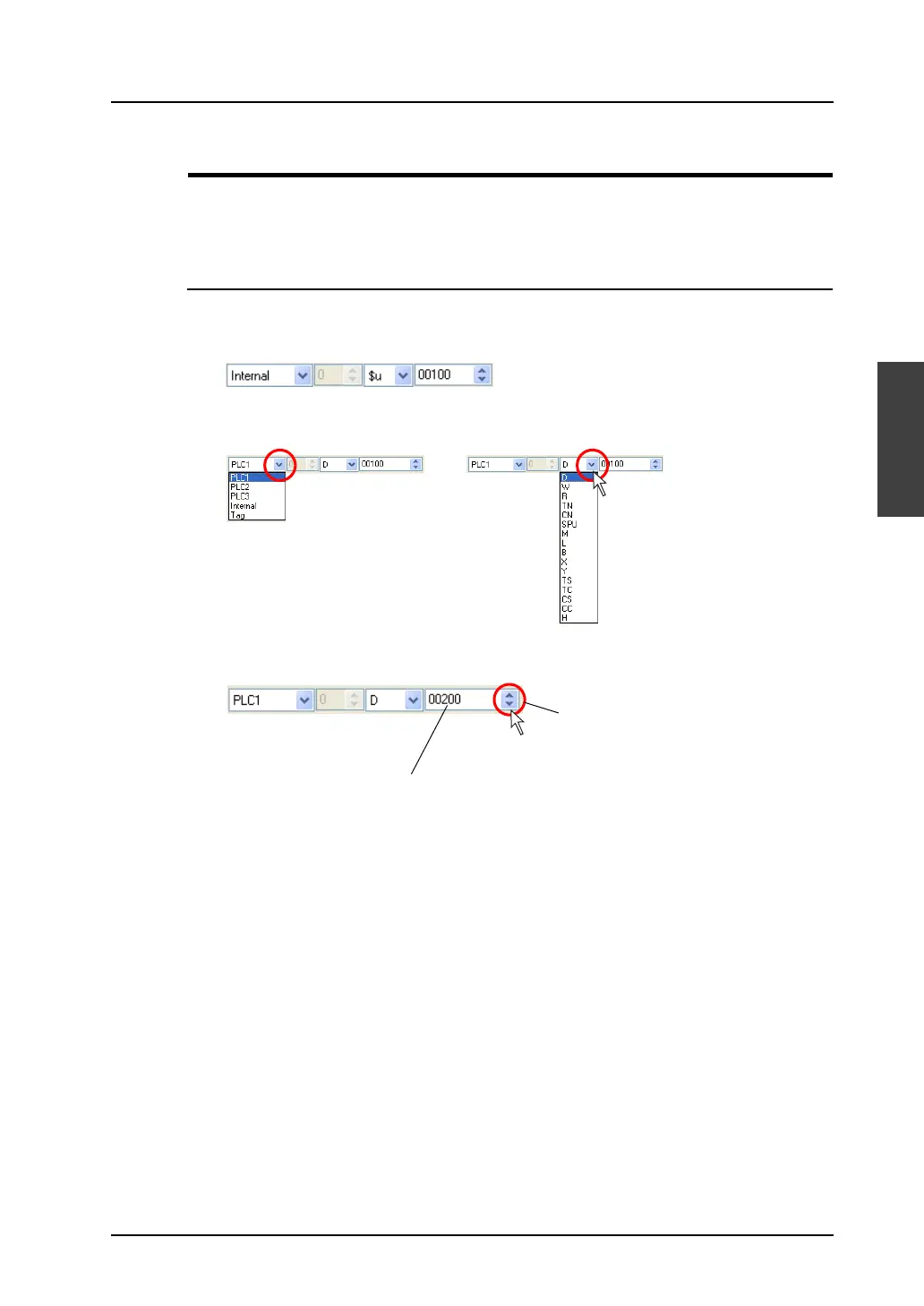
The figure below shows the normal type.
You can select the memory type and address type from the pull-down menu.
Change the value using the up/down arrow button or enter the desired value in the field directly.
Enter the value directly.
Change using the up/down arrow button.
OR



 To Next Page