5.10 Pattern
5-42
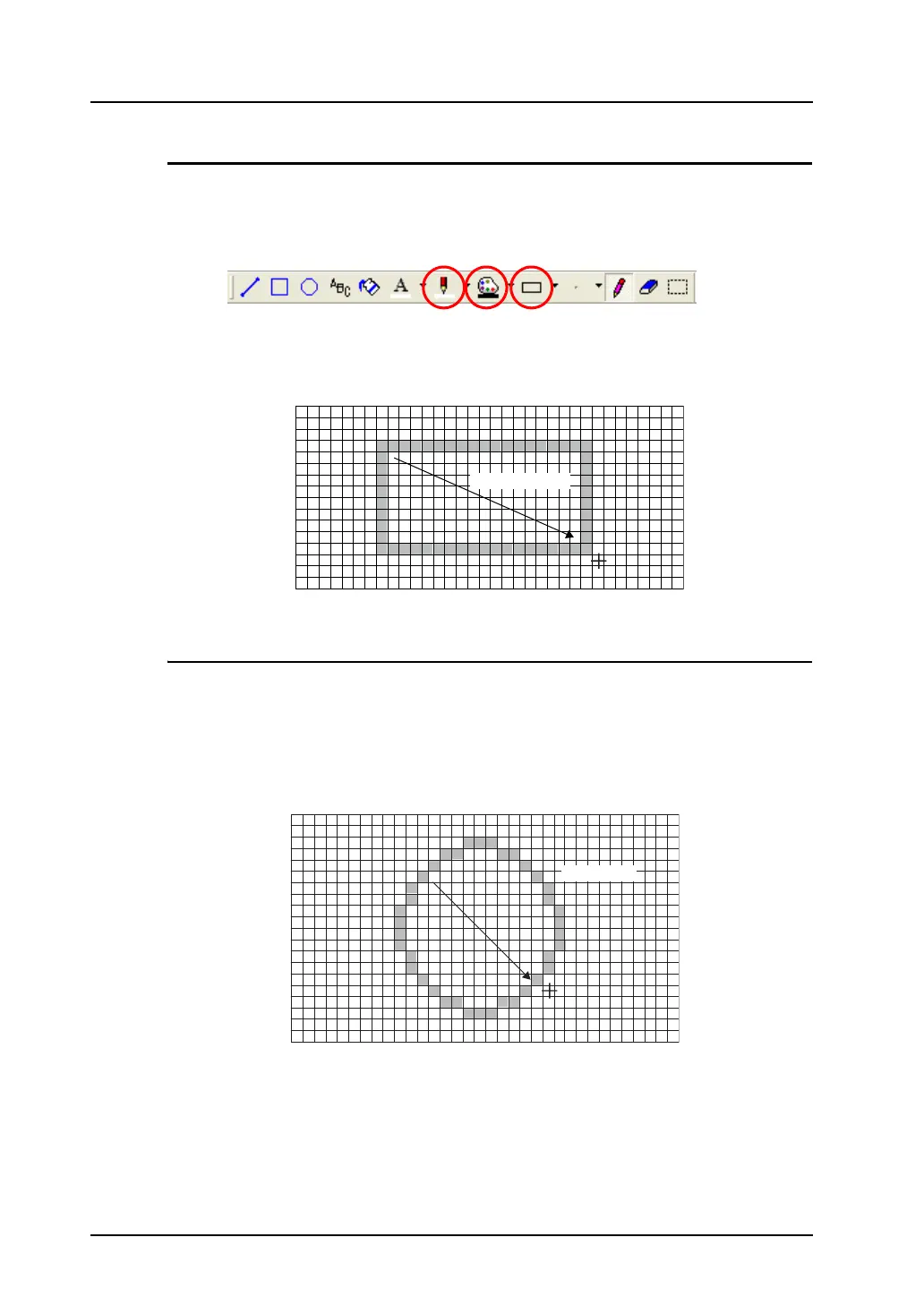
[Rectangle] Icon
The [Rectangle] icon enables you to draw boxes.
1. Make necessary settings in advance with the [Line Color/Frame], [Paint Color/Background], and
[Frame Type] icons.
2. Click the [Rectangle] icon. In the [Pattern Edit] window, draw lines by dragging the mouse.
The previous settings apply to the box you are drawing.
[Circle] Icon
The [Circle] icon enables you to draw circles.
1. Make necessary settings in advance with the [Line Color/Frame], [Paint Color/Background], and
[Frame Type] icons.
2. Click the [Circle] icon. In the [Pattern Edit] window, draw lines by dragging the mouse.
The previous settings apply to the circle you are drawing.
Drag.
Drag.



 To Next Page