6.3 Preliminaries
6-9
6
Transfer with V8
When transferring via USB:
The screen data can be transferred in the RUN mode as well as from the Main Menu screen.
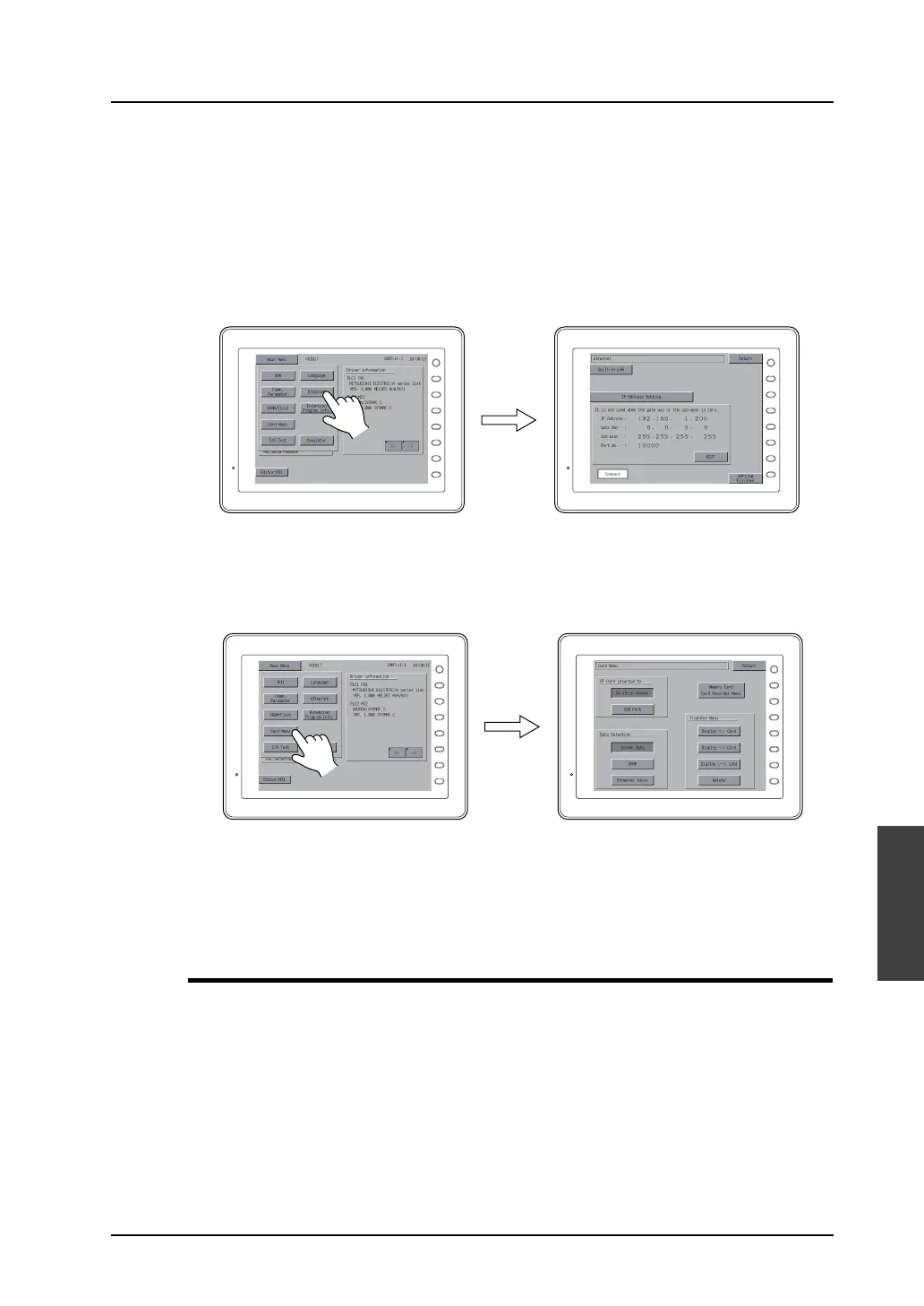
When transferring via Ethernet:
When the IP address or subnet mask is correctly set for Ethernet transfer, the screen data can be
transferred in the RUN mode as well as from the Main Menu screen.
However, it is necessary to display the Ethernet screen from the Main Menu screen to check or change
the current setting.
When using a card:
To transfer data using a CF card or memory card, display the Card Menu screen from the Main Menu
screen.
* In the case of the automatic uploading using a CF card, it is not necessary to display the
Main Menu screen. For more information on the automatic uploading, see “Chapter 18. CF
Card” in the V8 Series Reference Manual.
Preparation for Peripheral Equipment
Depending on the transfer method, it is necessary to prepare peripheral equipment (LAN cable, CF
card, etc.) in addition to MONITOUCH and accessories included with MONITOUCH. Please prepare
them which is commercially available near you if it is not required to use dedicated equipment.
F 1
F 2
F 3
F 4
F 5
F 6
F 7
SYSTEM
F 1
F 2
F 3
F 4
F 5
F 6
F 7
SYSTEM
F 1
F 2
F 3
F 4
F 5
F 6
F 7
SYSTEM
F 1
F 2
F 3
F 4
F 5
F 6
F 7
SYSTEM



 To Next Page