5.10 Pattern
5-50
Image File Import and Storage
It is possible to import bitmap or JEPG files into pattern editing. It is also possible to store patters as
bitmap or JPEG files.
Importing an Image File
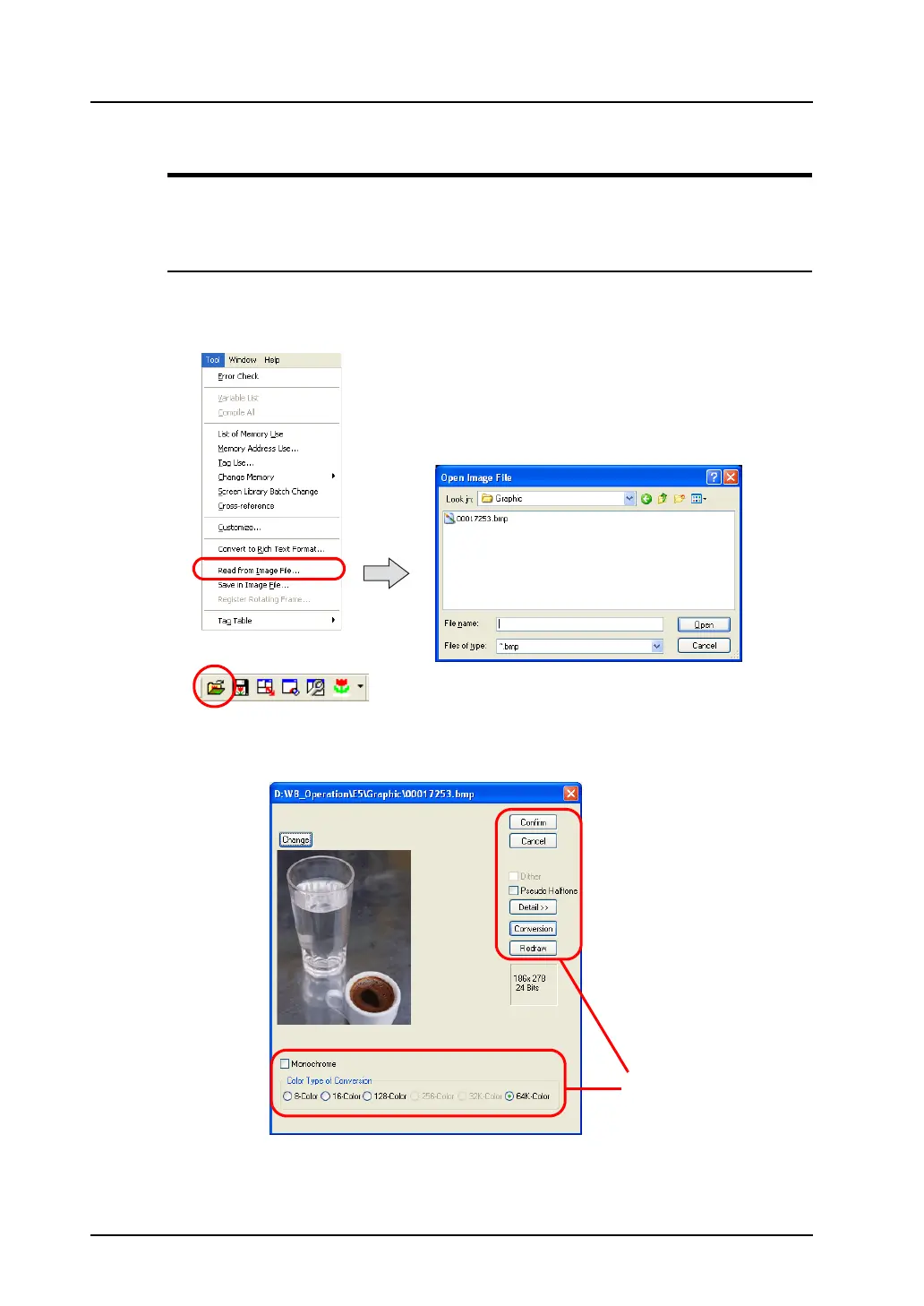
1. Click the [Read from Image File] from the [Tool] menu or the [Read from Image File] icon on the
toolbar.
The [Open Image File] dialog is displayed.
2. Select the desired file and click [Open].
The following dialog is displayed:
Click [Place].
OR
For more information
on the setting, refer to
page 5-51.



 To Next Page