4.3 Drawing Methods
4-40
How to Check the Painted Area
You can easily check the area where you have executed painting or cancel painting by removing a
check mark from [Paint Display].
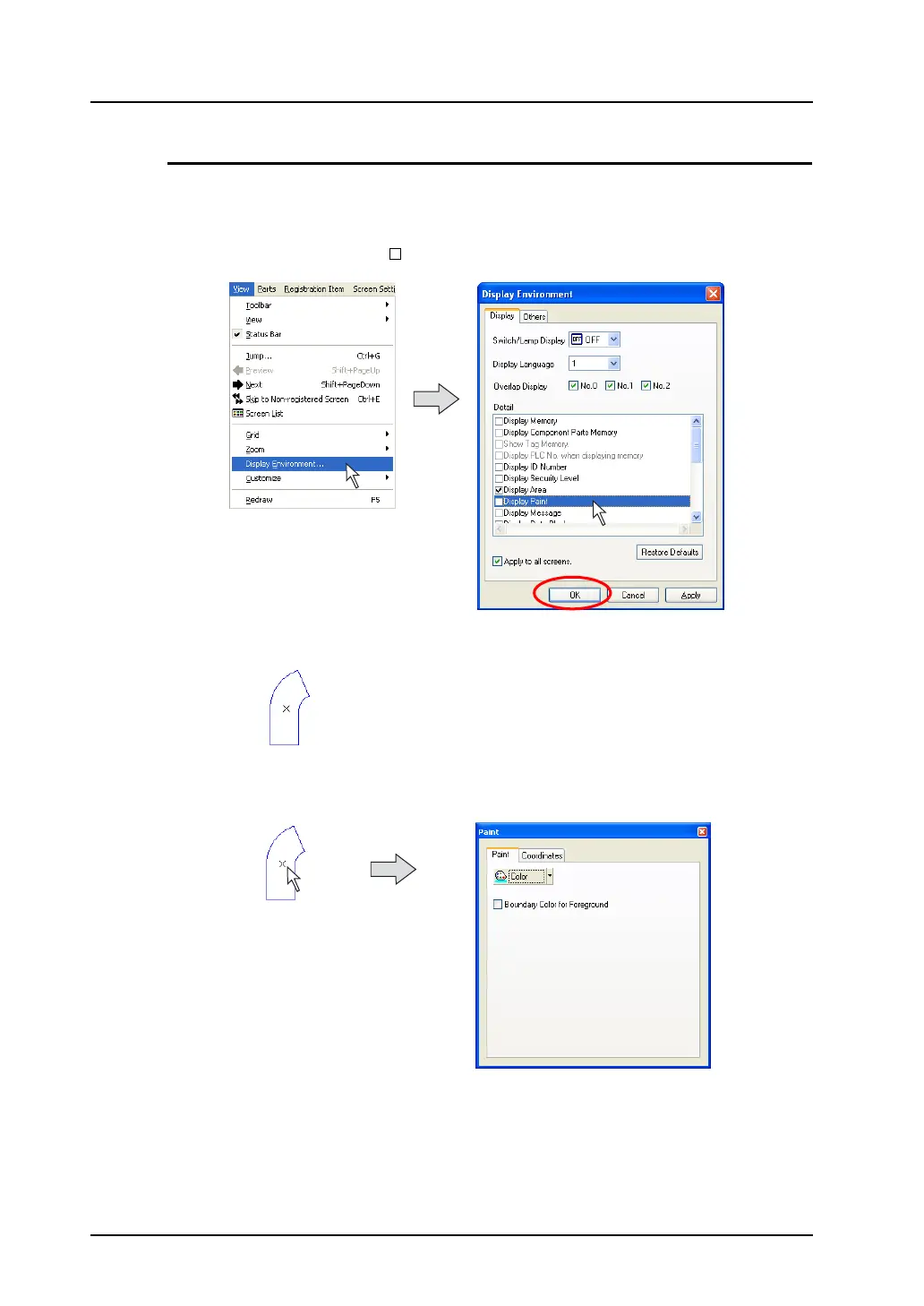
1. Click [Display Environment] from the [View] menu.
Remove the check mark from [ Display Paint] for [Detail] and click [OK].
2. Painted color is removed from the area, and the area is only displayed with the “×” mark.
3. Click or double-click on the “×” mark. The [Paint] dialog appears.
Click.
(or double-click.)



 To Next Page