8.1 Simulator
8-6
Screen Data and Simulator Program Transfer
Transfer the screen data and the Simulator program to MONITOUCH.
A driver file will automatically be transferred to MONITOUCH according to the connection format: file
“UniPLC_S.tpc” in the case of serial communication via V-CP, file “UniPLC_E.tpc” in the case of
connection via Ethernet, or file “UniPLC_U.tpc” in the case of connection via USB.
Screen Data Transfer
Follow the steps below to transfer the screen data.
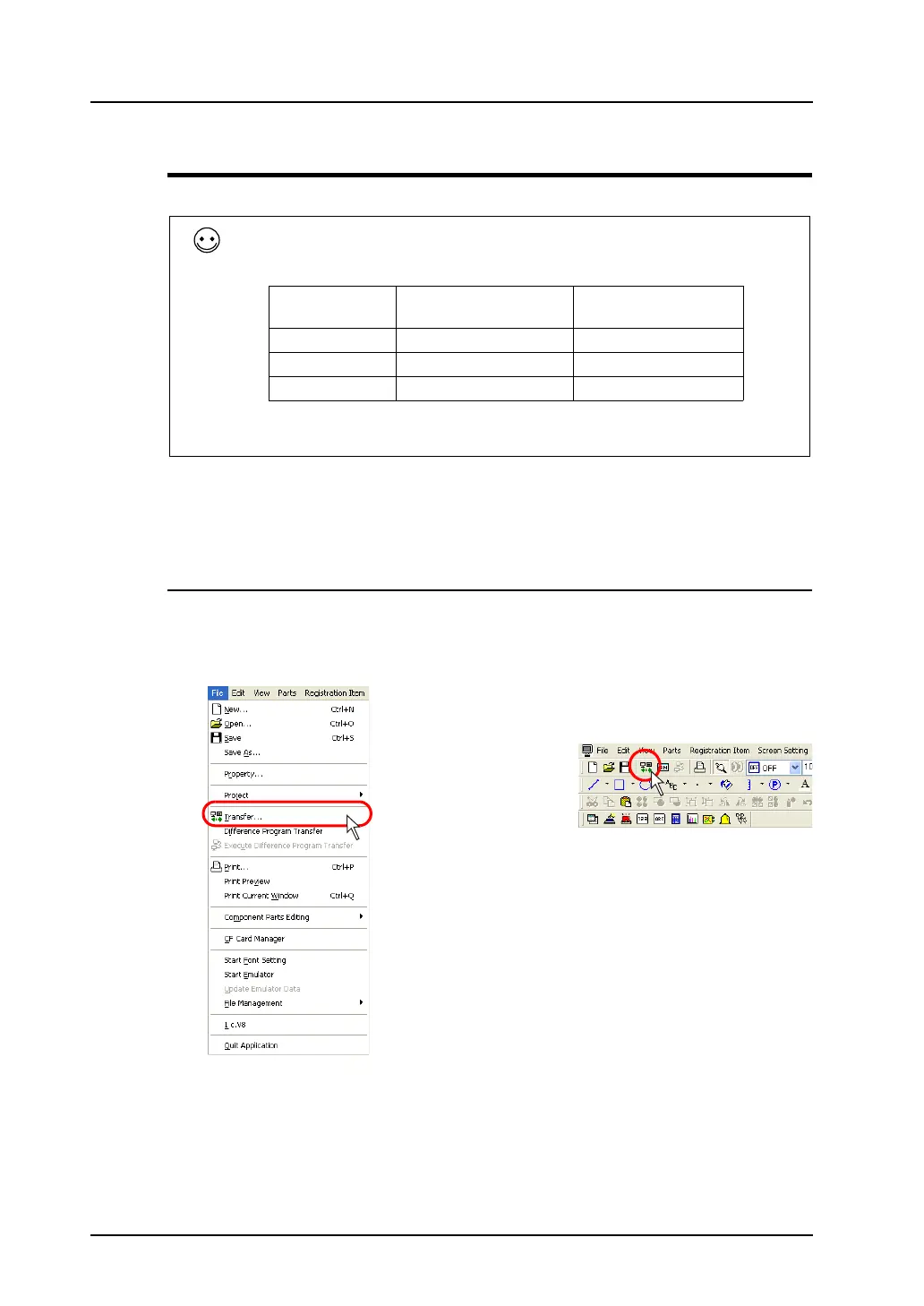
1. Click [Transfer] from the [File] menu or click the [Transfer] icon on the toolbar.
The [Transfer] dialog is displayed.
What is the Simulator program?
The Simulator program is a driver file that MONITOUCH requires for using Simulator.
The driver files are:
File Name Connection Format
Display on
MONITOUCH
UniPLC_S.tpc Serial (with V-CP) MJ1 (Serial)
UniPLC_E.tpc Ethernet EtherNet (UDP)
UniPLC_U.tpc USB USB-B (Device)
* To see the display on MONITOUCH, go to the Main Menu screen and press the
[Simulator] switch. For more information, refer to page 8-8.
OR



 To Next Page