5.11 Data Sheet
5-57
5
Registration
Data Sheet Editing
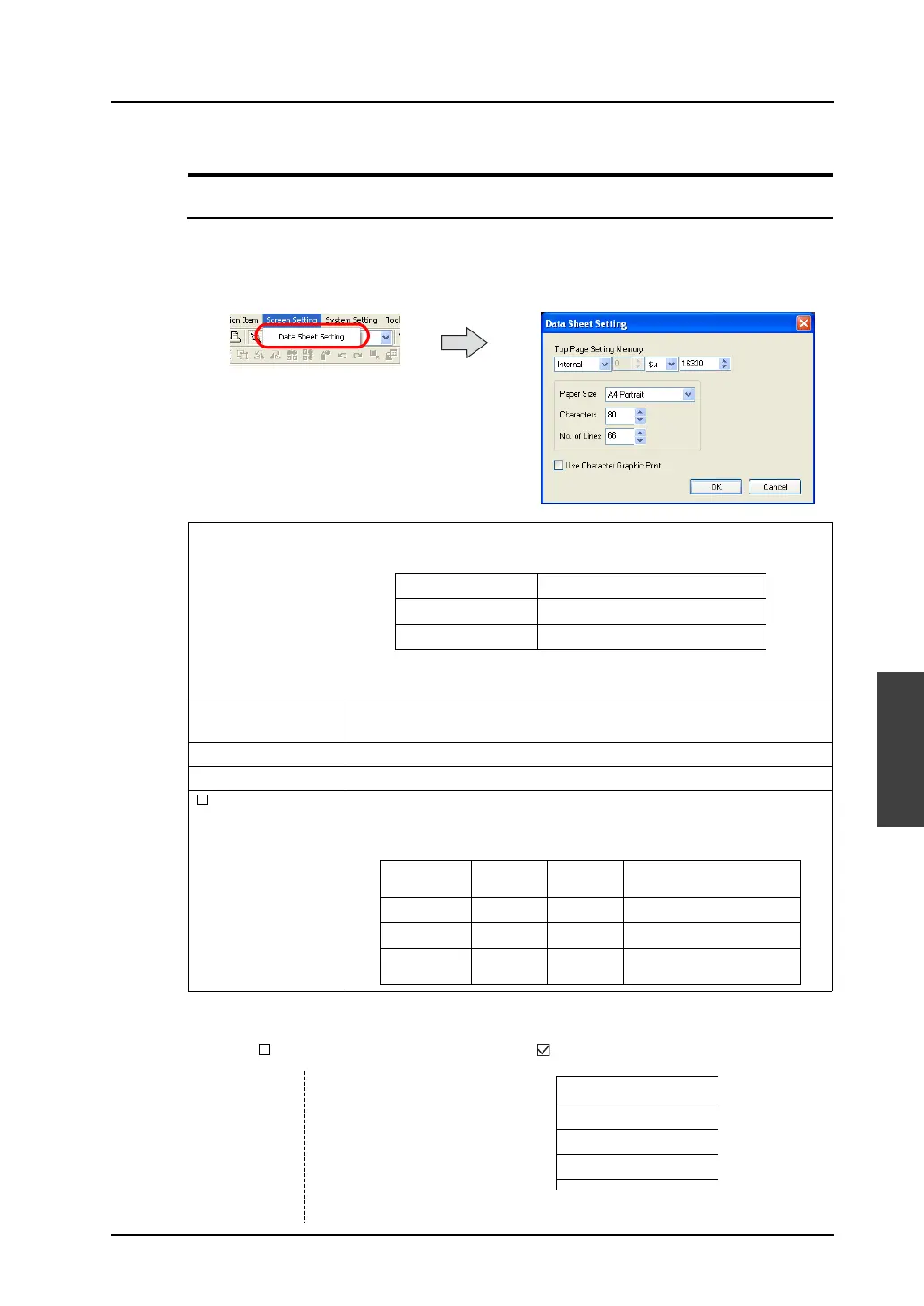
Data Sheet Setting
It is necessary to set the size of a data sheet, the number of characters, etc. in the [Data Sheet Setting]
dialog.
Click [Data Sheet] from the [Screen Setting] menu.
The [Data Sheet Setting] dialog is displayed.
* Printed out images differ as shown below.
Top Page Setting
Memory
This option determines the first page of printing. The contents are shown
below:
For more information , refer to “Chapter 16 Print” in the V8 Series
Reference Manual.
Paper Size (A4 Portrait, A4 Landscape, 15-Inch Landscape, User Designation)
Select the sheet size and the sheet orientation.
Characters (16 - 152) Specify the number of characters per line of data sheet.
No. of Lines (2 - 152) Specify the number of lines per page of data sheet.
Use Character
Graphic Print
When this option is checked, charts can be printed out clearly.
The number of lines also varies.
How this relates to the printout paper is shown below.
Address Content
n Beginning print page
n + 1 Number of pages to be printed
Paper Size Characters No. of
Lines
No. of Lines with Character
Graphic Used
A4 portrait 80 66 108
A4 landscape 114 40 64
15-inch
landscape
136 64 64
-----------------------------------
No. 0
-----------------------------------
No. 1
-----------------------------------
No. 2
-----------------------------------
No. 3
-----------------------------------
No. 0
No. 1
No. 2
No. 3
[ Use Character Graphic Print] [ Use Character Graphic Print]
data
data
data
data
data
data
data
data



 To Next Page