8.8 File Management
8-78
8.8 File Management
The file management function makes it possible to compare two screen data files and find out what the
differences are.
It is also possible to copy items, such as screens, messages, graphic libraries, etc., which have been
found to be different.
A screen data file can be partitioned for storage on floppy disks, and can be recombined.
File Management Outline
File Management Functions
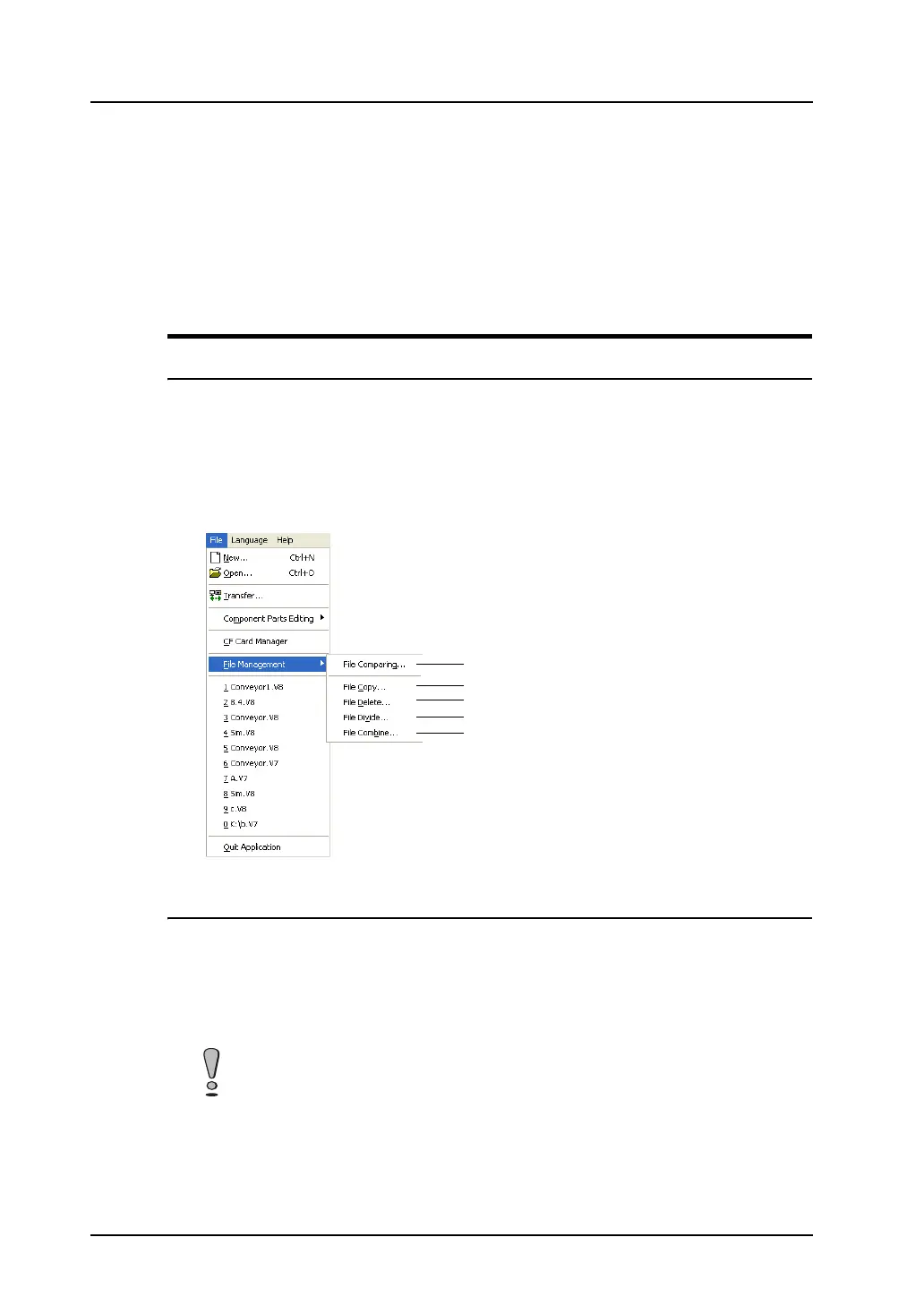
The following options are included in [File Management].
1) Compares files, and copies the necessary data item only.
2) Copies entire files.
3) Deletes unnecessary files.
4) Partitions a file occupying large amounts of memory.
5) Recombines the partitioned file.
Files for File Management
The following four types of files can be handled by the file management function.
• V8 screen data file (extension: “*.V8”)
• V7 screen data file (extension: “*.V7”)
• V6 screen data file (extension: “*.V6”)
• V4 screen data file (extension: “*.V4”)
Specify two files with the same extensions when copying or comparing files.
The file management function is not available for files with different extensions.
1)
2)
3)
4)
5)



 To Next Page