3.5 Color Types and Settings
3-44
Blinking Time Setting
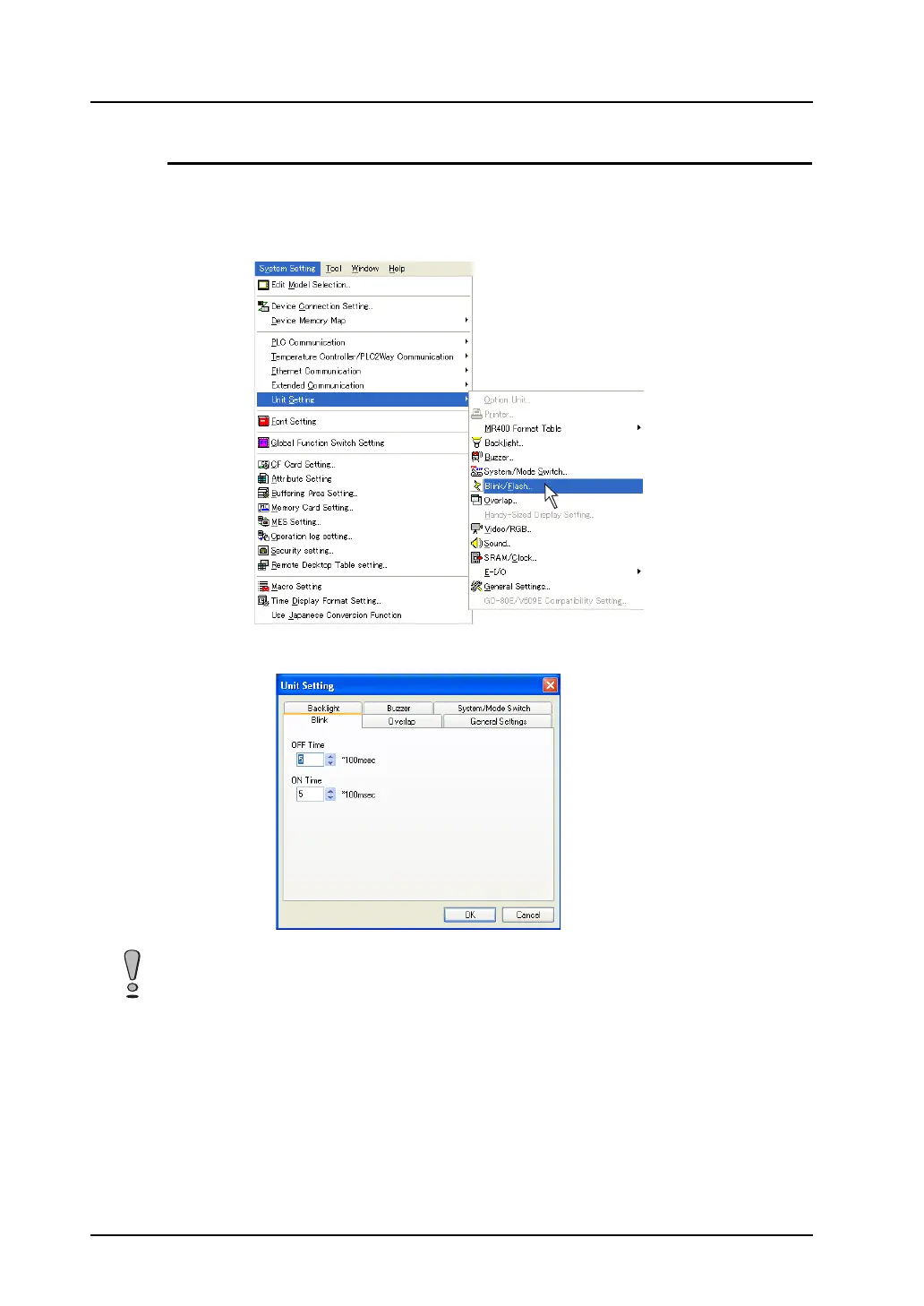
It is possible to change the blinking interval. Set the item as described below.
1. Select [System Setting] → [Unit Setting] → [Blink/Flash].
The [Unit Setting] dialog is displayed.
2. Set [OFF Time] and [ON Time] in the [Blink/Flash] tab window.
The specified blinking time is valid as a common setting in the screen data file. It is not allowed to
specify different times as individual blinking settings.



 To Next Page