3.7 Parts Placement and Setting
3-65
3
Screen Editing
3.7 Parts Placement and Setting
Overlap
Normal Overlap Display
Placement procedure
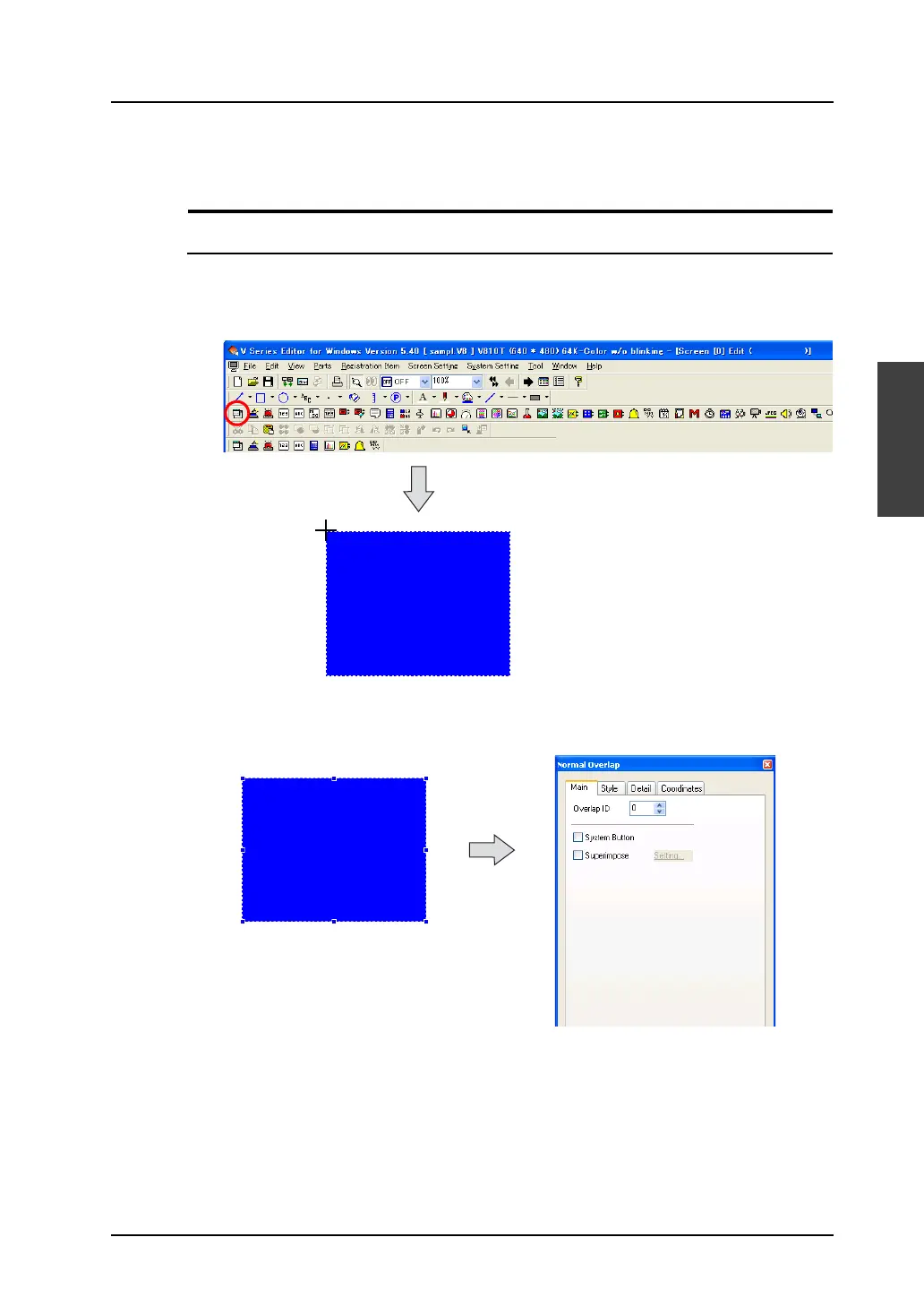
1. Click the [Normal Overlap] icon on the parts toolbar and move the mouse to the screen.
The normal overlap display appears on the screen.
2. Click the mouse in the desired position. Normal overlap display part is placed.
The [Normal Overlap] item dialog is displayed at the same time.
* If the item dialog is not displayed, double-click on the normal overlap display part.
The part is displayed with the
cursor moved.



 To Next Page