3.6 Parts
3-64
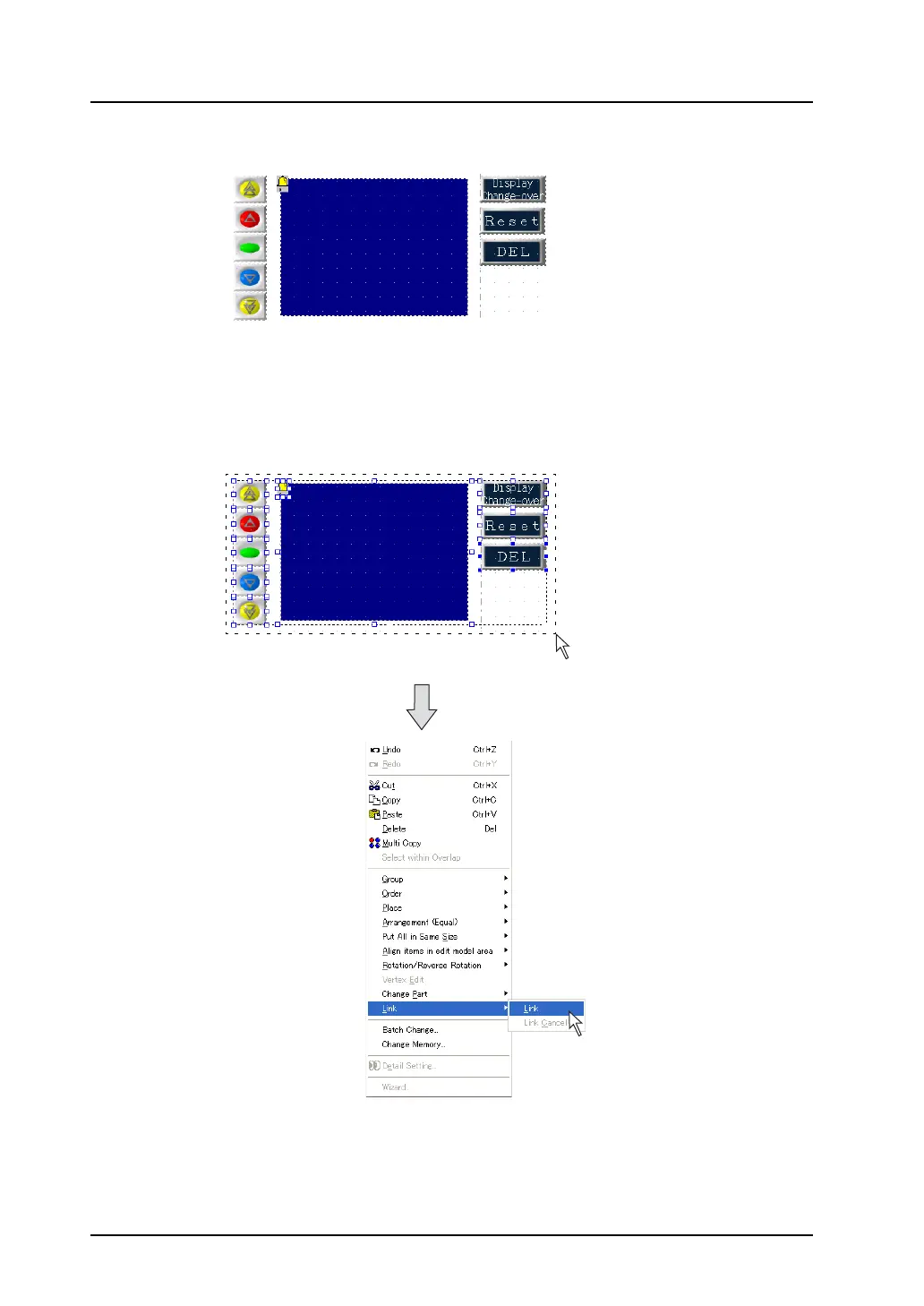
3. Change the parts layout as shown in the figure below.
* The [Alarm Tracking] icon can also be moved; however, it is recommended to place it at the
upper left of the display area part.
4. When the layout is determined, select all parts to be linked, and click [Link] selected from [Link] in
the right-click menu.
The selected parts are linked and become a linked part.
Drag the mouse enclosing all of the
parts to be linked.
Right-click.



 To Next Page