After Completion of Parts Editing
A3-28
After Completion of Parts Editing
Once your original parts created in the [Modify Part] window are saved as the screen data (“*.V8”),
they can be loaded from [Parts List] window and added to the parts list.
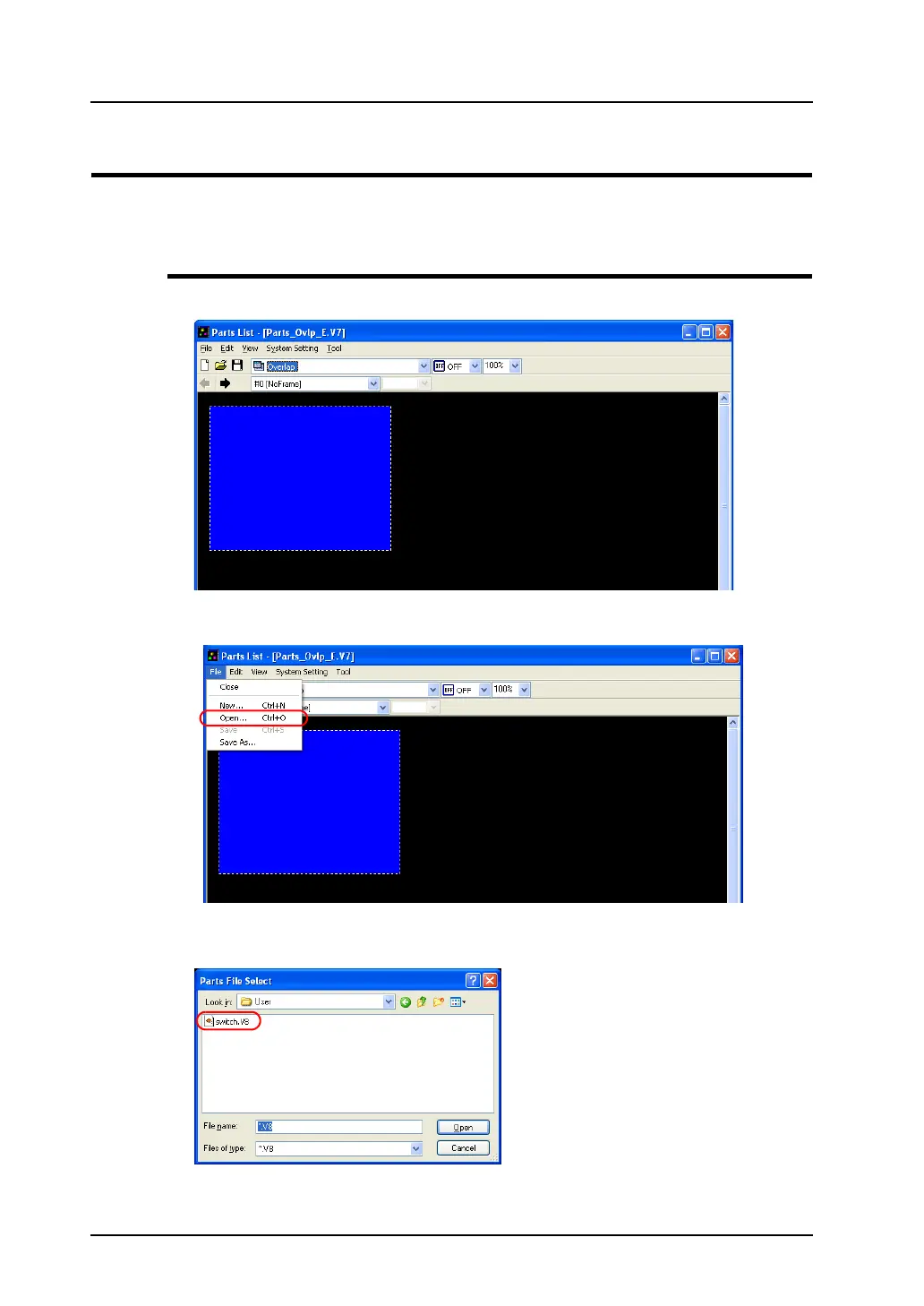
Access from [Parts List]
1. Click [Parts] → [Parts List]. The [Parts List] window is displayed.
2. Click [File] → [Open].
3. The [Parts File Select] dialog is displayed. Select the screen data file you wish to add to the parts
list. Click [Open].



 To Next Page