128-color Type
A2-17
A2
3D Parts
128-color Type
This section explains the available 3D parts and the necessary settings. Please familiarize yourself
with these.
* For the 64k- or 32-k color type, refer to “64k- or 32k-color Type” (page A2-1).
Switch / Lamp
Available Parts
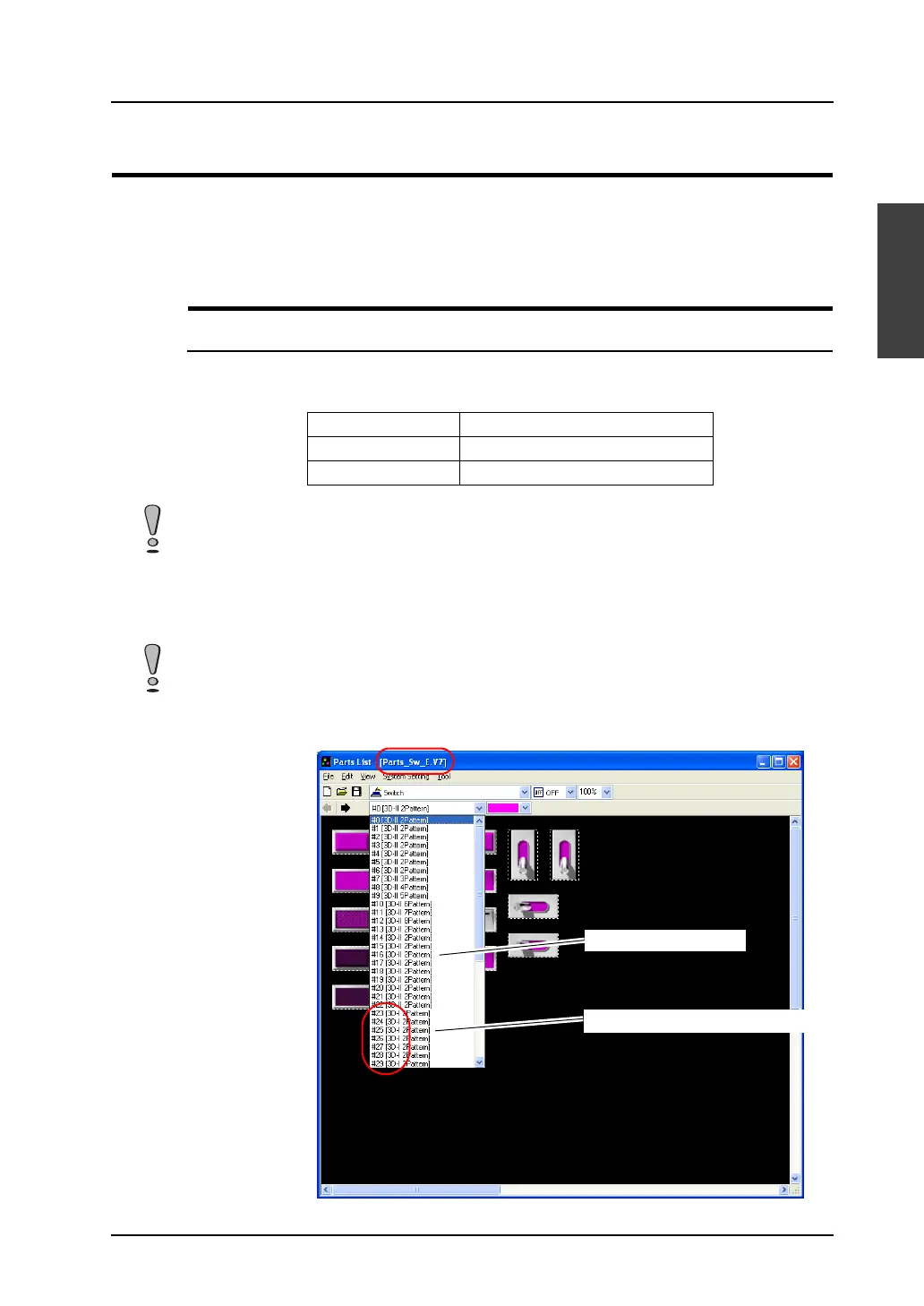
You may select 3D parts from the [Parts List] or from the [Change Part] in the item dialog.
The following parts files are provided.
Selection from [Parts List]
Use parts with “I” (such as “3D-I”) in their comment fields.
Parts Parts File
Switch Parts_Sw.V7
Lamp Parts_Lp.V7
The parts files are stored in the “***\V-SFT V5\Parts” folder.
As for the “Parts” folder, “Parts3D” folder, and bitmap files in the folder, do not move their locations and
change their names.
Using a part with “II” in its comment field will issue a warning during error check, and the part will not be
colored correctly.
[Parts List]
“II”: 64k-/32k-color type
“I”: 128-color type (V6-compatible)



 To Next Page