5.17 Comment
5-80
Comment Import and Export
Text registered as comments can be exported, and at the same time, text can be imported from
another data source.
• Two formats, TXT and CSV, are supported.
• Once text is imported, undoing is not possible.
• If a text import is executed during multi-language editing, the text is imported to the displayed
language number you are currently editing.
Comment import and export procedure
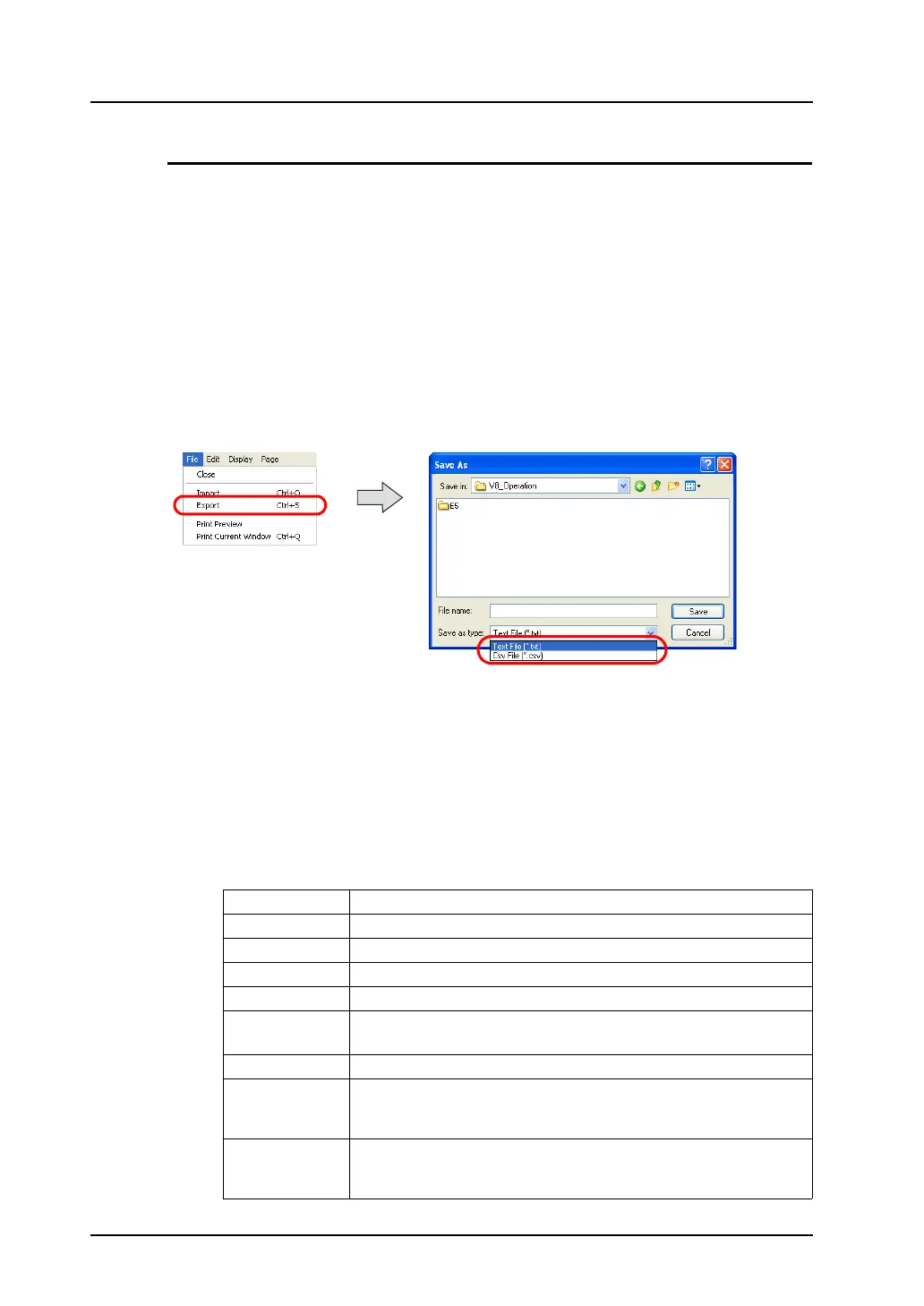
1. In the [Comment Edit] window, click [Import] or [Export] from the [File Menu] as necessary.
2. Either [Open] or [Save As] dialog is displayed.
For [Save as type:], choose [Text File (*.txt)] or [Csv File (*.csv)]. Then open the desired file, or
name and save the file.
About the TXT format
One comment in the TXT format uses at least three lines (for the comment number, comment text, and
text properties).
The format consists of:
• Comment number (1 - 32767): //
• Comment text: “(comment text)”
• Text properties
The items of text properties are delimited by commas (“,”):
foreground color, background color, typeface, italic, transparency, start position, rotation, size
X, size Y
Foreground color hexadecimal RGB value starting with 0x
Background color hexadecimal RGB value starting with 0x
Typeface 0: normal, 1: 1/4, 2: bold, 3: shadow
Italic 0: no, 1: yes
Transparency 0: no, 1: yes
Start position 0: flush left, 1: center, 2: flush right
* Only 0: flush left is available at present.
Rotation 0: →, 1: ↑, 2: ↓
Size X When the normal fonts are in use, an enlargement factor in the
horizontal direction (1 - 8) is specified.
When the Windows fonts are in use, “0” is specified.
Size Y When the normal fonts are in use, an enlargement factor in the vertical
direction (1 - 8) is specified.
When the Windows fonts are in use, the number of points is specified.



 To Next Page