8.5 List of Memory Address in Use
8-53
8
Useful Functions
8.5 List of Memory Address in Use
It is possible to search memory addresses used in the file and to find where they are used.
Operation Procedure
Searching with Memory Range Designated
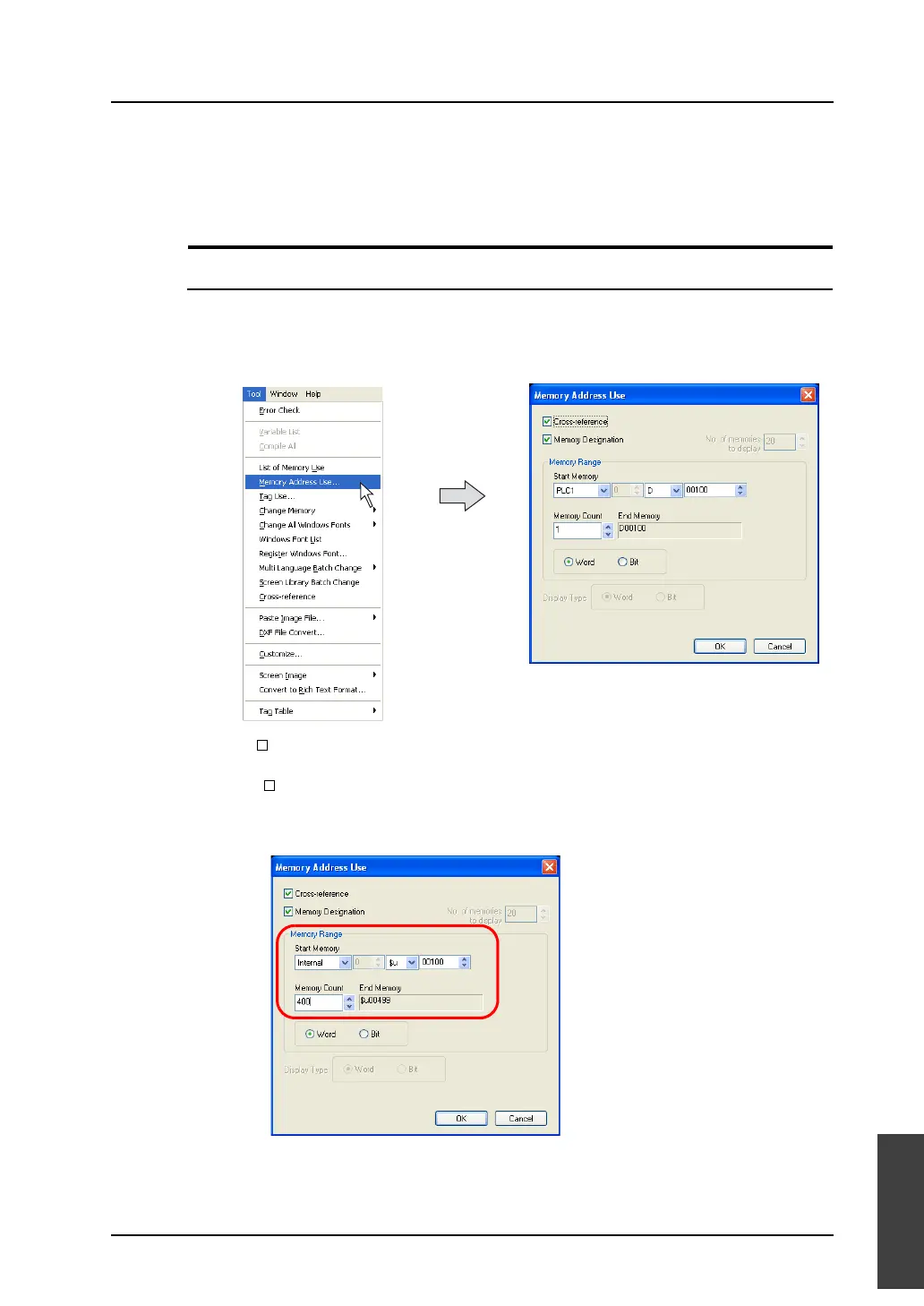
This section explains how to find where memory addresses of $u100 to $u499 (400 words) are used.
1. Click [Memory Address Use] from the [Tool] menu.
The [Memory Address Use] dialog is displayed.
2. Keep [ Cross-reference] checked.
3. Check [ Memory Designation] as well.
4. Specify [$u100] for [Start Memory] and [400] for [Memory Count].



 To Next Page