3.3 Basic Operation
3-14
* The screen called by double-clicking is displayed while the screen previously opened or
the [Screen List] window is displayed.
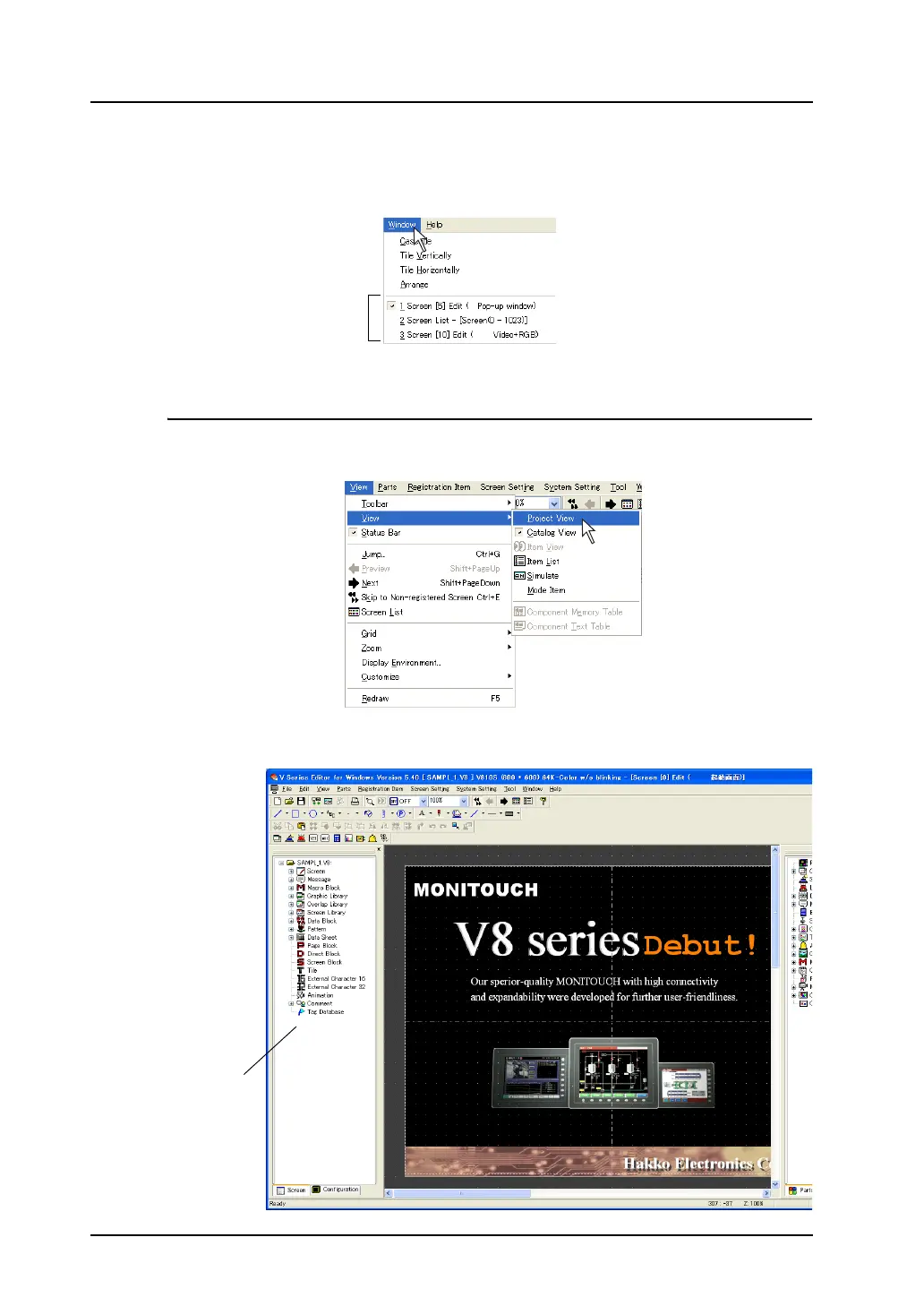
It is possible to check which screens are currently opened in the [Window] menu.
From Project View
1. Bring up Project View.
Click [View] → [View] → [Project View].
2. Project View is displayed.
Screens currently opened
Project View



 To Next Page