8.7 Other Functions in the [Tool] Menu
8-67
8
Useful Functions
List of Memory Use
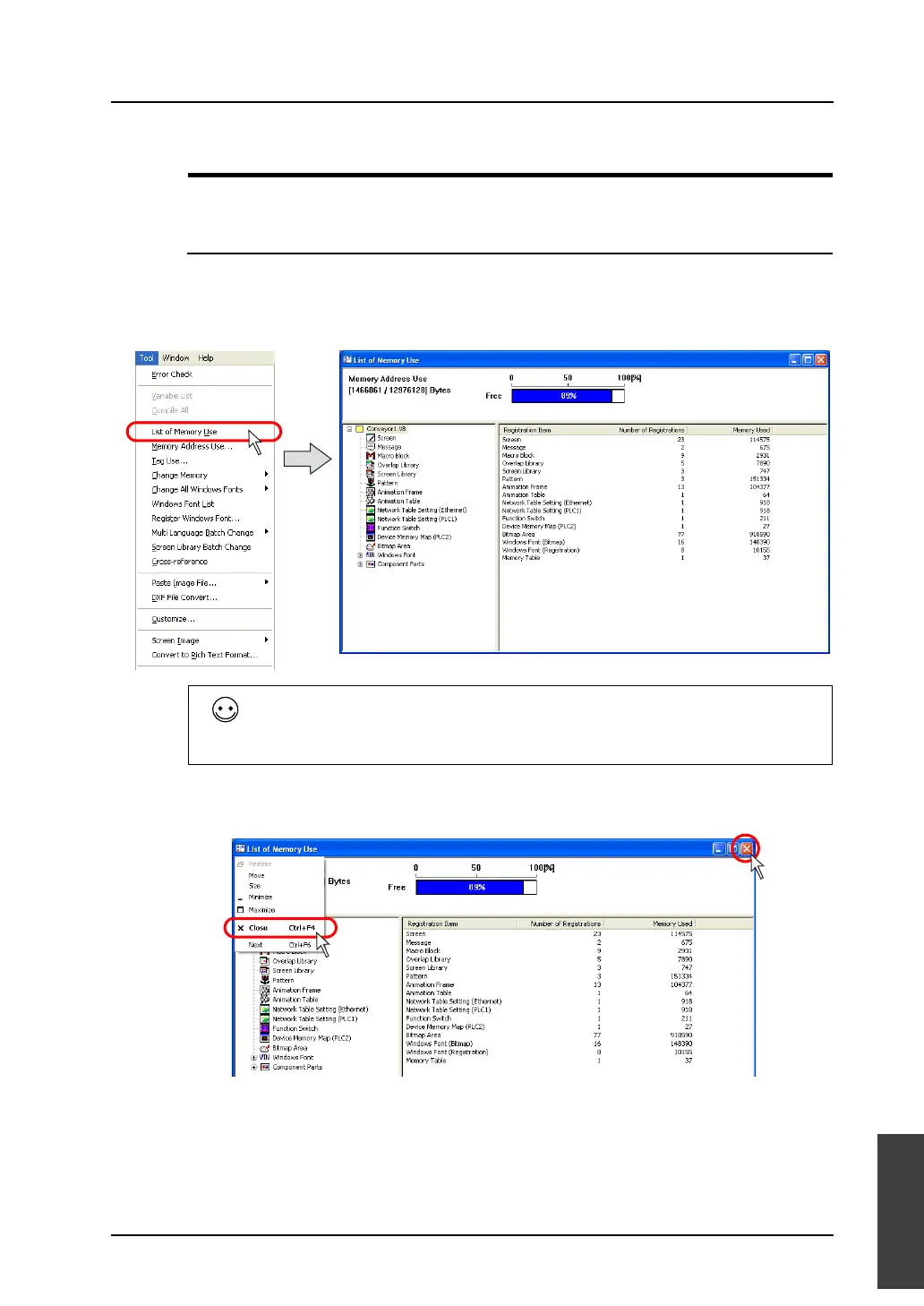
This window indicates the remaining memory and items registered in screen data files.
Operating Procedure
Opening/closing the list of memory use
1. Click [List of Memory Use] from the [Tool] menu.
2. The [List of Memory Use] window is displayed.
3. To close the window, click the [×] (Close) button at the upper right, or the click the upper left icon
and select [Close].
• The [Memory Used] is expressed in the number of bytes.
• Bitmap area
This is a bitmap data to be used for 3D parts or custom parts.
or [Close]
button



 To Next Page