64k- or 32k-color Type
A2-15
A2
3D Parts
Setting Procedure
This section explains the procedure for customizing a lamp part. The same procedure applies to the
other kinds of parts.
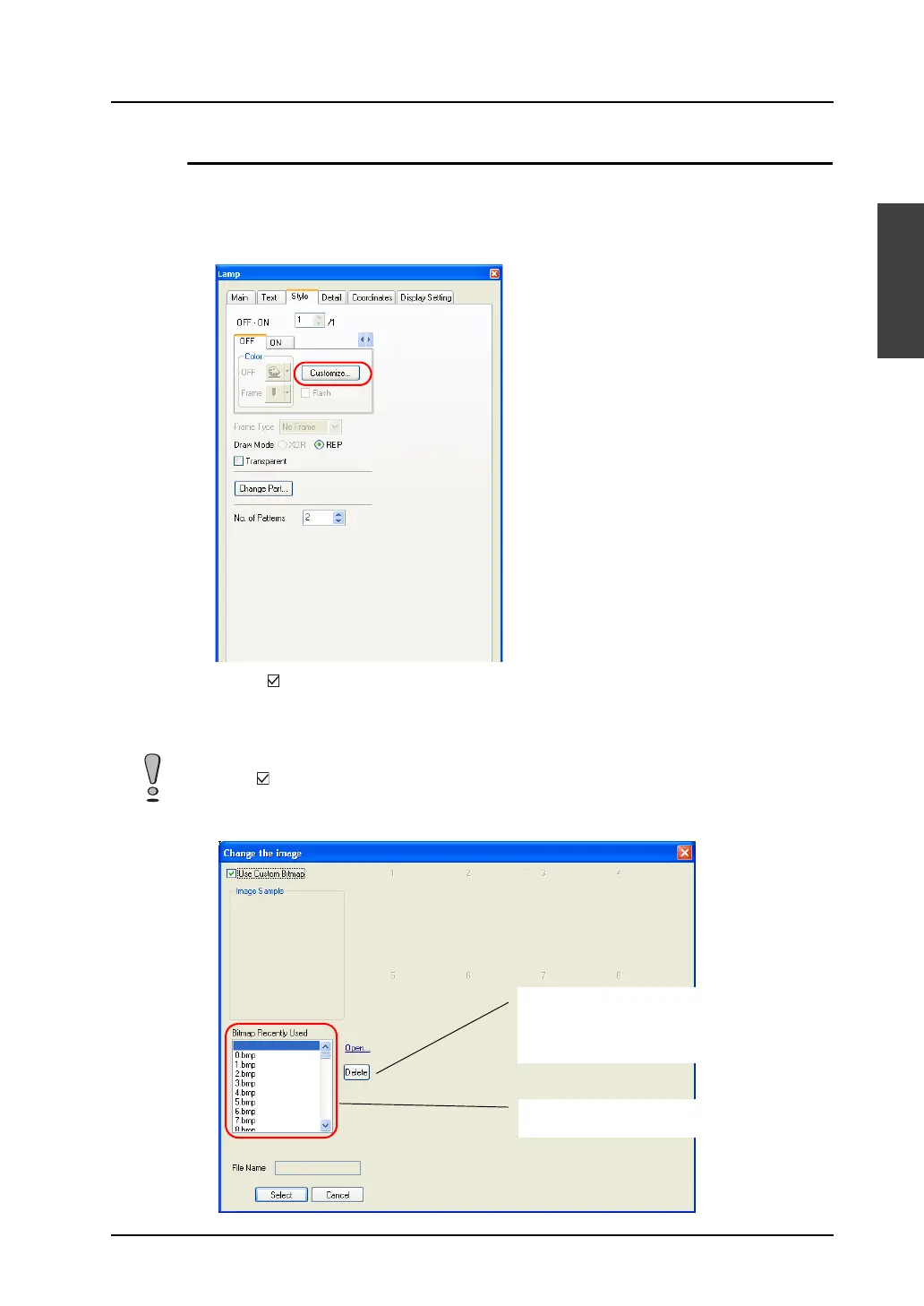
1. Go to the [Lamp] dialog and open the [Style] tab window. Click [Customize].
2. [Check [ Use Custom Bitmap].
If the bitmap file you need is not found under [Bitmap Recently Used], select the file through the
[Open] button. The bitmap file you selected will be copied to the “***.\V-SFT-5\Parts\User” folder
and additionally listed under [Bitmap Recently Used].
Checking [ Use Custom Bitmap] deletes the image of [Image Sample].
Unnecessary bitmap files can be deleted
from the “***.\V-SFT-5\Parts\User” folder with
the [Delete] button. Deleting a file currently
in use induces error 91 on MONITOUCH.
Bitmap files in the “***.\V-SFT-5\Parts\User”
folder are listed.



 To Next Page