64k- or 32k-color Type
A2-1
A2
3D Parts
Appendix 2 3D Parts
The 3D parts provided by Hakko Electronics will make parts placed on screens seem more real.
This chapter explains the procedure and precautions for 3D parts settings in the course of screen
creation.
The following explanation slightly varies with the color types selected for the individual edit models.
According to your color type setting ([System Setting] → [Edit Model Selection] → [Color]), read the
corresponding section in this chapter.
For information on the features of parts, refer to the V8 Series Reference Manual.
64k- or 32k-color Type
This section explains the available 3D parts and the necessary settings. Please familiarize yourself
with these.
* For the 128-color type, refer to “128-color Type” (page A2-17).
Switch / Lamp
Available Parts
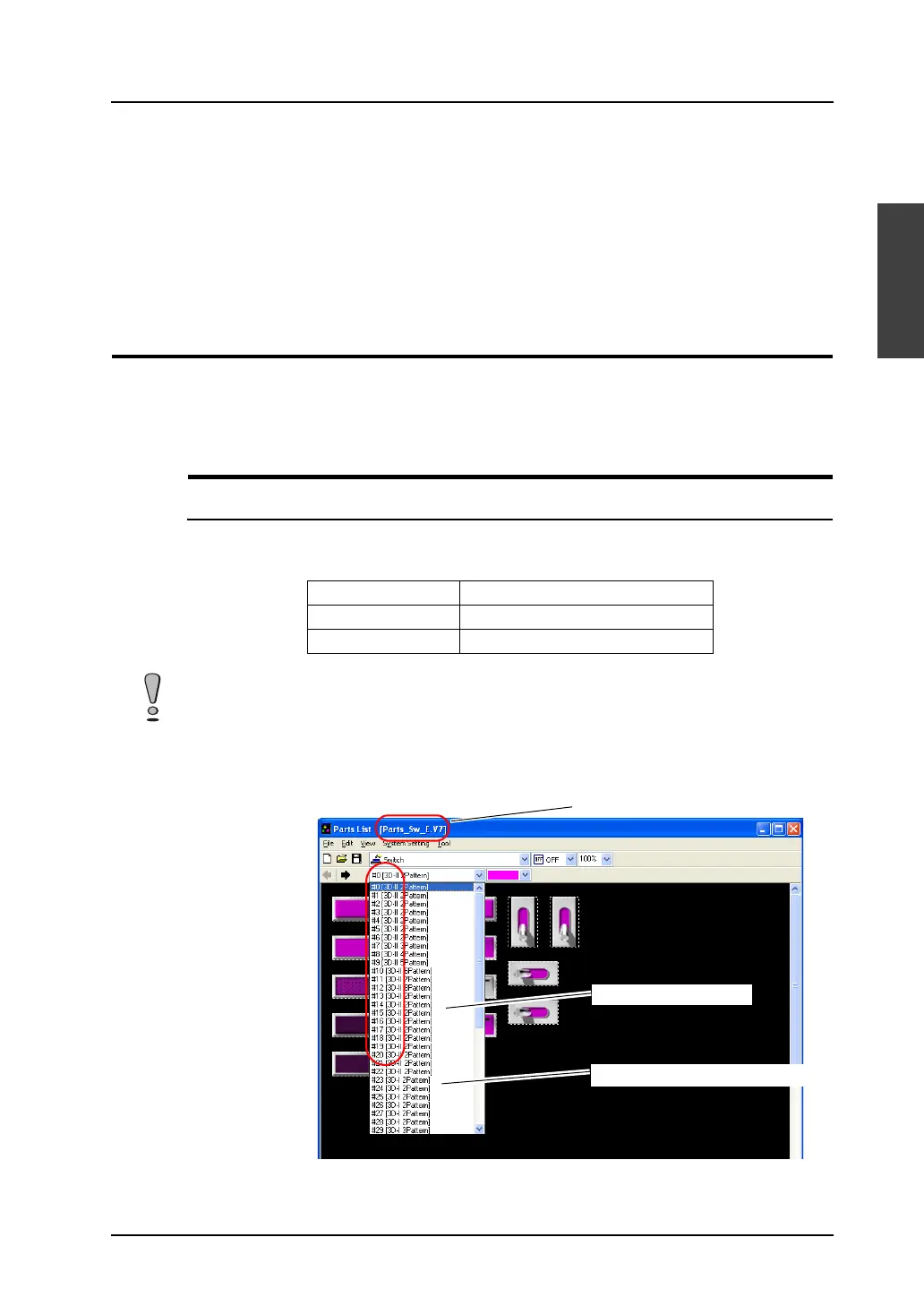
You may select 3D parts from the [Parts List] or from the [Change Part] in the item dialog.
The following parts files are provided.
Selection from [Parts List]
* Using parts with “II” (such as “3D-II”) in their comment fields is recommended.
Parts with “I” are for 128-color type (V6-compatible).
Parts Parts File
Switch Parts_Sw.V7
Lamp Parts_Lp.V7
The parts files are stored in the “***\V-SFT V5\Parts” folder.
As for the “Parts” folder, “Parts3D” folder, and bitmap files in the folder, do not move their locations and
change their names.
Parts file name
“II”: 64k-/32k-color type
“I”: 128-color type (V6-compatible)



 To Next Page