64k- or 32k-color Type
A2-9
A2
3D Parts
Data Display/Graph/Calendar
Available Parts
You may select 3D parts from the [Parts List] or from the [Change Part] in the item dialog.
The following parts files are provided.
Setting Procedure
This section explains the procedure for setting a 3D part, taking a numerical data display for example.
The same procedure applies to the other kinds of parts.
Selection from [Parts List] (new placement)
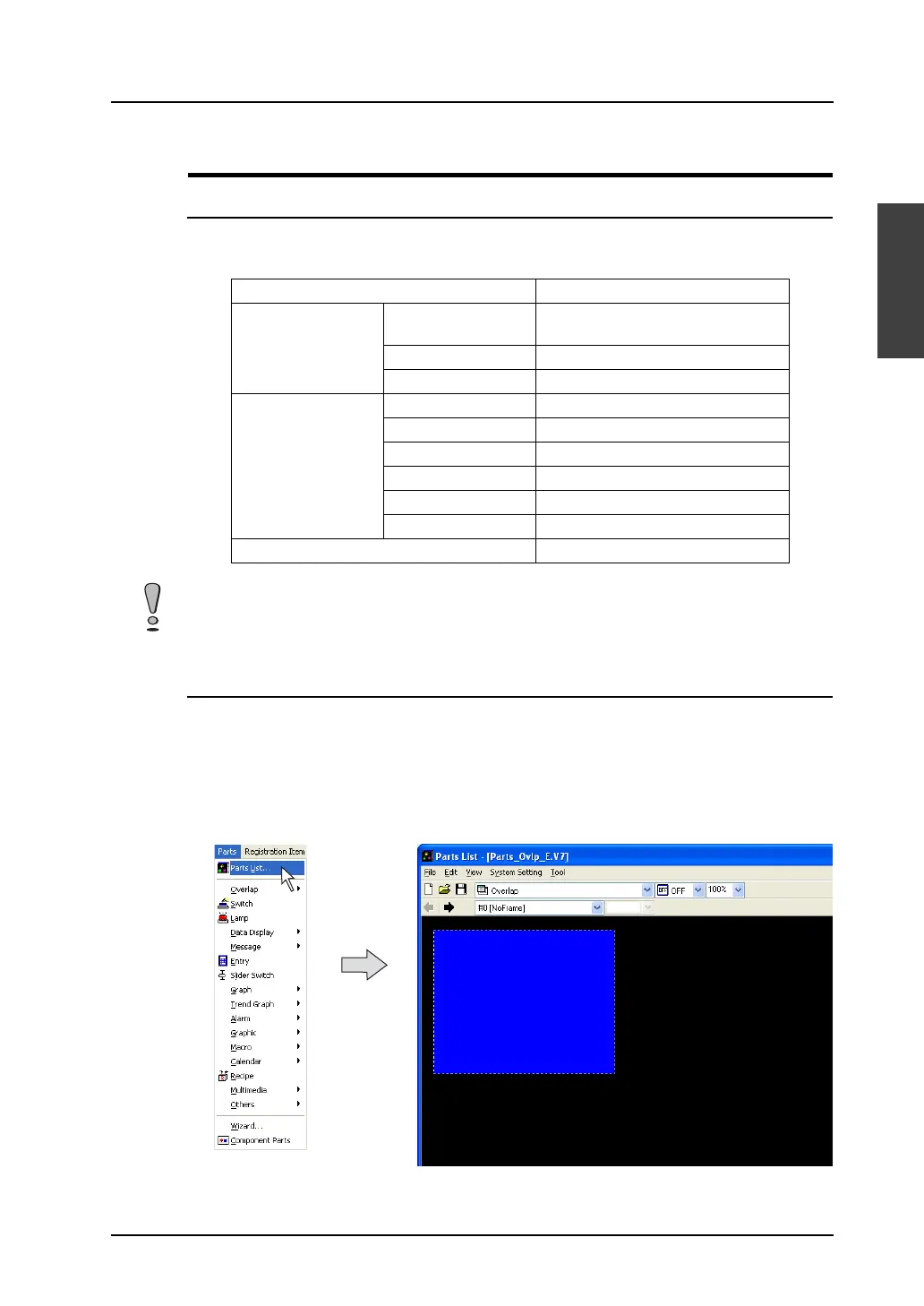
1. Click [Parts] → [Parts List].
The [Parts List] window opens.
Parts Parts File
Data display Numerical data
display
Parts_NumDsp.V7
Character display Parts_CharDsp.V7
Message display Parts_MsgDsp.V7
Graph Bar Graph Parts_BarGraph.V7
Pie graph Parts_PieGraph.V7
Closed area graph Parts_ClosedAreaGraph.V7
Panel meter Parts_PanelMeter.V7
Statistic bar graph Parts_Stat_BarGraph.V7
Statistic pie graph Parts_Stat_PieGraph.V7
Calendar Parts_CalenderDsp.V7
The parts files are stored in the “***\V-SFT V5\Parts” folder.
As for the “Parts” folder, “Parts3D” folder, and bitmap files in the folder, do not move their locations and
change their names.



 To Next Page