5.8 Screen Library
5-34
Offset Position Setting
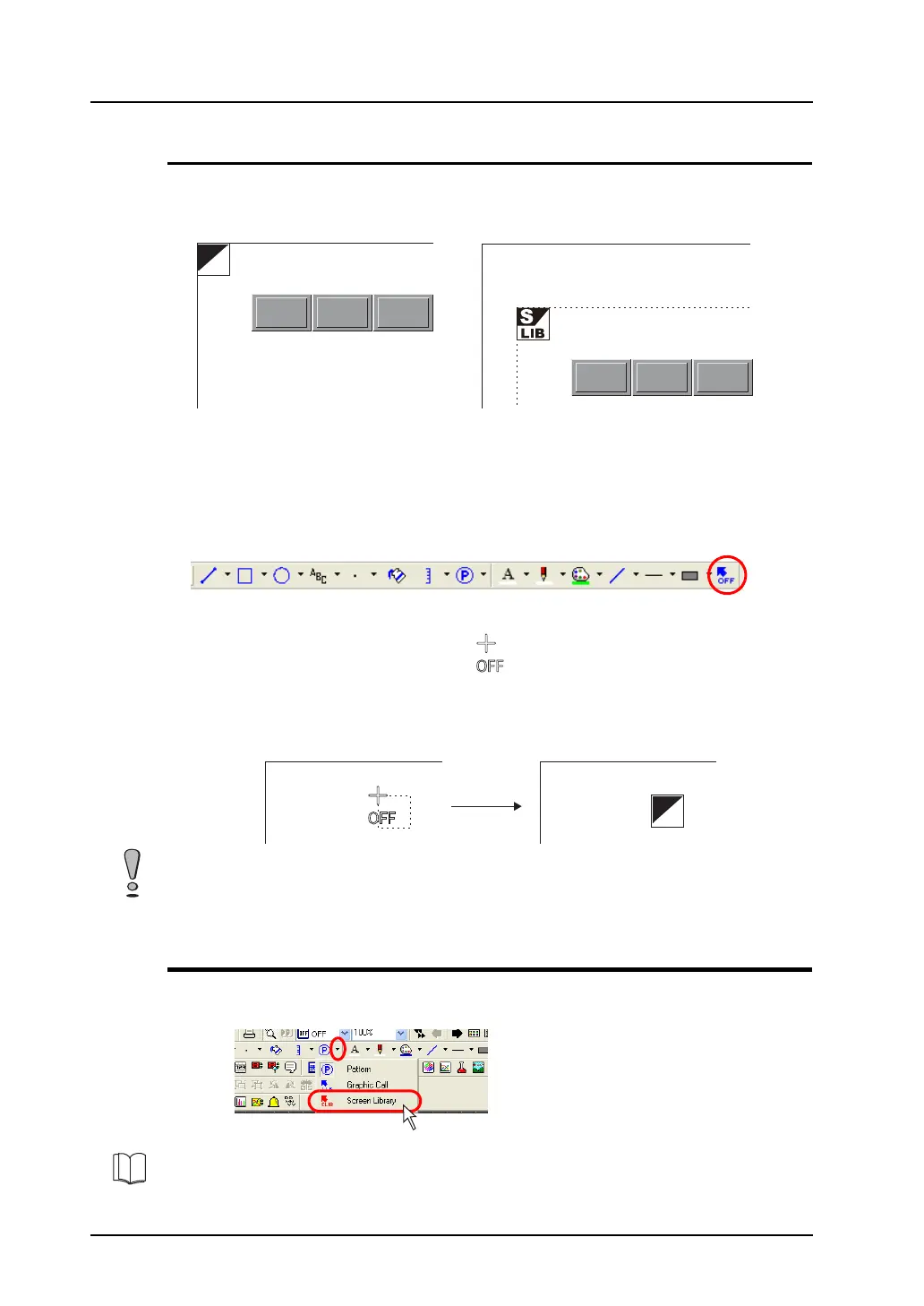
Every screen library has a reference position called an offset.
When a registered screen library is called to the screen, it is placed based on the offset position.
Screen library shows the offset position with an “OFF” mark.
Changing an offset position
Every screen library has an offset position at coordinates X, Y (0, 0) as default. To change the
position, follow the procedure below.
1. Click the [Offset] icon on the drawing toolbar.
2. A cross-shaped cursor marked with “OFF” appears.
3. Click the mouse in an arbitrary position on the screen. The offset mark is displayed at that
location.
Placing a Screen Library
A registered screen library can be placed on the screen.
Click the [Screen Library] icon on the drawing toolbar and follow the procedure for placement.
OFF
“OFF” position in screen library = “SLIB” position on the screen
OFF
Click. The “OFF” mark is displayed.
Changing the offset position prior to registering a screen library is not valid. Set an offset position after
registering a screen library.
For more information, refer to “Screen Library” (page 4-53) in “4 Drawing”.



 To Next Page