5.8 Screen Library
5-31
5
Registration
5.8 Screen Library
Outline of Screen Library
If parts of switches, lamps, entry mode, time display, etc. have been registered in a screen library, it
can be placed on the base screen or overlaps so as to help you create screens easily.
Screen libraries are useful also in the following points.
Saving of Screen Memory
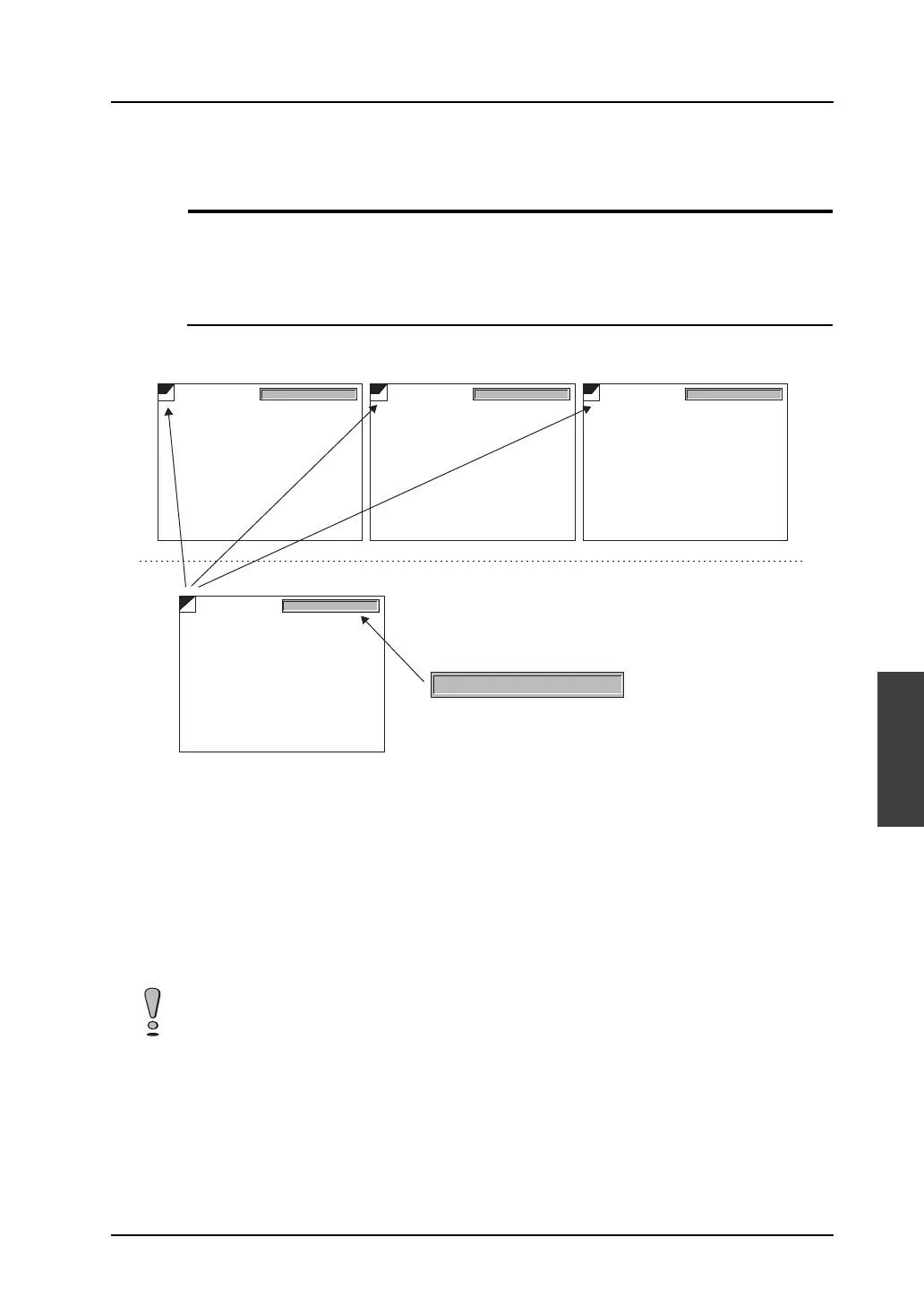
In the example below, a calendar part is registered in screen library No. 0 and the screen library is
placed on three screens.
• Memory used by a Hakko Electronics standard calendar part is about 300 bytes.
When the calendar parts are placed on three screens directly, 900 bytes are used.
300 × 3 = 900 bytes
• When a 300-byte calendar part is registered in a screen library and the part is placed on a screen,
315 bytes and 7 bytes are used respectively.
315 + 7 + 7+ 7 = 336 bytes
• By using screen library, 564 bytes (900 − 336 = 564) are saved.
02-01-01 12 : 15 : 15 TUE
OFF
02-01-01 12 : 15 : 15 TUE
SLIB
02-01-01 12 : 15 : 15 TUE
02-01-01 12 : 15 : 15 TUE
SLIB
02-01-01 12 : 15 : 15 TUE
SLIB
Screen No. 0 Screen No. 1 Screen No. 2
Screen library No. 0
Use of screen library saves memory.



 To Next Page