4.3 Drawing Methods
4-36
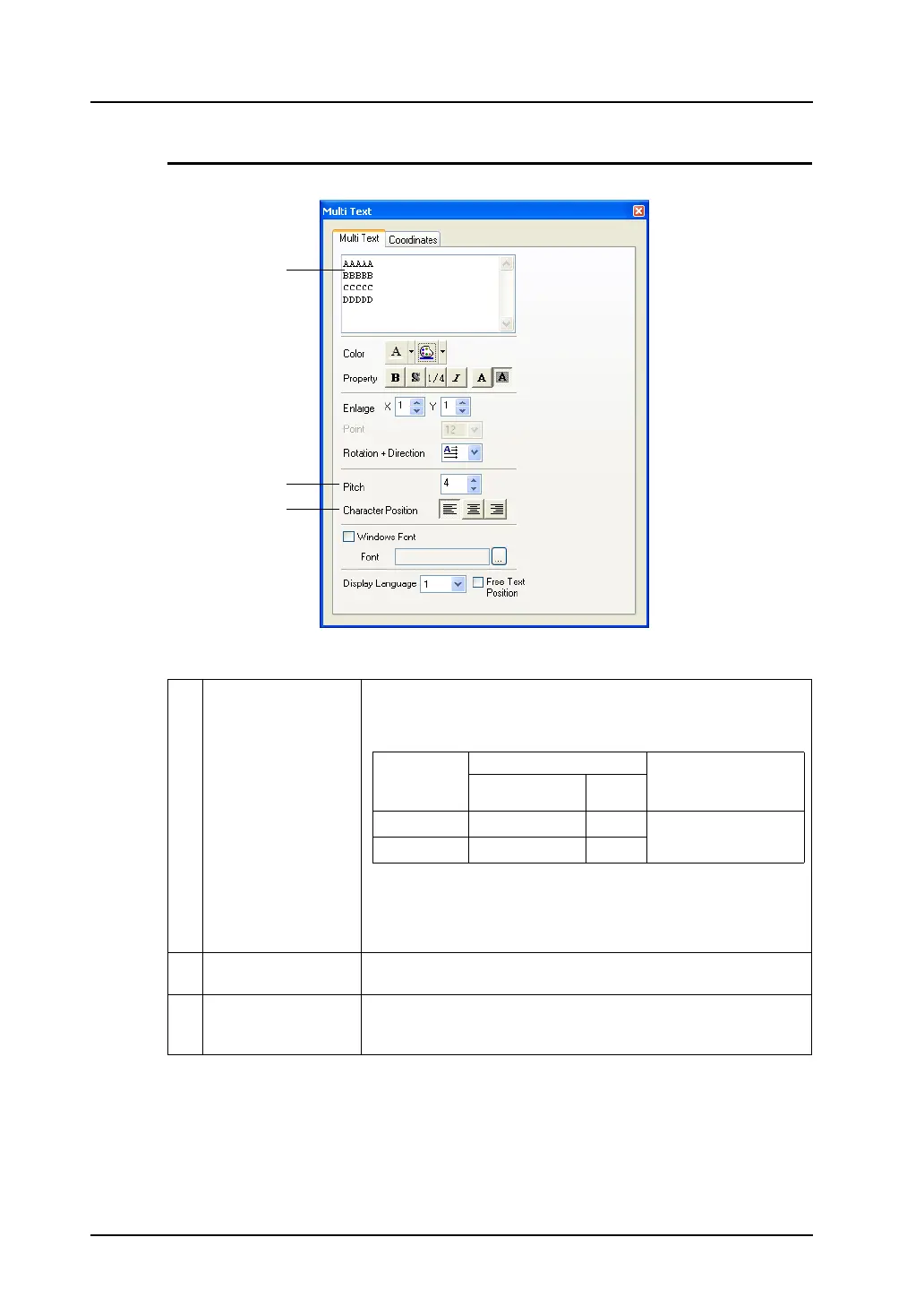
[Multi Text] Dialog
Clicking (or double-clicking) the [Multi Text] item brings up the [Multi Text] dialog shown below.
Only different options from those included in the [Text] tab window is provided below.
1 Multi-text field Enter multi-text.
The maximum permissible number of characters per line depends on
the number of displayed dots.
*1 The above figures shows the case when “4” is set for [Pitch].
*2 When the Windows font is used, height × width should be
approx. 2000k dots. For more information on Windows font,
refer to page A1-29.
2 Pitch (0 - 32) Specify the desired line spacing. The maximum available number
varies depending on this setting.
3 Character Position
(Flush Left/Centering/
Flush Right)
Select the character position to be aligned.
1
2
3
Number of
displayed dots
Maximum (1-byte)
Limitation (*2)
Available
characters per line
Lines
(*1)
640
× 480
80 24
Max. number of
characters: 3825 (1-byte)
800
× 600
100 30



 To Next Page