8.1 Simulator
8-25
8
Useful Functions
Memory Addresses Displayed on Simulator
• In the case of the V8 series, Simulator is able to run for up to eight kinds of devices in
communication with the V8 unit (8-way communication).
Whether or not to use Simulator is selectable for each of the connected devices.
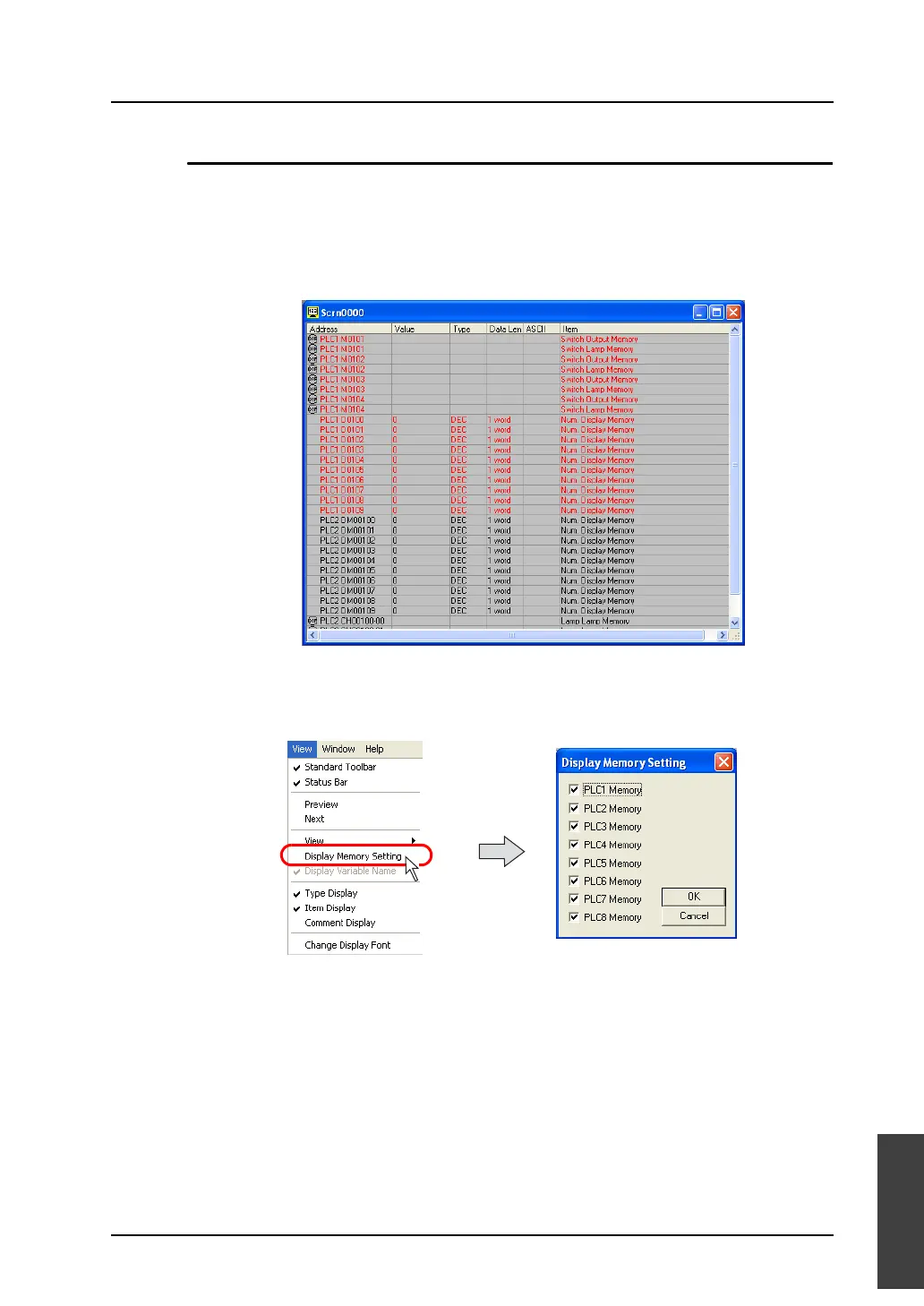
If the addresses of devices, for which Simulator is not used, are shown on Simulator, the
addresses turn red on the Simulator sheet (as shown below). Changes to the values for these
addresses made on Simulator will not take effect.
• Addresses of only the selected devices PLC1 to PLC8 can be displayed.
Click [View] → [Display Memory Setting].
The [Display Memory Setting] dialog is displayed.
Check options [PLC1 Memory] - [PLC8 Memory] as desired. Click [OK]. Only the addresses of
the selected devices will be displayed on Simulator.



 To Next Page