5.10 Pattern
5-47
5
Registration
Transforming Patterns
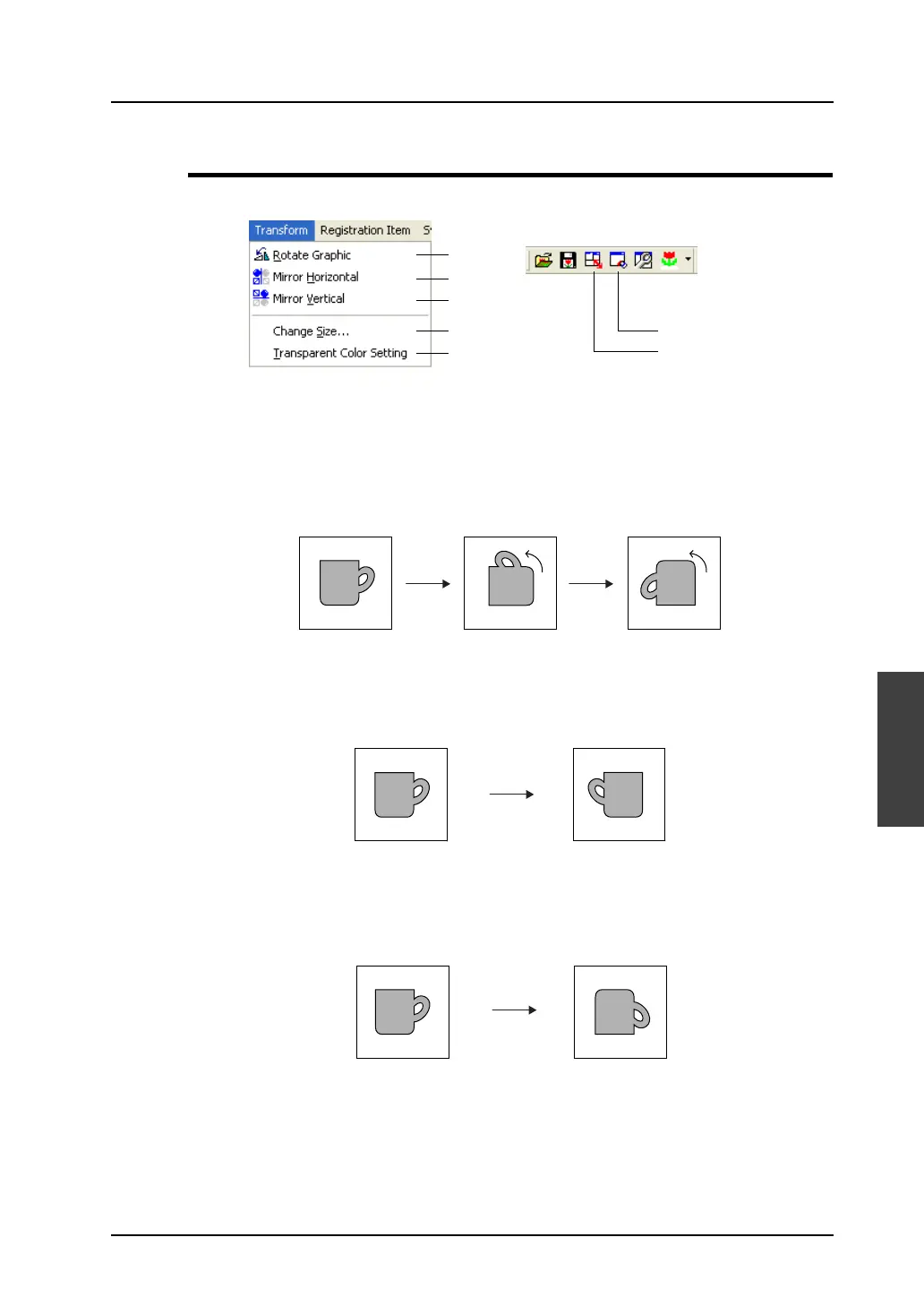
This section explains the commands in the [Transform] menu.
Rotate Graphic
Clicking this icon rotates the registered pattern 90°.
Mirror Horizontal
Clicking this icon flips the registered pattern horizontally.
Mirror Vertical
Clicking this icon flips the registered pattern vertically.
1
2
3
4
5
5
4
90°
90°
Click [Rotate Graphic]
again. The rotated
image is rotated
further 90°.
Click [Rotate
Graphic]. The
image is rotated 90°.
Click [Mirror Horizontal].
The image is flipped horizontally.
Click [Mirror Vertical].
The image is flipped vertically.



 To Next Page