8.5 List of Memory Address in Use
8-56
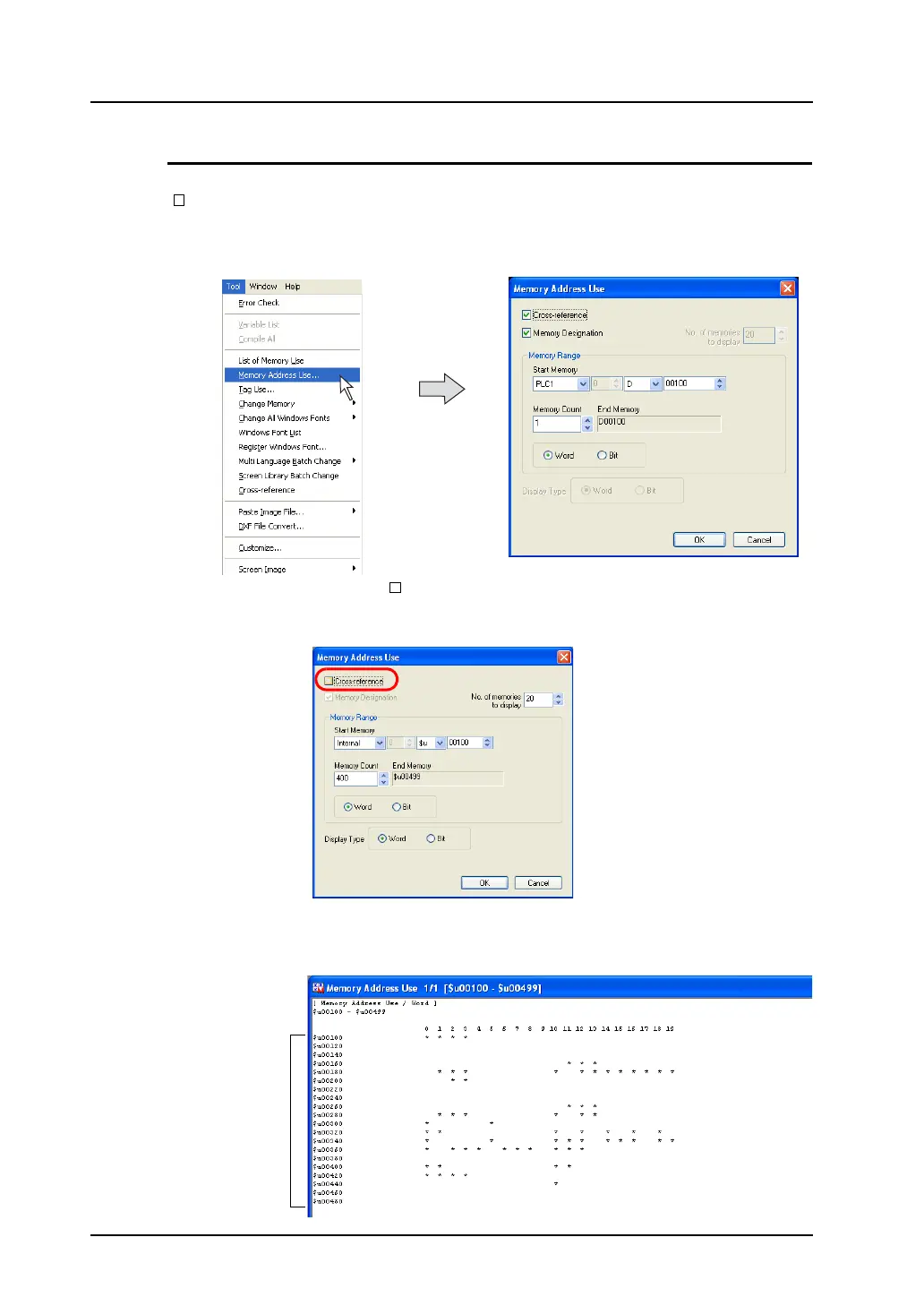
When [Cross-reference] Is Not Checked:
The following procedures show how the [Memory Address Use] window displays the list when
[ Cross-reference] is unchecked.
1. Click [Memory Address Use] from the [Tool] menu.
The [Memory Address Use] dialog is displayed.
2. Remove the check mark from [ Cross-reference].
When [No. of memory to display] becomes active, select the desired number.
Also, specify the desired range of available memory in the [Memory Range] field.
3. Click [OK].
The memory address list within the specified range is displayed in the [Memory Address Use]
window.
20 lines



 To Next Page