8.7 Other Functions in the [Tool] Menu
8-69
8
Useful Functions
Changing Memory
Changing All Memory
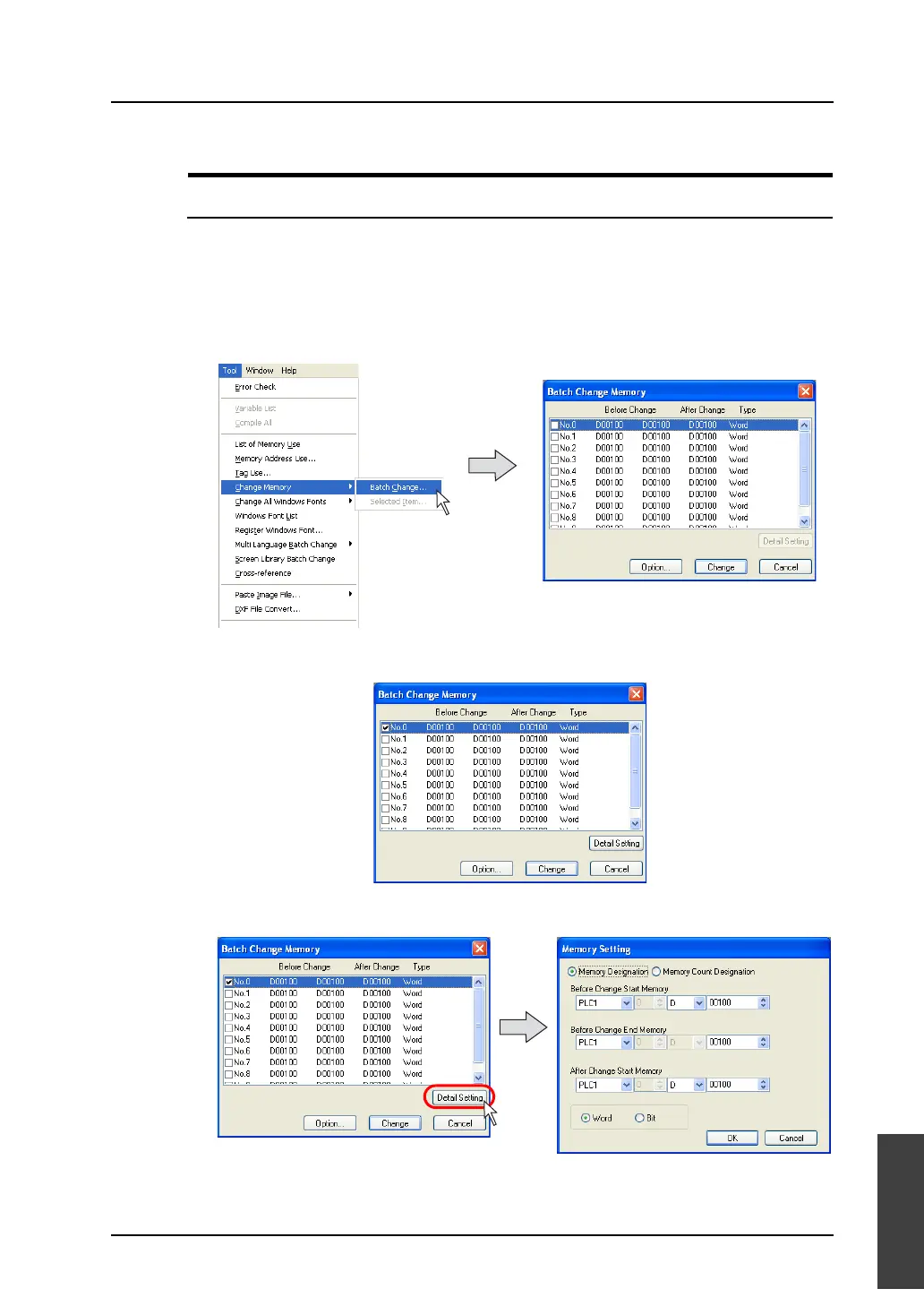
Memory addresses allocated to the current editing file can be changed in a batch. Up to 10 different
memory ranges can be defined.
Operating procedure
1. Click [Tool] → [Change Memory] → [Batch Change].
2. The [Batch Change Memory] dialog is displayed.
3. Click on the check box for the desired number.
The [Detail Setting] button is enabled.
4. Click the [Detail Setting] button. The [Memory Setting] dialog is displayed.



 To Next Page