7.1 Overview
7-3
7
Print
Output Range
Current Screen
The window currently opened on the editor is printed out.
All
All content of the screen data file is printed out.
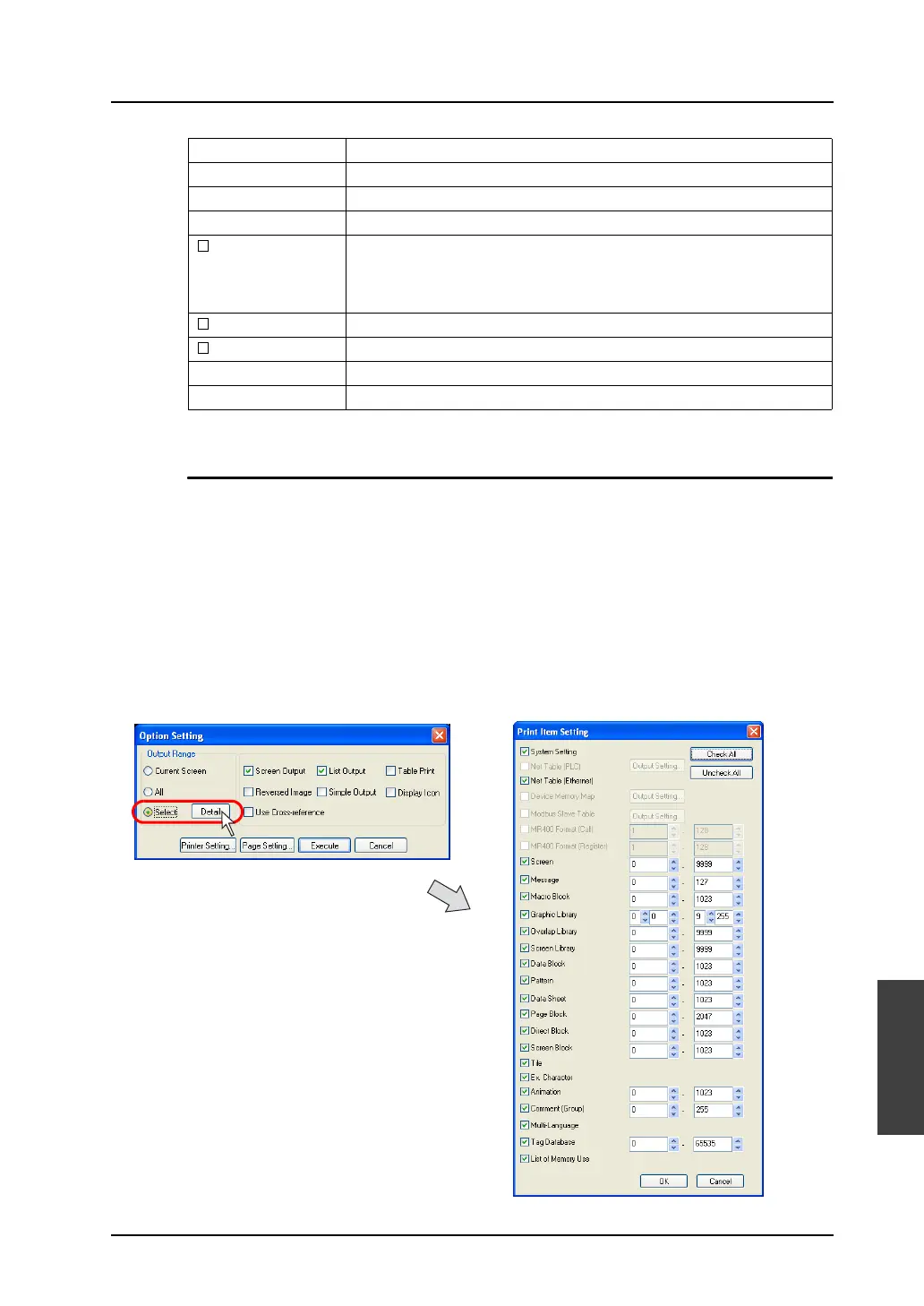
Select
This option is used to select the range to be printed out. By checking this option, the [Detail] button
becomes active. Then, click the button.
The [Print Item Setting] dialog is displayed.
Left Margin (mm) Specify the left margin.
Right Margin (mm) Specify the right margin.
Upper Margin (mm) Specify the upper margin.
Bottom Margin (mm) Specify the lower margin.
Header Specify the contents of the header.
As default, the header is displayed, comprising three lines that respectively
denote the date of print, the file comment, and the file name.
Text is changeable as needed.
Footer Specify the contents of the footer. No footer is selected as default.
Page No. Select whether to show and where to print page numbers.
Start Page No. With [Page No.] checked, specify the start page number.
Font Size Specify the size of the characters to be printed.



 To Next Page