2.3 Menu Item [View]
2-15
2
Editor
Item Dialog
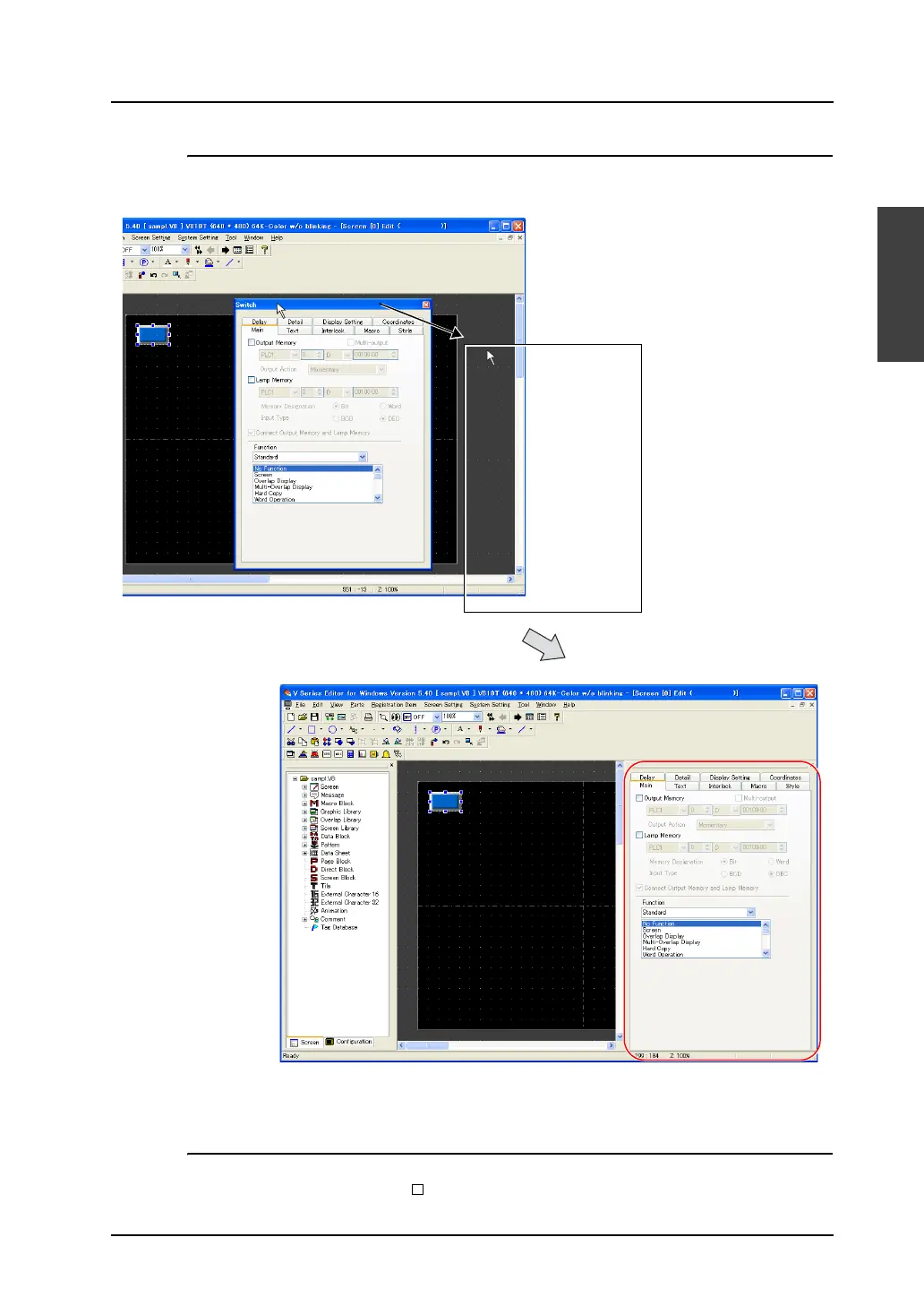
Drag the item dialog to the right side of the editing screen and release the mouse button. Then the
dialog is inset into the right side of the editing screen.
The item dialog has been moved. The dialog cannot only be moved rightward but also be moved
upward, downward or leftward by following the same procedure.
Floating
The item dialog inset into the editing screen can be brought to the “floating” status. In this case, click
[File] → [Property] → [General] → [ No Docking]. For more information, refer to page 2-5.
Drag the title bar.



 To Next Page