5.6 Graphic Library
5-13
5
Registration
5.6 Graphic Library
Graphics or numerical data displays that will be displayed by bit setting (ON) are registered in the
graphic library.
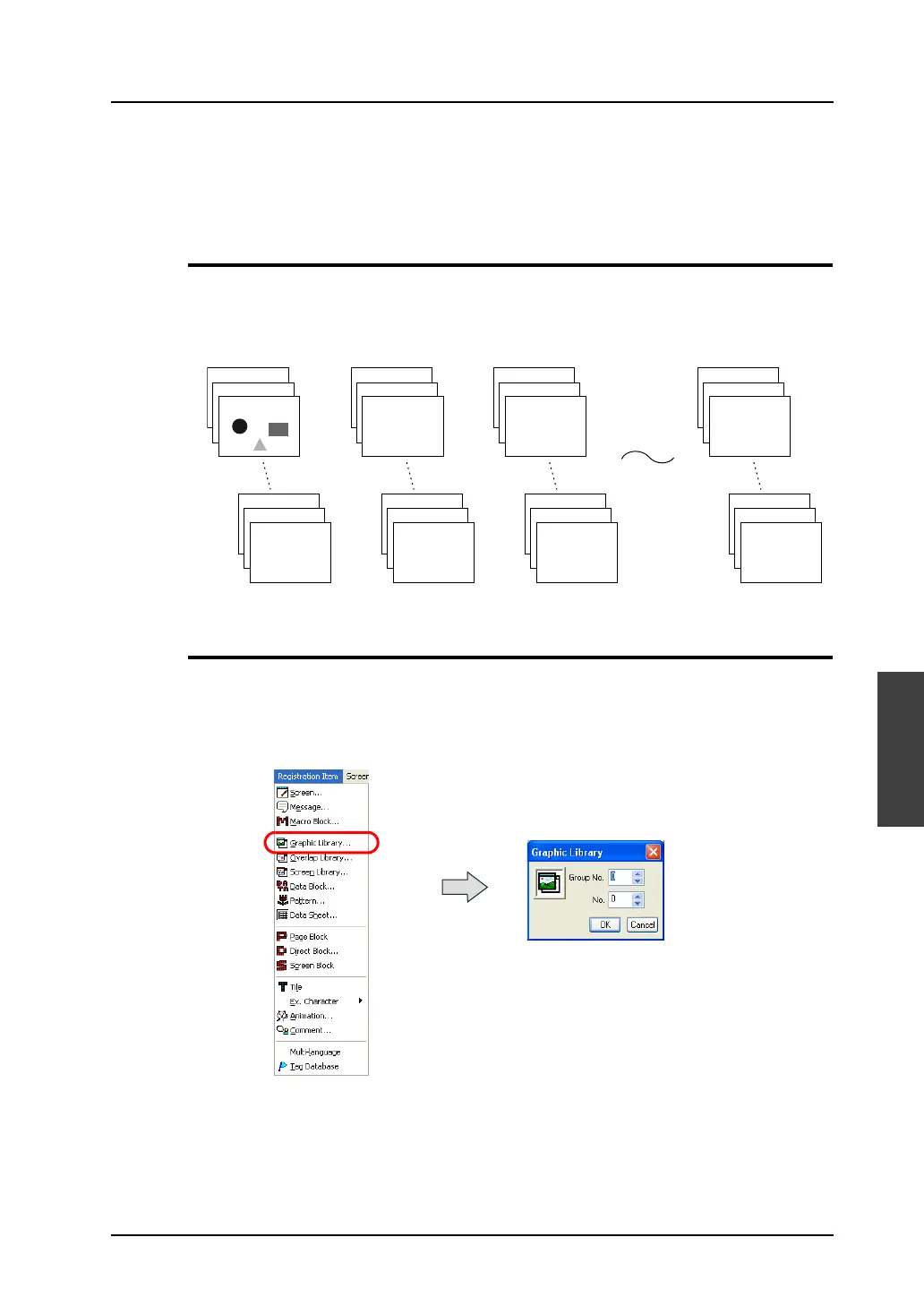
Graphic Library Structure
A graphic library screen and a screen are the same in size.
A total of 2,560 graphic library screens are divided into 10 groups for registration.
Therefore, one graphic library group is capable of storing 256 screens.
Calling the Graphic Library
Select [Graphic Library] from the [Registration Item] menu.
The [Graphic Library] dialog is displayed. Specify the graphic library group number to be opened and
the desired graphic number. Click [OK].
(Alternatively, you can call the screen from the [Screen] menu in Project View.)
Group No. 0 Group No. 1 Group No. 2 Group No. 9
Graphic No. 0
Graphic No. 1
Graphic No. 2
Graphic No. 253
Graphic No. 254
Graphic No. 255
Graphic No. 0
Graphic No. 1
Graphic No. 2
Graphic No. 253
Graphic No. 254
Graphic No. 255
Graphic No. 0
Graphic No. 1
Graphic No. 2
Graphic No. 253
Graphic No. 254
Graphic No. 255
Graphic No. 0
Graphic No. 1
Graphic No. 2
Graphic No. 253
Graphic No. 254
Graphic No. 255



 To Next Page