5.10 Pattern
5-43
5
Registration
[Text] Icon
A font available for use under Windows can be imported as a bitmap.
Follow the steps below.
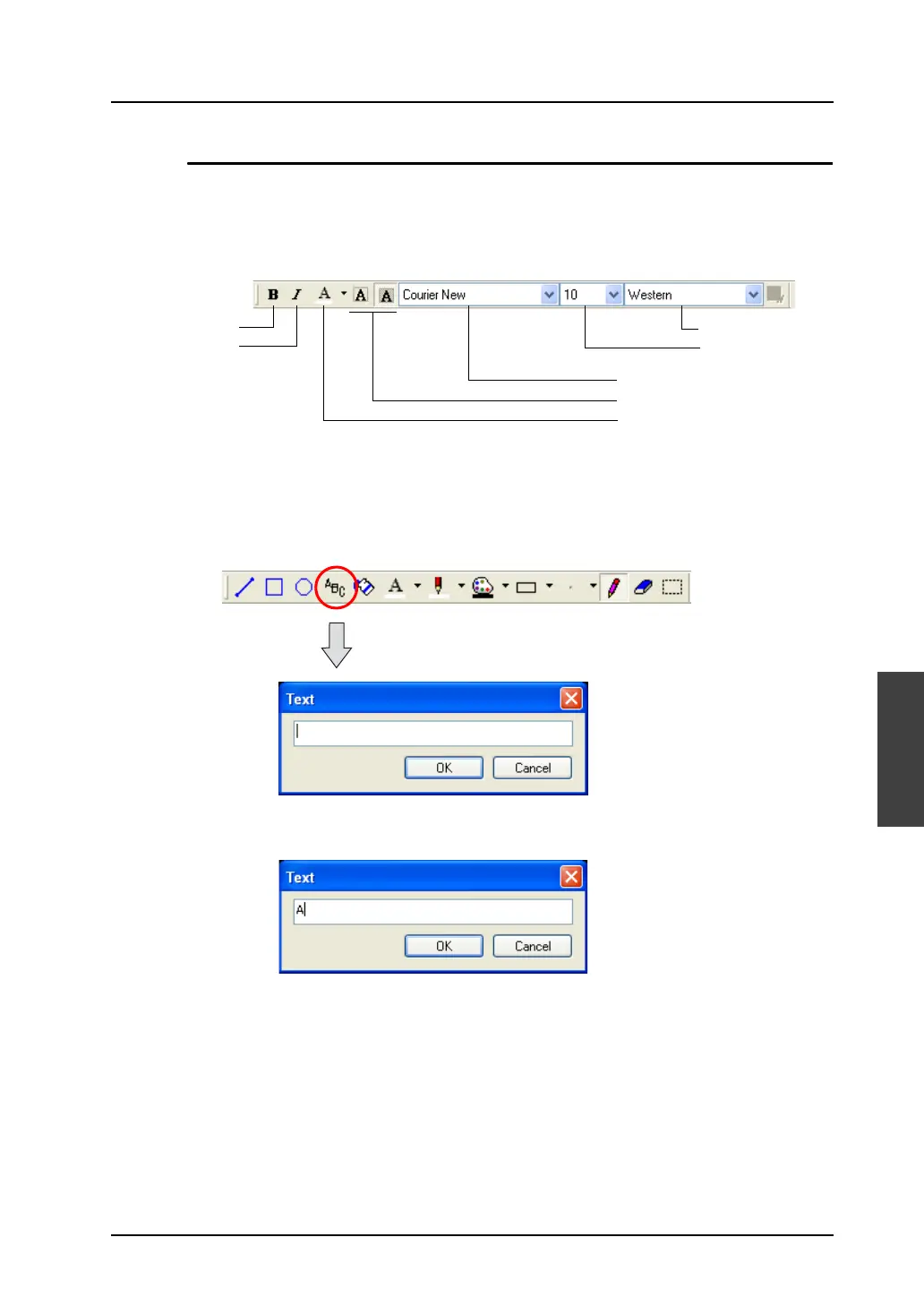
1. Make necessary settings in advance with the [Font] toolbar.
Make settings for fonts as desired.
2. Click the [Text] icon.
The [Text] dialog is displayed.
3. Key in a text as desired.
Bold
Italic
Character Set
Font Size
Font Name
Transparent
Character Color



 To Next Page