5.10 Pattern
5-53
5
Registration
Storing in an Image File
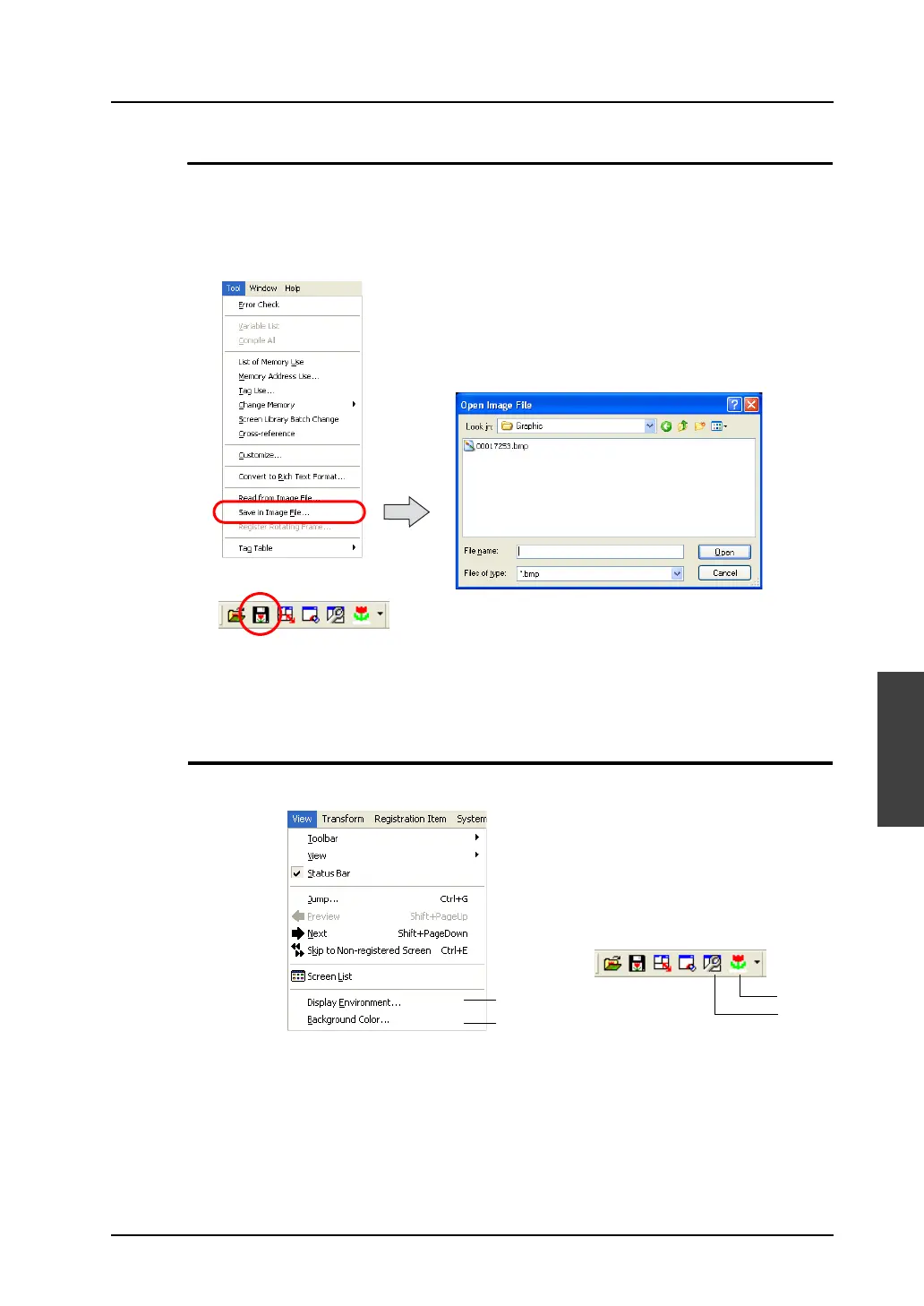
The pattern currently opened can be stored in a bitmap file (with an extension .bmp) or a JPEG file
(with an extension .jpg).
1. Click [Tool] → [Save in Image File]. Or, click the [Save in Image File] icon on the toolbar.
The [Select Image File to be Saved] dialog is displayed.
2. Give a name to the file and click [Save].
The pattern is now stored as a bitmap or JPEG file.
Pattern Environment Setting
The [View] menu or the pattern toolbar includes the following commands.
OR
OR
1
2
2
1



 To Next Page