5.10 Pattern
5-52
[Detail>>]
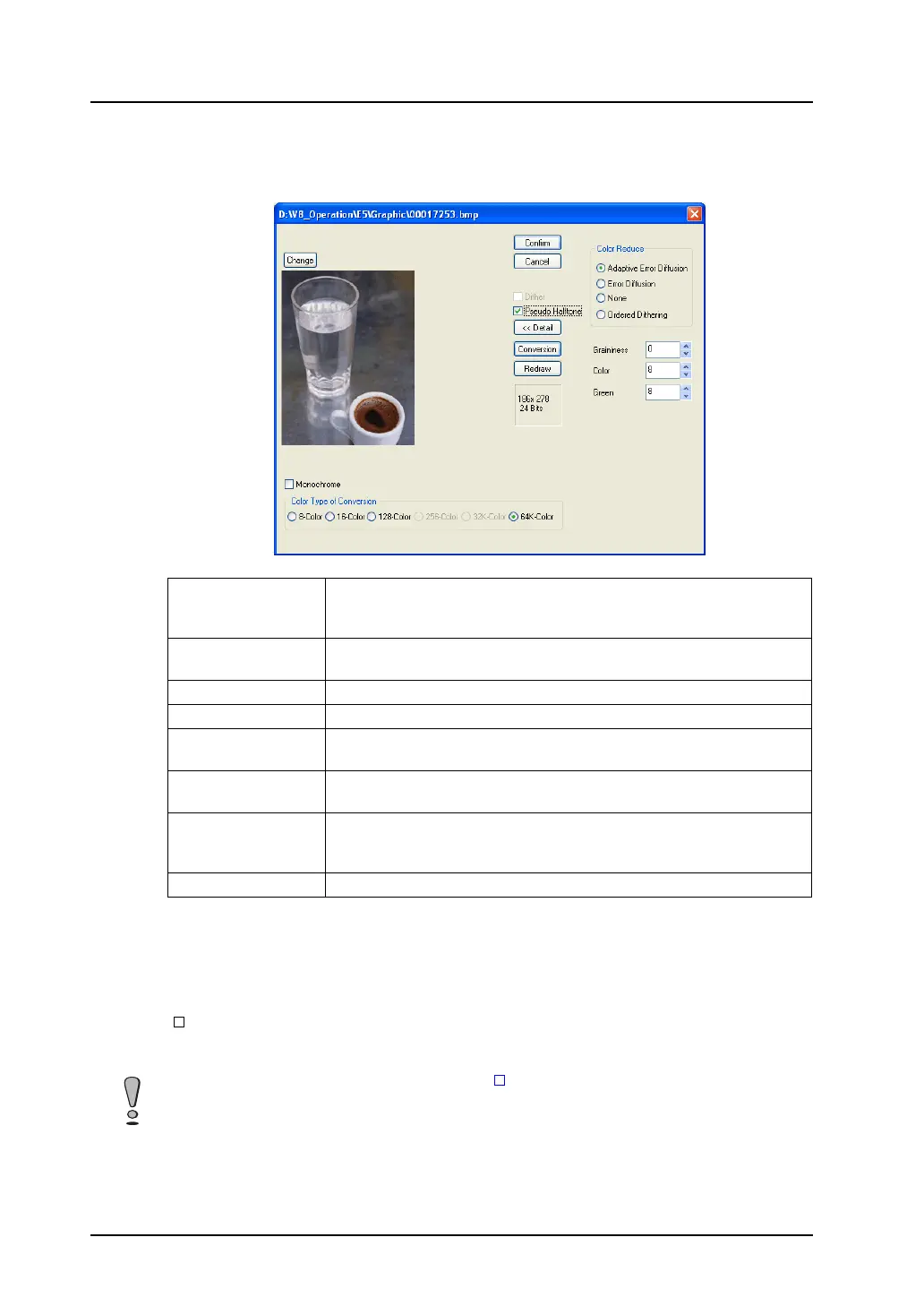
This option brings up the detailed menu for [Pseudo Halftone] as the following: The contents are
shown below:
[Conversion]
Clicking this option (depressed) brings up the preview of the placed image.
[Redraw]
When any setting [Dither] or [Pseudo Gradation] has been changed while the [Convert] button is
depressed, the image according to the change is previewed by clicking [Redraw].
[ Monochrome (8-tone)]
When this option is checked, the image quality is degraded to the monochrome 8-tone level.
The pattern is reduced in data size as a result.
Adaptive Error
Diffusion
Error diffusion adapted to each individual part of the image can be
performed. This function places emphasis on smoothness of image more
than the following [Error Diffusion] does.
Error Diffusion If a color of the source image is not included in the color palette, two bits in
similar colors are placed alternately so as to reproduce the color.
None A palette similar to the source image color is selected.
Ordered Dithering Error diffusion pattern is made closer to regular pattern.
Graininess
(0 - 3, standard: 1)
Specify a level of graininess. The smaller the entered value, the lower the
graininess becomes.
Color
(0 - 15, standard: 8)
Assign priority to brightness or color for depicting. When a specified
number gets smaller, brightness takes priority over color.
Green
(0 - 15, standard: 8)
Assign priority to blue-green-based color or red-yellow-based color for
depicting. When a specified number gets smaller, green-based color takes
priority over other colors.
Conversion Clicking this option (depressed) brings up the preview of the placed image.
In the case of the V8-series (128-color): When the [ Use 3D Parts] (in the [General Setting] tab
window opened in the [Unit Setting] dialog selected from the [System Setting] menu) setting is
changed, the palette is also changed and the colors of the placed bitmap vary accordingly. To bring
the bitmap to the initial condition, repeat pasting operation of the bitmap.



 To Next Page