3.7 Parts Placement and Setting
3-86
Data Sampling
Placement procedure
1. Click [Parts] → [Trend] → [Data Sampling], or drag the part from the parts list or Catalog View.
Move the mouse to the editing window. The part is displayed along with the cursor.
2. Click the mouse in an arbitrary position on the screen. The data sampling part is placed.
Setting method
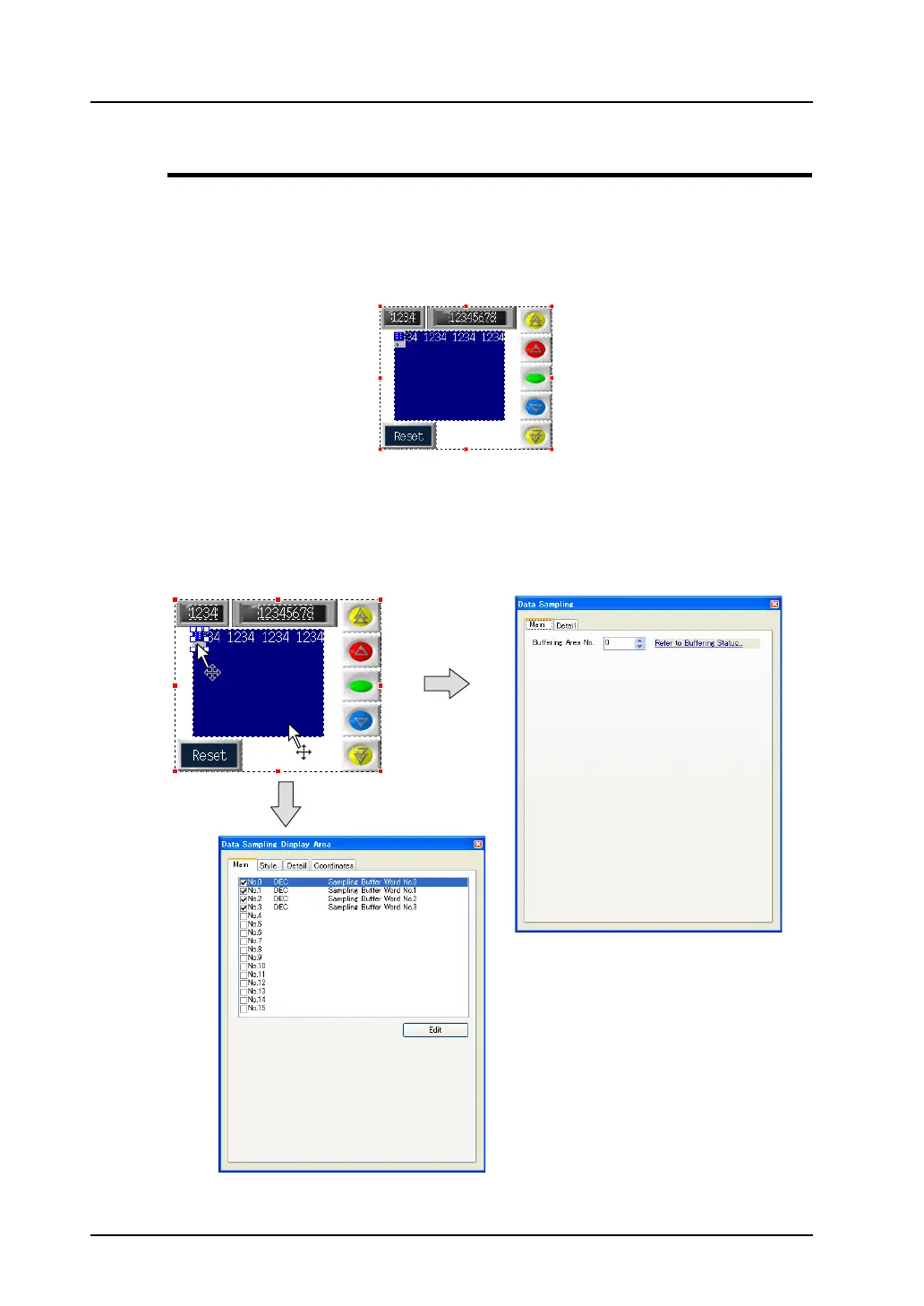
When the [Data Sampling] icon is clicked (or double-clicked), the [Data Sampling] dialog is displayed.
By clicking (or double-clicking) the display area part for data sampling, the [Data Sampling Display
Area] dialog is displayed.
By clicking any switch part, the item dialog for the switch is displayed.
Click the icon. The item dialog is displayed.
Clicking the display area brings up
the item dialog for the data
sampling display area.



 To Next Page