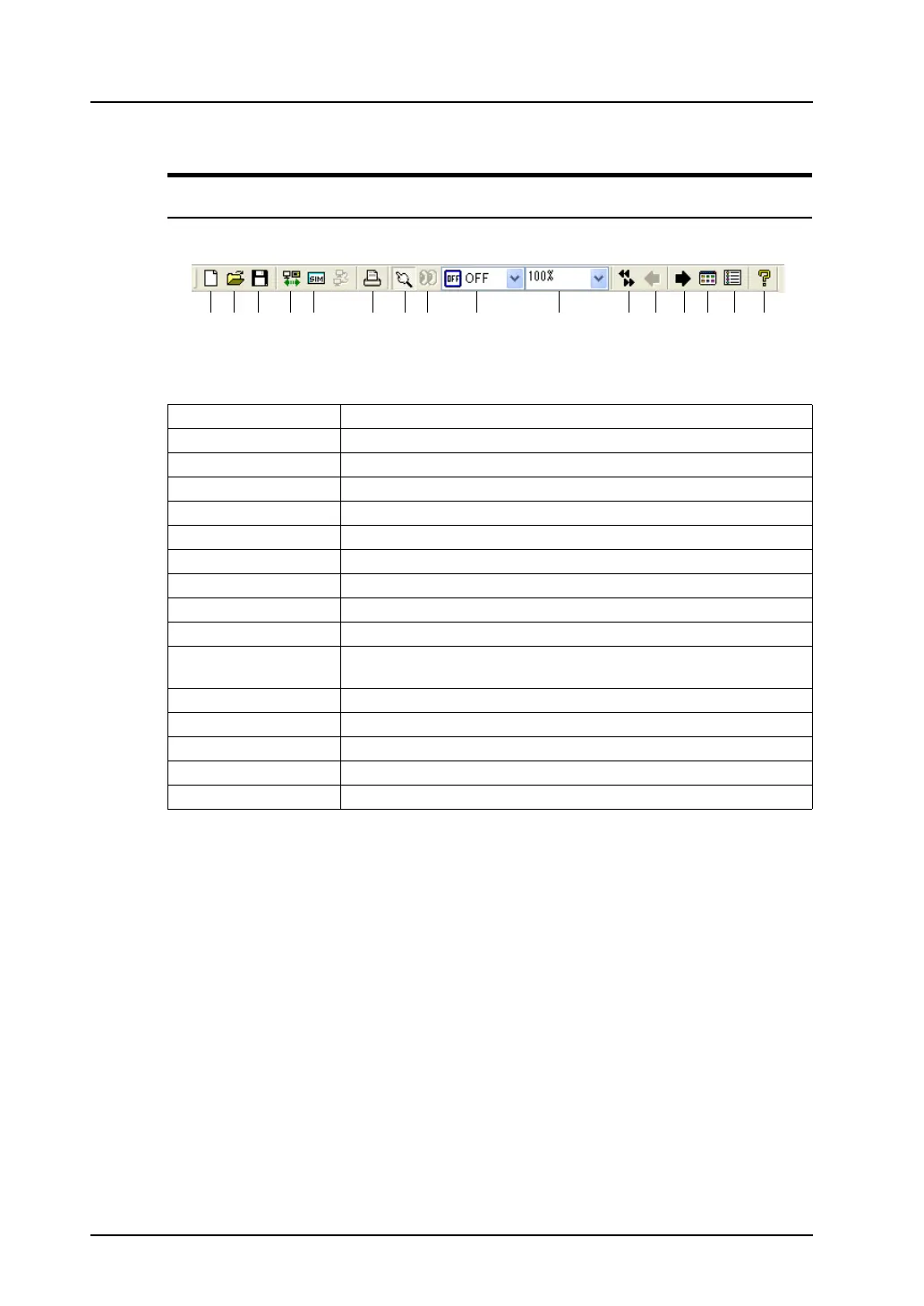
2.5 Toolbar
2-22
Names and Contents of Tools
Standard
1. New Opens a new file, and brings up the screen for editing.
2. Open Opens an existing screen data file.
3. Save Saves the current screen data.
4. Transfer Transfers the screen data to MONITOUCH.
5. Simulate Starts up Simulator.
6. Print Displays the print setting.
7. Select Cancels editing status, and makes items or parts selectable.
8. Detailed Setting Displays the item dialog for the selected item or part.
9. Status Selection Change-over the status of the switch part or lamp part (OFF/ON/P3, etc.)
10. Scaling Display Specifies zooming factor.
11. Screen Skip Depressed: Skips unregistered screens.
Raised: Displays unregistered screens.
12. Previous Screen Moves back to the previous screen.
13. Next Screen Moves to the next screen.
14. Screen List Displays the screen list window.
15. Item List Displays items placed or set on the screen in the item list window.
16. Version Information Displays the version information.
1. 2. 3. 4. 5. 6. 7. 8. 9. 10. 11. 12. 13. 14. 15. 16.



 To Next Page