4.3 Drawing Methods
4-8
4.3 Drawing Methods
Drawing methods of items are explained.
Line
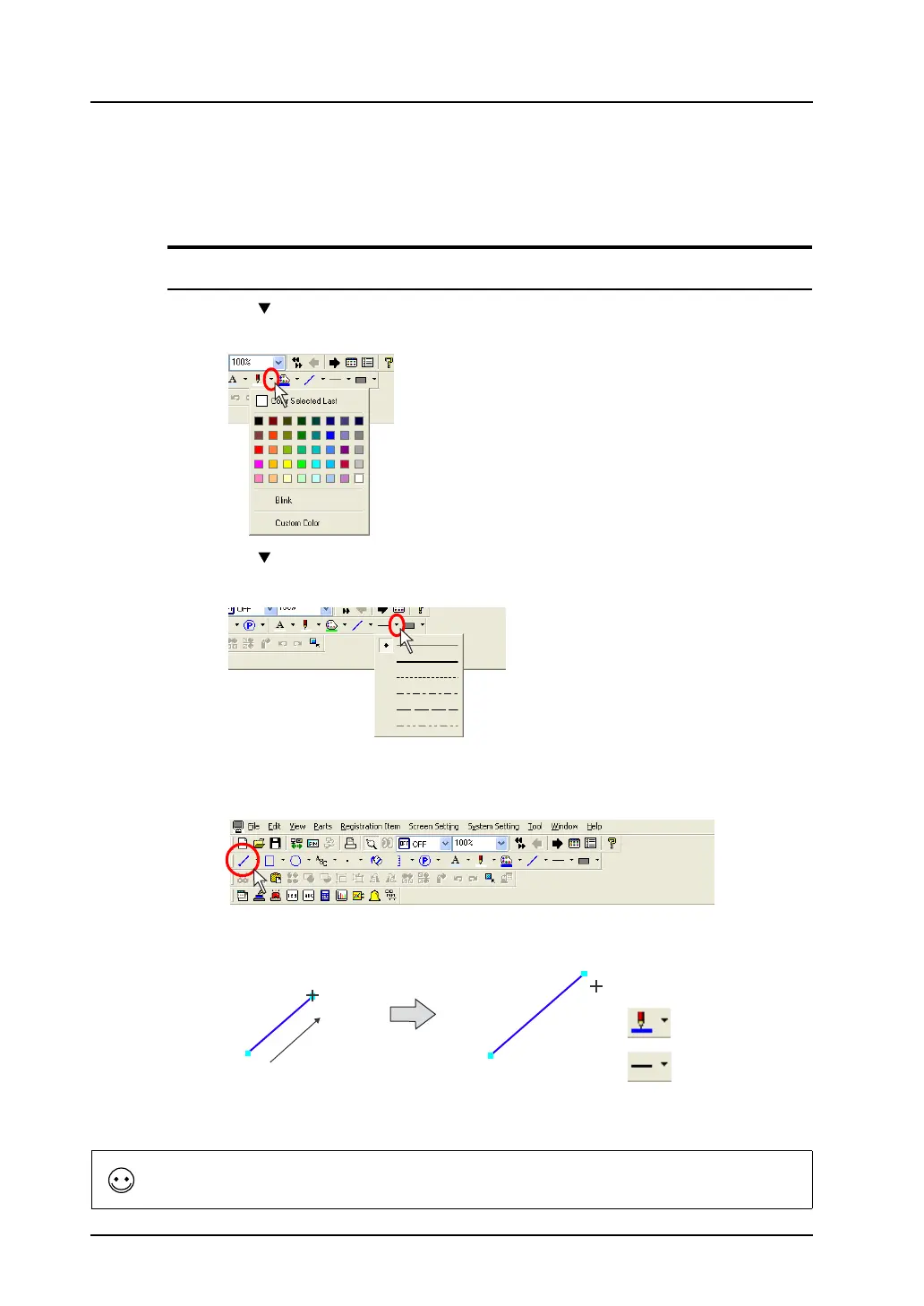
Single Line
1. Click the “ ” mark on the right of the [Line Color/Frame Color] icon on the toolbar.
Select the desired color from the list displayed.
2. Click the “ ” mark on the right of the [Line Type] icon.
Select the desired line style from the list displayed.
3. Click the [Line] icon on the toolbar.
The [Line] icon is depressed and the mouse cursor is turned into a cross-shaped cursor.
4. Drag the mouse from the start point to the end.
A line is drawn in the color selected in step 1 and in the line style selected in step 2.
5. To reset the drawing setting, right-click or click the mouse at the desired position on the screen.
By dragging the mouse again without resetting it, you can draw another line continuously.
Line Color
Line Type
Drag.
When you drag the mouse while holding down the SHIFT key, it is possible to draw a horizontal or vertical line.



 To Next Page