Windows Font
A1-32
In Message Editing
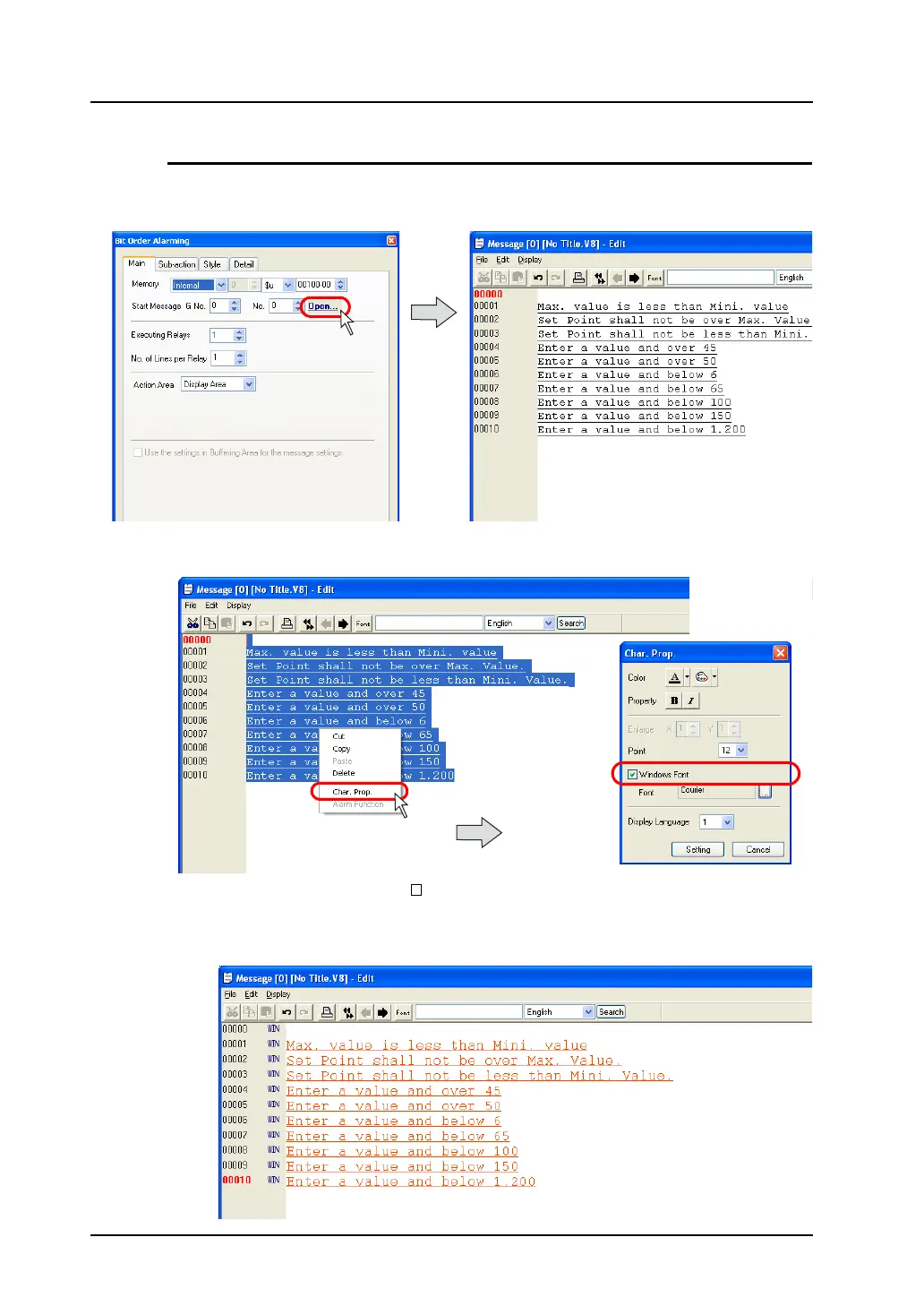
1. In the item dialog for the part, click [Open]. Or, click [Registration Item] → [Message]. The
[Message Edit] window is displayed.
2. Select the target messages and right-click the mouse.
From the right-click menu, click [Char. Prop.].
3. In the [Char. Prop.] dialog, check [ Windows Font]. Select the desired color, number of points,
font, etc.
Click [Setting] to go back to the [Message Edit] window. The window shows the messages in the
Windows font as set.
Right-click while messages
are selected.



 To Next Page