2.4 Types of [View]
2-17
2
Editor
2.4 Types of [View]
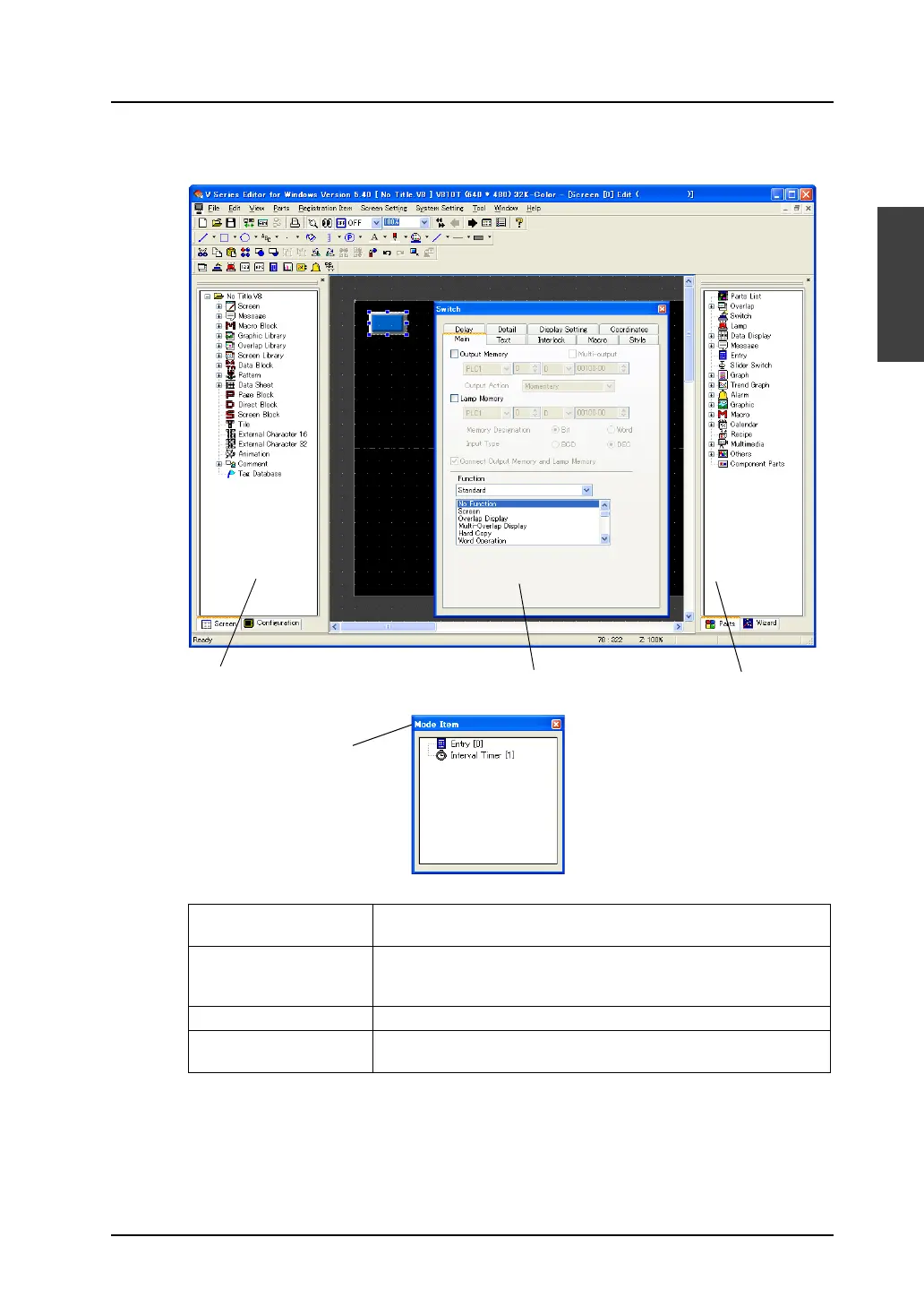
1. Project View 3. Item dialog 2. Catalog View
4. Mode Item View
1. Project View Displays the entire configuration of the screen data or number of
screens in a tree-structured format.
2. Catalog View Displays parts or items to be placed on the screen in a tree-structured
format. Parts or items can be placed on the screen by dragging the
icon.
3. Item dialog Settings for each part or item can be checked and changed.
4. Mode Item View Displays the registration status for items whose area does not exist on
the screen (macro mode, multi-overlap, etc.).



 To Next Page