6.7 After Transfer (Communication with PLC)
6-57
6
Transfer with V8
Display Contents after Communication
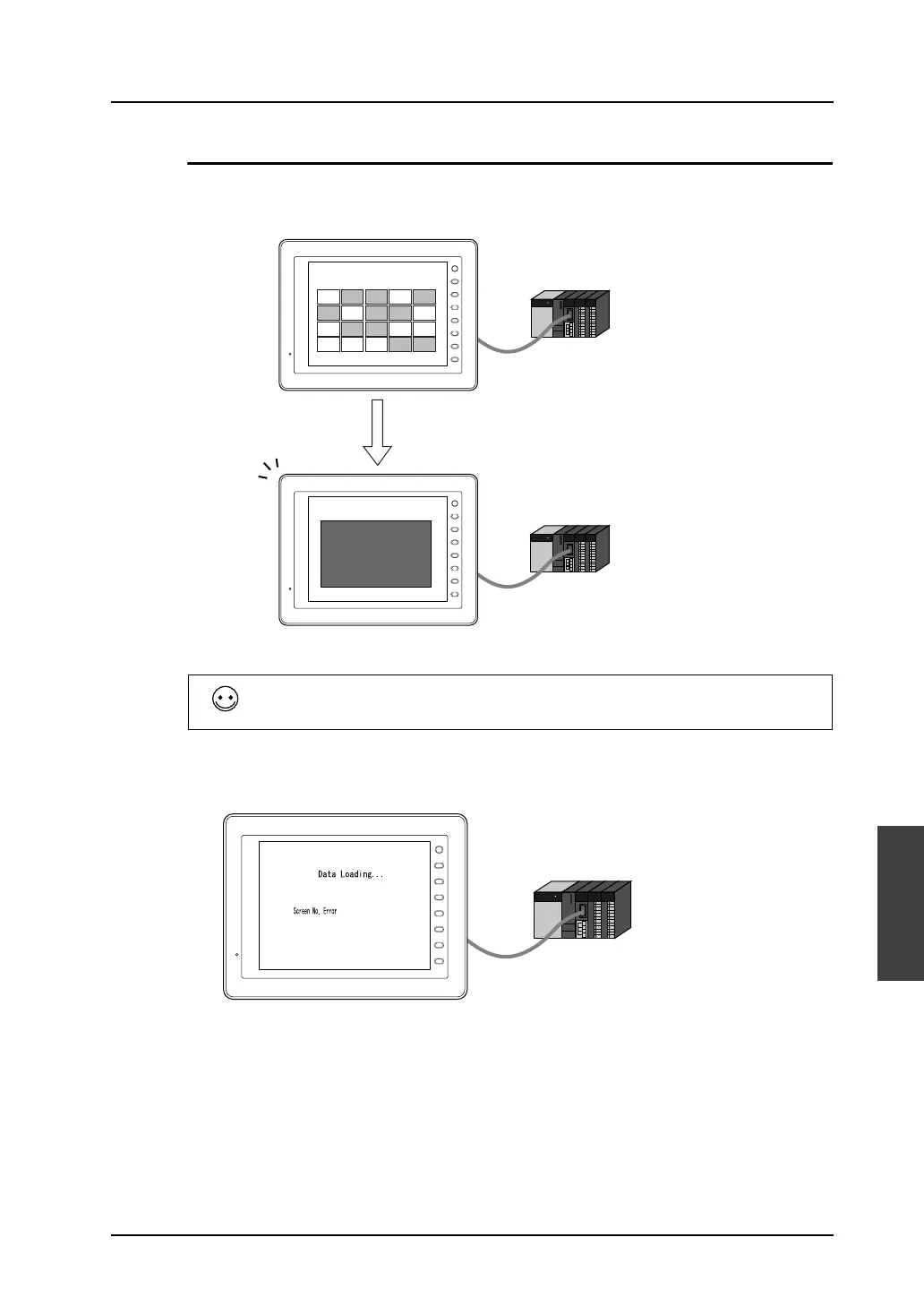
• When MONITOUCH starts communication with the PLC, it displays the screen specified in the
read area address “n + 2”.
• If a value not existing in the screen data file is set in [Read Area] “n + 2”, the following error
message is displayed.
Check and correct the value in the read area address “n + 2”.
PLC
PLC
F 1
F 2
F 3
F 4
F 5
F 6
F 7
SYSTEM
A-1 A-2 A-3 A-4 A-5
B-1 B-2 B-3 B-4 B-5
C-1 C-2 C-3 C-4 C-5
D-1 D-2 D-3 D-4 D-5
F 1
F 2
F 3
F 4
F 5
F 6
F 7
SYSTEM
MONITORING
ERROR
Power Supply Error
Turn the unit OFF at
once.
E.g.) Read area n : D0
n + 1 : D1
n + 2 : D2
Screen No. 3
When storing “D2 = 3”:
(D2: Read area n + 2)
Screen No. 3 is displayed.
When reviewing the value set for [Read Area], go to [System Setting] → [Device Connection
Setting]→[Read/Write Area].
For more information, refer to “Chapter 1 System Setting” in the V8 Series Reference Manual.
PLC
F 1
F 2
F 3
F 4
F 5
F 6
F 7
SYSTEM
When storing “D2 = 1000”:
(D2: Read area n + 2)
The message shown above is displayed
when screen No. 1000 does not exist in
the screen data.



 To Next Page