3.6 Parts
3-61
3
Screen Editing
For Linked Part
What Is “Linked Part”?
Unlike single parts, such as a switch, lamp, data display, etc., there is a kind of part that consists of
multiple individual parts, but is placed as a single part (e.g. bit order alarming, alarm tracking, trend
sampling, etc.). This is called a “linked part.”
To change the size or delete unnecessary items included in the linked part, it is necessary to remove
the linkage to make it possible to perform layout or edit individually. This section describes the
procedure.
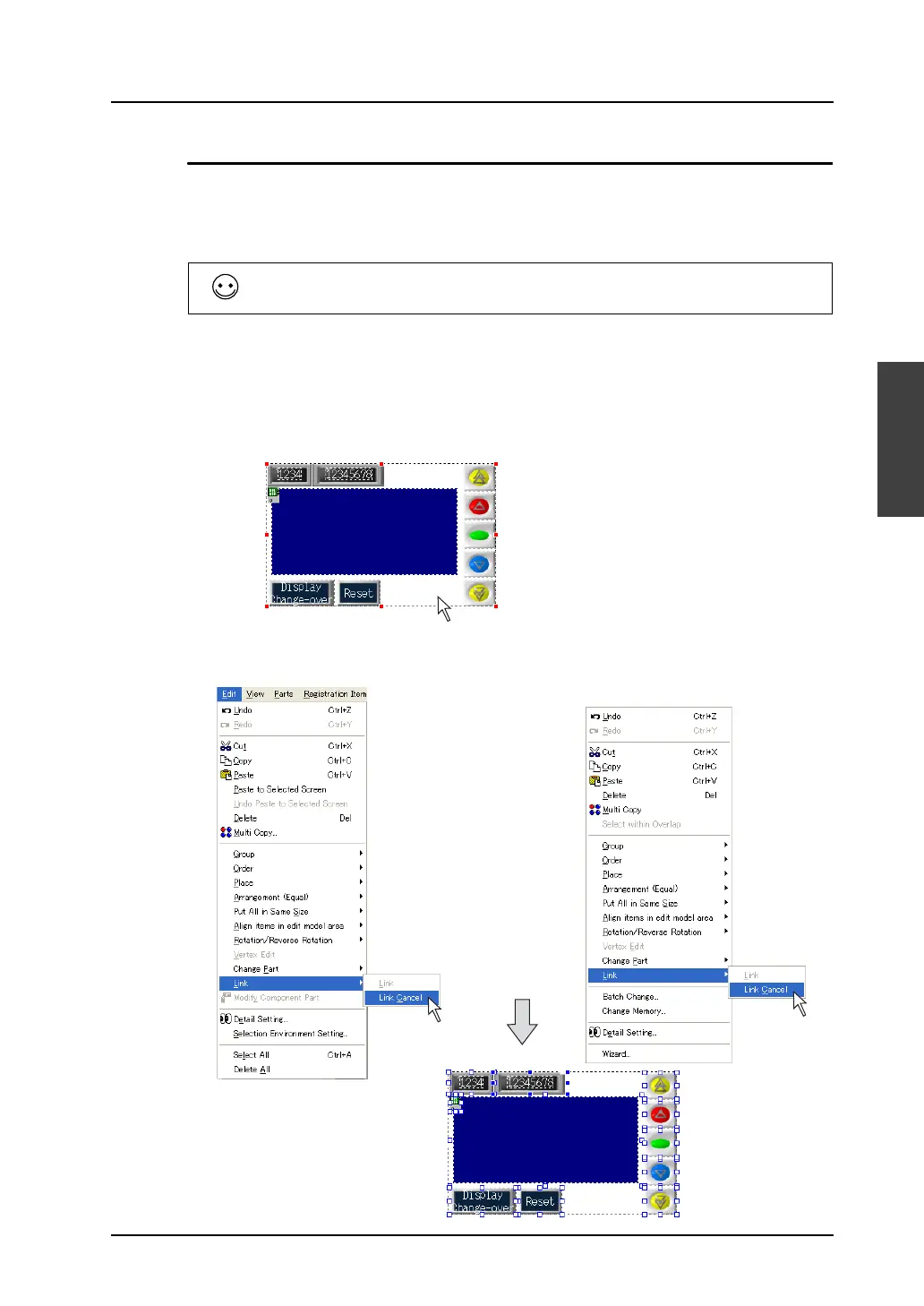
Removing linkage
1. Click the linked part.
2. Click [Edit] → [Link] → [Link Cancel], or right-click the mouse and click [Link] → [Link Cancel]. The
selected linked-part is separated into individual pieces.
When the part is selected with the red handle by clicking on it, it is a linked part.
Click.
OR
Right-click.



 To Next Page