3.6 Parts
3-52
From the Parts Toolbar
What is the parts toolbar?
This is the menu which contains minimized tools.
There two types of toolbars: the [Parts] toolbar which contains all of the parts, and the [Parts Mini]
toolbar which can be customized with frequently-used parts. This section provides the procedure
using the [Parts] toolbar.
Placement procedure (e.g. alarm logging)
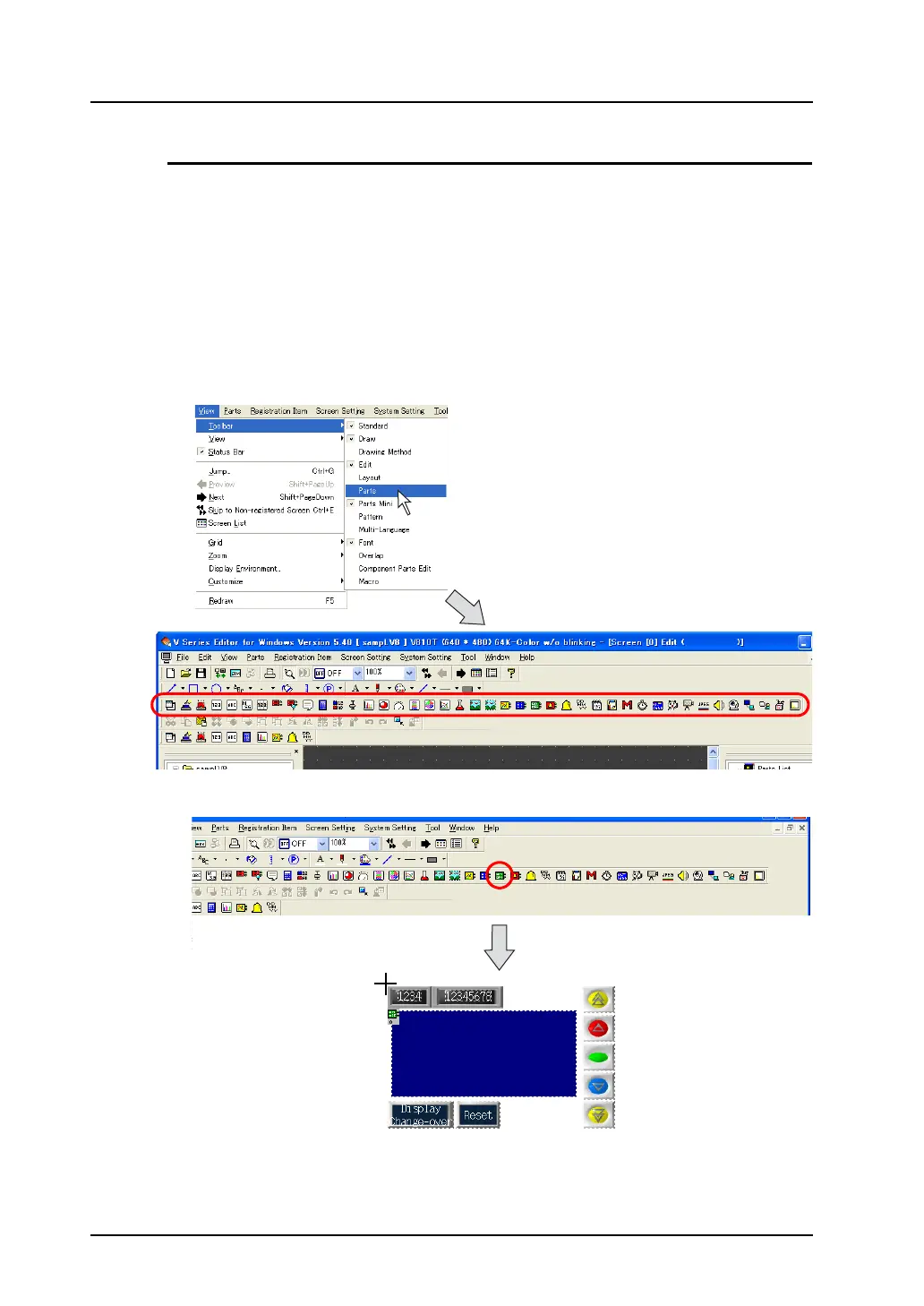
1. Bring up the [Parts] toolbar on the screen.
Click [View] → [Toolbar] → [Parts].
(When it has already been checked, go to step 2.)
The [Parts] toolbar is displayed.
2. Click the [Alarm Logging] icon.
Move the mouse to the editing window. The part is displayed with the cursor.
* The part displayed here is the default or the one which was changed or selected last.
The part is displayed with
the cursor moved.



 To Next Page