6.4 Transfer Procedure (Using a Communication Cable)
6-10
6.4 Transfer Procedure (Using a Communication
Cable)
V-CP
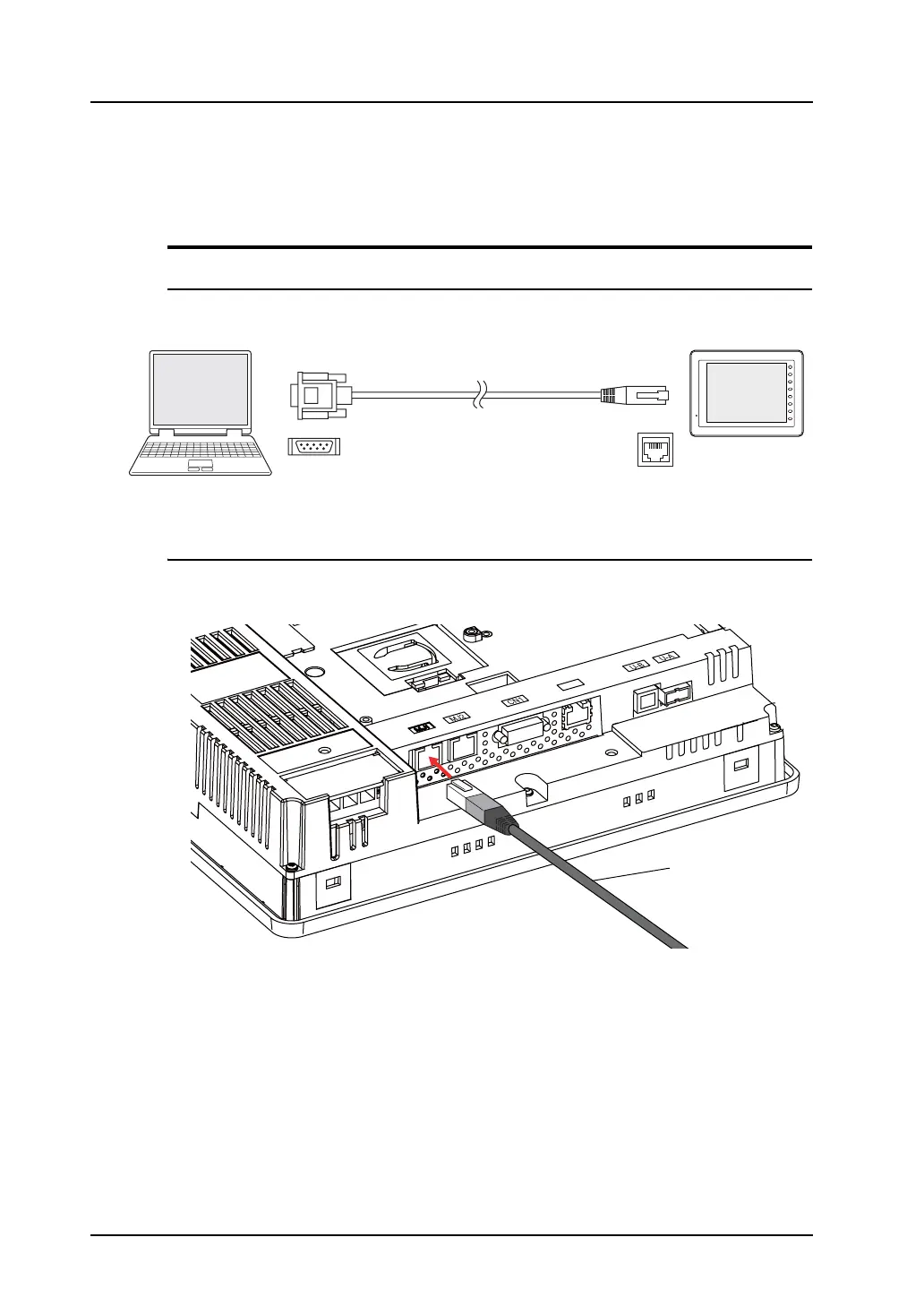
System Configuration
The data is transferred in the following system configuration using V-CP.
Transfer Procedure from the Editor to MONITOUCH
1. Connect MONITOUCH (MJ1) and the computer using V-CP.
E.g. V810iT
When [No Connection] is not set for the MJ1, display the Main Menu screen on MONITOUCH.
2. On the editor, open the screen data to be transferred.
D-sub 9pin
V-CP
F 1
F 2
F 3
F 4
F 5
F 6
F 7
SYSTEM
8pin
MJ1
V8 series
Computer
Modular
LAN
V-CP



 To Next Page